shadcn.io is an independent project built on shadcn/ui
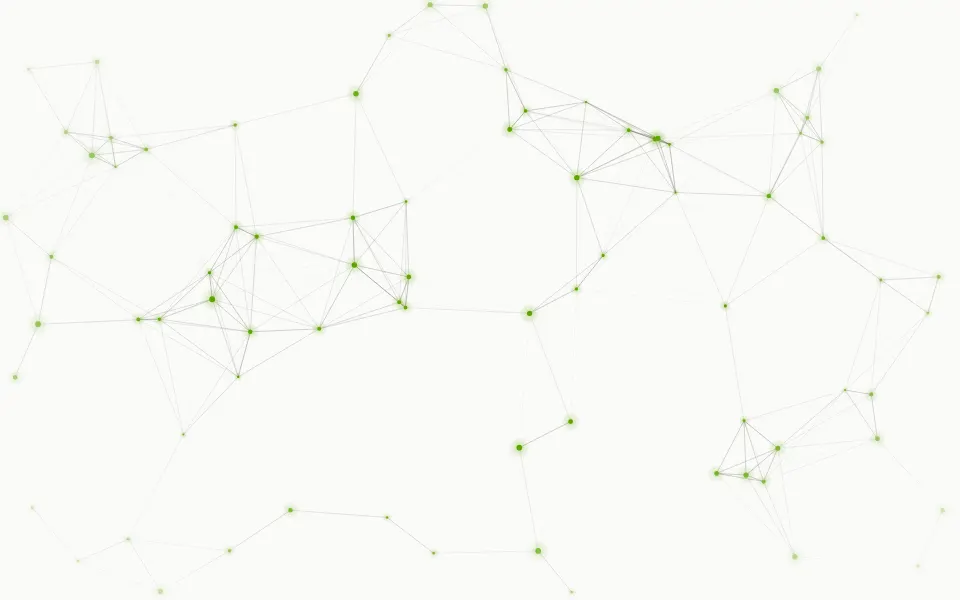
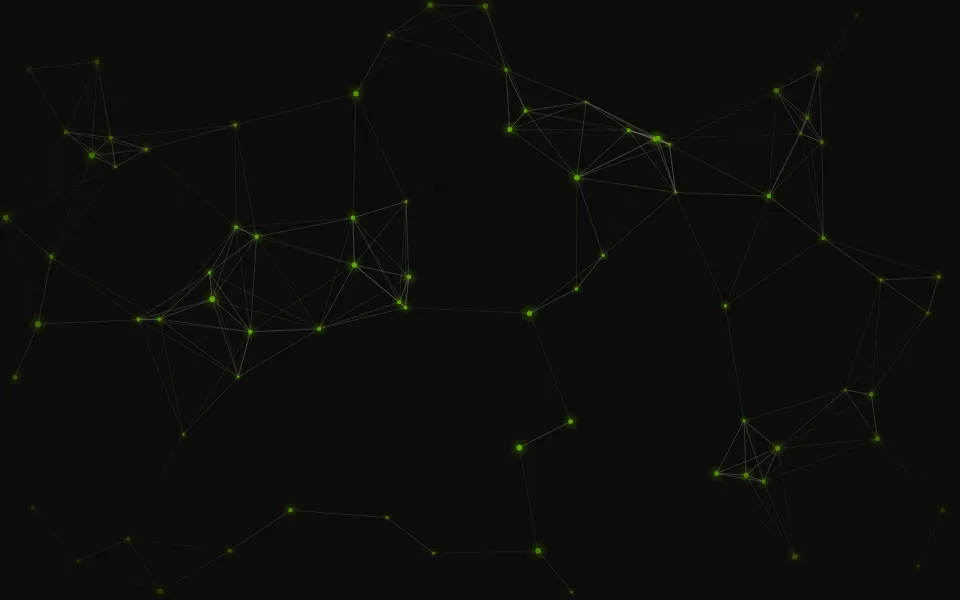
Points drift across the box and thin lines join the ones that are close, each line fading as its two points move apart. Where three points are all linked, the triangle between them takes a faint tint, and a few links carry a short signal from one end to the other. A smaller, softer web behind the front one gives it depth. It's a GLSL scene on WebGL2 with no dependency. Points and lines follow your theme, and links reach for the pointer.
Use it behind a hero or a section about a network: services, a graph, a model, a team. For dots without lines, use Particles; for a tidy board of right-angle traces with pulses, Circuit; for a full low-poly surface instead of a web, Facets. With reduced motion it holds one still frame.
Installation
Usage
import { Constellation } from "@/components/ui/constellation";<Constellation className="flex min-h-[32rem] flex-col items-center justify-center">
<h1 className="text-5xl font-semibold">See every service</h1>
</Constellation>Constellation is a container: whatever you put inside sits on top of the web, in normal flow. It fills its own box, so give it a height or content. For a backdrop behind the whole page, render it empty with className="fixed inset-0 -z-10".
Presets
<Constellation /><Constellation
count={110}
depth={0}
distance={1}
fill={1}
signals={0}
/><Constellation
accentColor="var(--foreground)"
fill={0.25}
signals={0}
/><Constellation
accentColor="#a78bfa"
color="#e0f2fe"
count={110}
fill={0.8}
lineColor="#38bdf8"
signals={0.7}
/><Constellation
count={50}
depth={0.8}
distance={0.78}
fill={0}
signals={0}
size={5}
/><Constellation
accentColor="#22e584"
drift={0.5}
fill={0}
lineWidth={1.5}
signals={1}
/>Each preset is a set of props, so copy one and keep tuning. Plexus is the default. Mesh raises distance and fill to 1 on a single web, so the links close into tinted triangles; Sparse keeps 50 larger points with only the closest pairs joined; Traffic puts a green signal on every link; and Mono takes all three colors from your theme.
Examples
Hero
The web is thin enough to sit under copy, so the hero is centered on it with no props set. The headline and the line under it use the foreground color; the chip and the second button have a translucent ground of their own, so a line passing behind them doesn't cut through the label.
Colors
color, lineColor and accentColor on a dark surface: pale points, sky-blue links and violet triangles, with count={110}, a stronger fill and a signal on most links (signals={0.7}).
In a card
count is the number of points a 1280 by 720 box holds, so a card shows a share of them at the same spacing. Here count={140} packs the web tighter, depth={0.3} quiets the web behind it, and fade="bottom" clears the web from under the copy.
Customization
color, lineColor and accentColor take any CSS color, so a theme variable works and follows a theme switch. The defaults for points and lines are var(--foreground): light on a dark theme, dark on a light one. accentColor tints the triangles, the signals and, on a dark surface, the glow around each point. If a color comes too close to the surface to show, the scene shifts its lightness so the web stays visible.
The surface is the root's own background, bg-background by default. Give the root another (bg-slate-950, a gradient) and the web adapts to it. fade masks an edge, opacity turns the whole effect down, and grain adds film grain.
<Constellation
  accentColor="var(--chart-2)"
  className="min-h-[32rem]"
  color="var(--chart-1)"
  fade="radial"
  lineColor="var(--muted-foreground)"
/>
Performance
It's one WebGL2 canvas and one fragment shader. Each of the two webs keeps at most one point at each place of a triangular lattice, and a pixel looks at its nearest place and the six around it: seven points and six links a web, six triangles and one signal for the front web, and seven more links only within reach of the pointer. No noise, no texture, and no loop grows with count: more points means smaller cells, not more work. It draws only while it's on screen and the tab is visible, shares one frame loop with every other background on the page, and lowers its own resolution if frames run long. quality sets the render scale yourself, and paused holds the frame.
Accessibility
The web is decoration: it's hidden from assistive tech and lets every click through to your content. With reduced motion it draws one still frame and ignores the pointer. Nothing flashes: a link takes seconds to fade in or out, and a signal crosses its link in 6 to 11 seconds.
Use the foreground color (text-foreground) for copy on top. Measured on the default frame, the mean contrast of foreground text is 19:1 on the default light theme and 18:1 on the dark one, and no 24-pixel block averages below 14:1. Only the points and the strongest lines fall under 4.5:1, about 0.1% of the pixels on light and 0.2% on dark: a line is a pixel wide and a point 2 to 5. For long body text, lower intensity or depth.
FAQ
How do I change the colors?
color sets the points, lineColor the links and accentColor the triangles, the signals and the glow around the points. All three take hex, oklch() and theme variables such as var(--primary), and a variable follows your theme when it changes. For a web in one color, set all three to the same value.
How do I get more points, or more links between them?
count is how many points a 1280 by 720 box holds in the front web, 70 by default, from 20 to 200. distance is how far a link reaches, from 0.5 to 1: at 1 nearly every point is joined to the points around it, and near 0.5 only the closest pairs are. depth sets how strongly the second, softer web behind it shows.
Why does a point only link to the points next to it?
Each point wanders around its own place in a lattice and is joined to the six places around it at most, never further. That keeps the web even, with no knots of crossing lines, and it's why a link never pops in or out: its strength depends only on the distance between its two points, and it reaches zero before they are too far apart to be neighbors.
What does the pointer do?
The points nearest the pointer send a link to it, each fading with its distance, so the web follows it like one more point. A press sends a ring of light out through the lines. interactive={false} turns both off. Touch never moves the web, so scrolling on a phone isn't disturbed.
Can I have lines and points only?
Yes. fill={0} removes the tinted triangles and signals={0} the dashes that run along the links. With depth={0} as well you get one flat web of points and lines, which is the classic plexus.
Does it work on a light page?
Yes, with no prop to set. Points and links default to your foreground color, so they are dark on a white page and light on a dark one, and the triangles become a pale wash of the accent. Set the surface with a class on the component, such as bg-slate-950.
How do I put it behind the whole page?
Render it empty with className="fixed inset-0 -z-10". It still follows the pointer there, since it listens on the window. To put it behind one section, wrap that section's content in it and give it a height, such as min-h-svh.
Does it work with Next.js and server components?
Yes. Import it into a server component and it renders its box and your content on the server; the canvas starts in the browser and fades in over the surface. It needs WebGL2, which every current browser has. Without it the box keeps its background, or the fallback you pass.
API Reference
Constellation
data-slot="constellation"
accentColor?string
The color of the tint between three linked points, of the signals that run along the links and of the glow around the points, any CSS color.
- Default
"#4f7dff"
color?string
The points' color, any CSS color. The default follows your theme: light points on a dark surface, dark ones on a light surface.
- Default
"var(--foreground)"
count?number
How many points a 1280 by 720 box holds in the front web. A smaller box shows fewer, at the same spacing.
- Default
70
depth?number
How strongly the smaller, softer web behind the front one shows, from 0 (one flat web) to 1.
- Default
0.5
direction?number
The way the webs travel, in degrees: 0 is to the right, 90 up, 180 to the left, -90 down.
- Default
20
distance?number
How far a link reaches, from 0.5 to 1: at 1 nearly every point is joined to its neighbors in one mesh, lower leaves only the closest pairs joined.
- Default
0.9
drift?number
How fast the webs travel along direction. At 0 the points only wander
in place.
- Default
1
fade?"none" | "radial" | "top" | "bottom" | "left" | "right"
Which edges fade out to the surface: radial keeps the middle, the
others name the side that fades.
- Type
"none" | "radial" | "top" | "bottom" | "left" | "right"- Default
"none"
fallback?string
What shows until the first frame and in browsers without WebGL2: a CSS
background value that looks like the scene.
fill?number
How strongly the triangle between three linked points is tinted with
accentColor, from 0 (lines only) to 1.
- Default
0.5
grain?number
Film grain over the scene, from 0 to 1.
- Default
0
intensity?number
How strongly the whole web shows.
- Default
1
interactive?boolean
Whether the scene follows the pointer and answers a press. Touch never moves it, so scrolling a page on a phone isn't disturbed.
- Default
true
lineColor?string
The links' color, any CSS color. The default follows your theme.
- Default
"var(--foreground)"
lineWidth?number
The links' width in pixels.
- Default
1
opacity?number
How strongly the scene shows over the surface, from 0 to 1.
- Default
1
paused?boolean
Holds the current frame.
- Default
false
quality?number
Render scale, from 0.25 to 1, of the screen's pixels (capped at 2×). Lower is cheaper and softer.
- Default
1
signals?number
The share of links that carry a signal, a short dash of accentColor
running from one point to the other, from 0 to 1.
- Default
0.25
size?number
The width of a point in pixels.
- Default
3.5
speed?number
Animation speed: 1 is normal, 0 holds the frame.
- Default
1
time?number
A fixed moment, in seconds: draws it and doesn't animate.