FAQ blocks for every framework.
100 faq sections for React, Vue, Svelte and Solid, ready to paste into a page. FAQ sections that answer before anyone asks: accordions, searchable and categorised questions, side navigation, contact prompts and help-centre layouts. Try each one right here.
Every faq block
100 blocks.
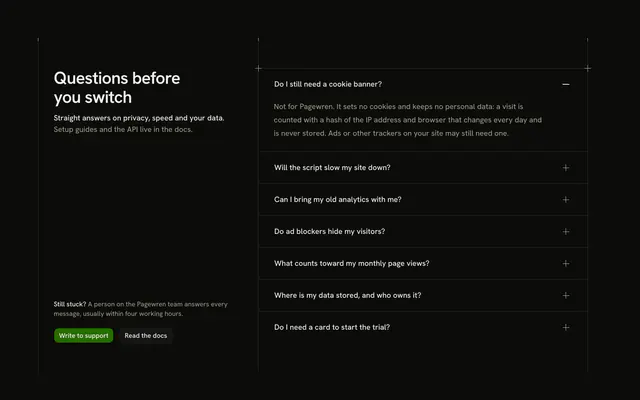 Accordion FAQAccordion listsA side-header FAQ for a web analytics tool: the title, one sentence and a contact prompt beside seven questions in an accordion, behind a split divider.
 Agenda by Day FAQCharts and documentsA conference FAQ with the agenda beside the questions: tabs for three days over a time column of sessions, and six questions about tickets and getting there behind a split divider.
 Anchor Link FAQReading and sharingA FAQ for a documentation host with a # link on every question that copies its address, and deep links that open and ring the matching answer on load.
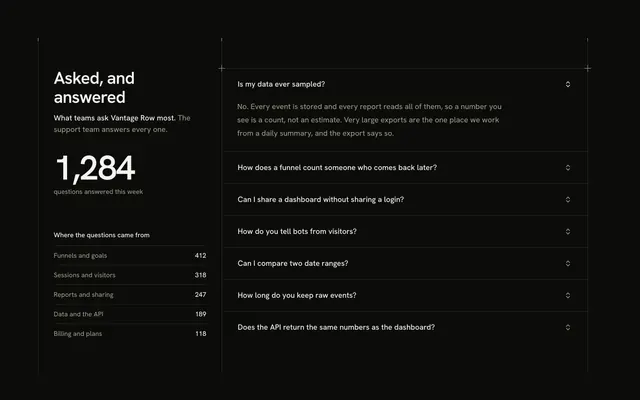 Animated Counter FAQProof and freshnessA side-header FAQ for an analytics tool: one large figure that counts up to this week's answered questions, the topics behind it, and seven questions in an accordion.
 Annotated Invoice FAQCharts and documentsA FAQ that explains its own invoice: seven numbered questions beside a framed mock invoice, where opening a question rings the line it explains and mutes the rest.
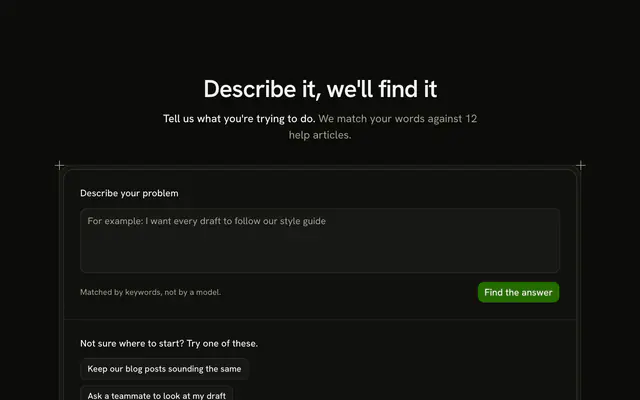 Answer Finder FAQSearchAn answer finder for a team writing tool on a card in card: describe a problem and the closest help article opens, quoted word for word, with two ranked articles to try.
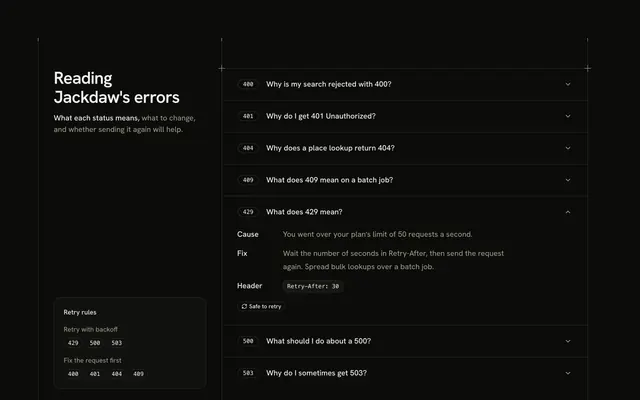 API Error Codes FAQCode and mediaAn error-code FAQ for a geocoding API: seven status codes as accordion rows with a mono chip, a cause, a fix, the header to look for and a retry verdict, beside a retry-rules note.
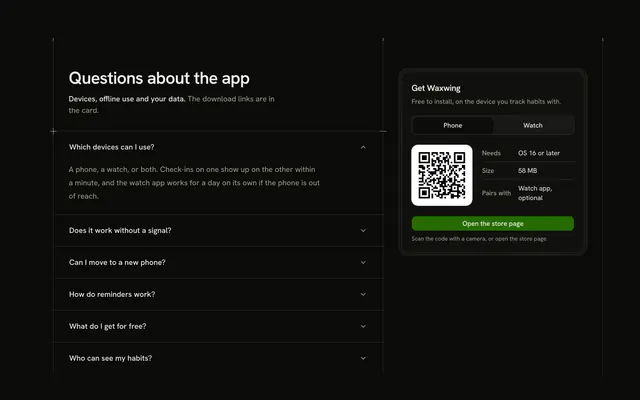 App Download FAQCalculators and toolsA FAQ for a habit-tracking app: six questions in an accordion beside a download card in a card, where a Phone or Watch choice swaps a real QR code, the minimum OS and the store link.
 Avatars FAQProof and freshnessAn FAQ where every answer is signed: a stack of four initials avatars under the header and a named answerer at the foot of each answer.
 Bookmarks FAQReading and sharingA side-header FAQ for a music-lessons platform: a star on every row, a framed Saved questions panel, and an All and Saved filter that shows only the rows you kept.
 Breadcrumb FAQNavigationA drill-down help centre for a mobile carrier: four topic cells in a framed card, a breadcrumb bar, and each topic's questions behind a click.
 Card Grid FAQCards and gridsA static FAQ grid for a seed shop: six questions with their answers on show, in cells that share hairlines, each with an icon tile and a topic tag.
Or describe it. With Pro, your AI agent picks the block you describe and installs it on your stack.
Get ProPricing
Every faq block, one prompt away, with Pro
Your AI agent installs any of the 100 faq blocks, and every component, example and icon, with every Pro plan.
4.9/5 out of 5 · 150+ reviewsfrom 150+ founders and developers.
- Secure checkout via Stripe
- Code lives in your repo
- Keep what you've shipped if you cancel
- License terms
FAQ
Frequently asked questions
Answers on the 100 faq blocks: what they are, how to customize and install them, the license and your AI agent.
The 100 FAQ blocks are page sections that answer common questions before anyone asks: accordions, searchable lists, categorised tabs, side navigation, contact prompts and help-centre layouts. Each holds its questions in a typed array in the file.
They fall into 14 groups: Accordion lists, Cards and grids, Navigation, Search, Topics and filters, Ways to reveal, and more. Some change how answers are revealed (hover, toggle all, infinite scroll), others add structure such as tabs and topic filters, or things beside the answers like a contact card, votes or a last-reviewed date.
Accordion FAQ is the simple one: side header and an accordion of questions. Live Search FAQ filters rows as you type and marks the matches. Categorized FAQ puts a tab per topic with its question count. FAQ with Contact Card keeps a contact card in view while the questions scroll.
Questions and answers sit in a typed array (usually named QUESTIONS or FAQS, each with an id, question and answer) at the top of the file, followed by the component that renders them. The product named in the copy is a placeholder.
Two blocks ship the markup. JSON-LD FAQ builds one FAQPage script from the same FAQS array that draws the visible list, and escapes the less-than character in the JSON. Schema Inspector FAQ does the same and also shows the JSON tree with a copy button. The other blocks emit none, so copy that script and its builder into any block you use.
Edit the questions array: each item has an answer, an id and a question, and the accordion maps over it. In the searchable and categorised blocks the same array also feeds the filter and the tab counts, so there is nothing else to update. Keep one source for the visible text and the schema so they stay identical.
Replace the inline array with your data: import a typed list from a file or CMS in a server component and pass it down as a prop, or fetch it where you render the block. Keep the same fields (question, answer, id) and the component code does not change.
Live Search FAQ already filters on the question and the answer text, opens every match, marks the matched words and shows an empty state with a reset. Answer Finder FAQ is not AI: it scores your words against the questions it holds and says so, so wire your own search or model call if you want one.
Support Ticket FAQ suggests matching questions as the subject is typed, then sends the ticket through a submit function that does nothing here: wire that function to your help desk. FAQ with Contact Card is only a card of ways to reach a person, so put your own email, chat and phone details in it.
This page lists 100 of the category's 100 faq blocks for React on Base UI. The category comes in React (Base UI, React Aria, Ark UI and Radix UI), Vue, Svelte and Solid; the framework and UI library pickers at the top of any block's page switch between them.
The faq blocks here are written on Base UI primitives; the layout, the copy and the theme tokens are the same on every base, and the install path follows it (/r/faq-accordion.json). The other bases are one picker away from /faq-block.
Each block is TypeScript and Tailwind CSS v4, styled with your theme's tokens, and imports our components (installed with it) on Base UI. Icons come from lucide-react.
Open a block, copy its command and run it: `npx shadcn@latest add` with the block's registry URL, such as /r/faq-accordion.json for Accordion FAQ. The code is copied into your project and it's yours to edit.
The block's file and the components it imports: Accordion FAQ brings Accordion, Button, Guides and Shine Button, installed before it. Nothing else changes in your project.
Use the filters above the grid: 14 kinds of faq block, led by calculators and tools (11), accordion lists (9), charts and documents (9) and reading and sharing (9), and sort by popular or name. A good first look: Accordion FAQ, Answer Finder FAQ and Animated Counter FAQ. Each card opens the block's live page.
Every block draws the same page column and side rails with a top rule only (the Guides component), so a faq block lines up with the one above and below it. Stack one per section and the rails read as a single drawing; pick across the layouts, finding answers and what it shows kinds.
Open its page and use the full-screen viewer (/view/faq/accordion) or the device-width previews. Every preview is free for everyone; only the code needs Pro.
Each faq block uses semantic HTML: one heading level, real lists and labelled controls. Interactive parts sit on Base UI, a headless library that follows the WAI-ARIA patterns, and the layouts use logical properties so they hold in right-to-left languages.
Yes. They use semantic tokens only (bg-card, text-muted-foreground), never palette colors, so they follow your preset, radius and dark mode. The primary color marks one action per block and is never a background.
No animation library: the faq blocks' motion is CSS (transitions, entrance animations and SVG), and it stands still under prefers-reduced-motion.
The previews are free for everyone. The code of all 100 faq blocks is Pro, as is every block: Pro unlocks the code, the install command and the MCP.
Only with a Team or Organization license: client work, SaaS products and anything your users pay for. The Individual license is for personal, non-commercial projects. See the license page for the full terms.
You keep using what you installed in your existing projects, but get no new downloads or updates, and the MCP stops answering. A Lifetime license includes all future updates.
No. You can use them in your own End Products, but not redistribute the code or designs on their own, or in a UI library, kit, template or website builder.
With Pro, yes: the MCP server (22 tools, one personal URL from /dashboard/mcp) lets your agent search_blocks for a faq block, read it with get_block and install it on your React on Base UI stack.
Pass `category: "faq"` to search_blocks to search only the 100 faq blocks, or to list_blocks for the 14 groups with their blocks. get_block then returns one with its install command.
plan_page plans a page as a stack of blocks for a brief. Pass `sections` with category ids, such as ["hero", "faq", "footer"], to force the order; each section gets a pick and two alternatives, and get_block installs the stack.
4.9 out of 5 from 150+ developers


Every faq block. One prompt away.
100 faq blocks with Pro, the previews free to try. With Pro, your AI agent installs them from a prompt.
Get Pro