Changelog blocks for every framework.
200 changelog sections for React, Vue, Svelte and Solid, ready to paste into a page. Changelog sections that show what shipped: release timelines, version tabs, diffs, migration guides, rollout status and release metrics. Try each one right here.
Every changelog block
200 blocks.
 A/B Test Results ChangelogMetrics and chartsA framed table of five A/B tests with the lift drawn as a bar from a zero line, a whisker for the interval, the lift in words and the decision as an icon and a word.
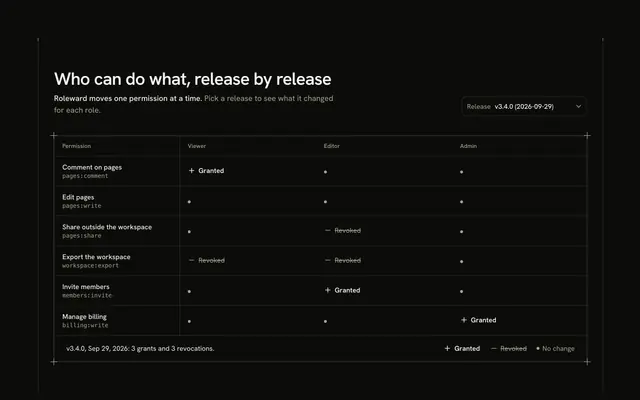 Access Control Changes ChangelogSecurity and auditsA permission diff matrix in an inset frame: a row for each permission, a column for each role, each cell showing what a release granted or revoked, with a release Select at the header's end.
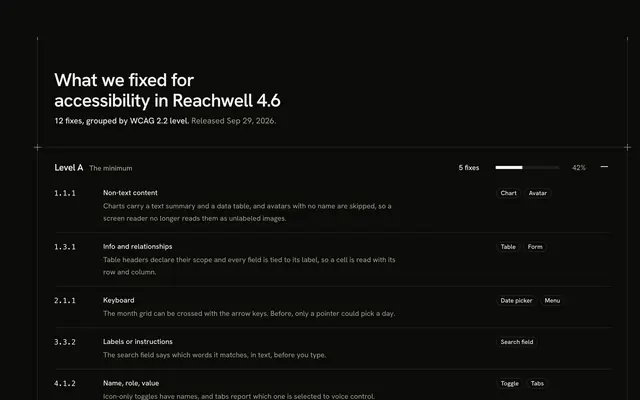 Accessibility Log ChangelogSecurity and auditsAn accordion of the accessibility fixes in a release by WCAG conformance level, each with a count and share, and each fix with its criterion, what changed for whom, and the components it touched.
 Accessibility Score ChangelogSecurity and auditsAn accessibility scorecard split by a divider: a ring with the chosen release's score and its change since the release before, and Tabs for four releases over a table of audit items.
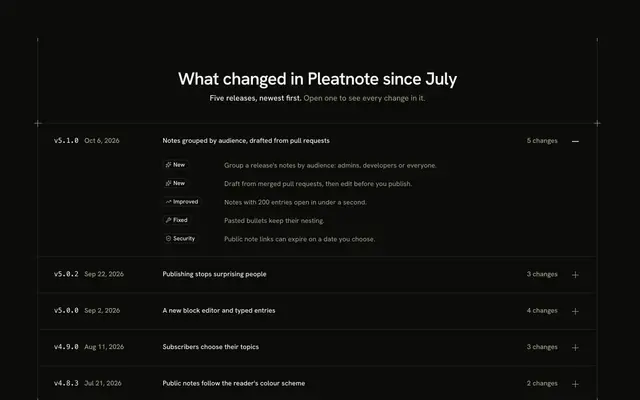 Accordion ChangelogLists and timelinesA release list for release-notes software: five releases as accordion rows, each with its version, date, one-line summary and change count, the newest open on a list of typed changes, and a foot band that links to every release.
 AI Commit Analyzer ChangelogCode and commitsA release's commits as one segmented bar by category with counts and shares, over a table of the five highest-impact commits with an impact meter, a risk word and a How it's scored popover.
 AI Generated Summary ChangelogSpotlights and mediaA release summarised in three sentences, each ending in numbered citation chips that open the changelog entry they came from, with a sources list, three counted figures and an honest note on who reviewed it.
 AI Risk Assessment ChangelogSecurity and auditsA three-by-three risk matrix of likelihood against impact with six numbered factor dots, a keyboard-friendly list of the same factors, and a detail panel with each one's mitigation, files and confidence.
 Alert Rules ChangelogIncidents and uptimeSix changed alert rules as cells on shared hairlines, each with a threshold track showing the old marker hollow and the new one solid, the figures in words, the channels it reaches and its severity, with a channel toggle that steps back the rules that never reach it.
 Announcement Banner ChangelogSpotlights and mediaA release announcement for a product-announcement tool: the latest release as the headline with three audience tabs that change its highlights and a Shine Button, and behind a split divider an Earlier list of the three releases before it.
 API Changes ChangelogAPIs and integrationsA band of ruled rows listing changed API endpoints, each with its method, path, one line on what changed, a kind (Added, Changed, Removed) and its version, filtered by HTTP method with a toggle group that sums up what is showing.
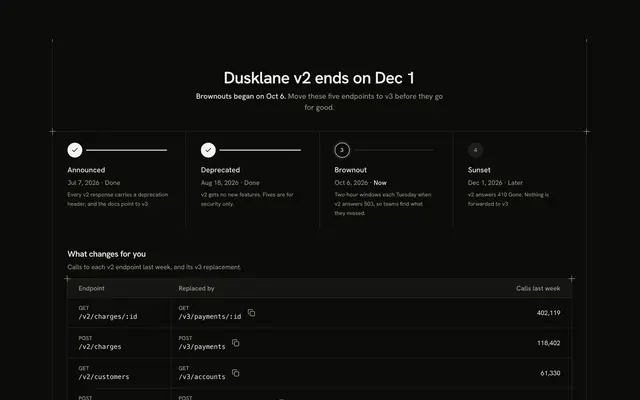 API Deprecation Timeline ChangelogAPIs and integrationsA v2 API retired in four phases as read-only Steps in cells that share their hairlines, then a framed table of the five deprecated endpoints with a Copy button on each replacement.
Or describe it. With Pro, your AI agent picks the block you describe and installs it on your stack.
Get ProPricing
Every changelog block, one prompt away, with Pro
Your AI agent installs any of the 200 changelog blocks, and every component, example and icon, with every Pro plan.
4.9/5 out of 5 · 150+ reviewsfrom 150+ founders and developers.
- Secure checkout via Stripe
- Code lives in your repo
- Keep what you've shipped if you cancel
- License terms
FAQ
Frequently asked questions
Answers on the 200 changelog blocks: what they are, how to customize and install them, the license and your AI agent.
200 sections that show what shipped: release timelines, version tabs, filters, code diffs, migration guides, API and SDK changes, rollouts, incidents and release metrics. The gallery sorts them into 14 groups: Lists and timelines, Spotlights and media, Filters and browsing, Votes and sharing, APIs and integrations, Code and commits, Deploys and rollouts, Data and config, Packages and versions, Security and audits, Incidents and uptime, Metrics and charts, Roadmap and customers, Contributors.
For a timeline of releases use Release Timeline Changelog or Compact Timeline Changelog. For one version at a time use Version Tabs Changelog, and to filter by type Filterable Changelog. For upgrades use Breaking Changes Changelog and Migration Guide Changelog, for following along Subscribe Updates Changelog and RSS Feed Changelog, and for versioning rules Semantic Versioning Changelog.
No. Each block has its releases typed into the file as plain objects with a version, an ISO date, a type and a sentence. Nothing reads git, GitHub, npm or a markdown file, so you generate the data from your own release source and pass it in.
A changelog block lists changes by version, with a type tag such as New, Improved, Fixed, Deprecated or Security, a date and a short line. The blog blocks lay out articles. Use a changelog block for release notes and a blog block for the story behind a release.
Replace the RELEASES (or VERSIONS) array at the top of the file with objects matching its interface: for example in Version Tabs Changelog each version has a name, an ISO date and a list of changes, and each change has a kind and a text. Dates are fixed ISO strings, never computed from today, so store the shipping day.
The types are small objects with an id, a label and an icon, declared once (NEW, IMPROVED, FIXED, SECURITY) and shared by the changes. In Filterable Changelog the KINDS array drives the filter choices and their counts, which are counted from the releases, so adding a kind to that array and tagging releases with it adds its choice.
Subscribe Updates Changelog checks the address, keeps focus in the field when it is empty or malformed, and then states what would happen. Its comment marks the spot: send the email and the chosen frequency (every release or a weekly digest) to your mailing-list provider there. The block sends nothing itself.
RSS Feed Changelog offers RSS 2.0, Atom and JSON Feed, swaps the feed address when the format changes, and its Copy button really puts the address on the clipboard. The addresses are typed, so replace them with the URLs your site generates, and render the latest entries from the same data your feed uses.
Breaking Changes Changelog is a table where each row holds the old call in a del element marked "-", the new call in an ins element marked "+", who it affects and a migrate-by day, with a codemod command and Copy button under it. Code Diff Changelog plays a diff of one function with removed lines struck through. Put your own old and new calls and your codemod command in the typed data at the top of each file, such as DIFF_LINES for the diff.
Feedback Votes Changelog keeps the Yes and No counts and the "What was missing?" note in the page, so a reload resets them. Send each vote and note to your API from the toggle and Send handlers, and load the counts back as the initial values. The share that said yes is worked out from those counts.
This page lists 200 of the category's 200 changelog blocks for React on Base UI. The category comes in React (Base UI, React Aria, Ark UI and Radix UI), Vue, Svelte and Solid; the framework and UI library pickers at the top of any block's page switch between them.
The changelog blocks here are written on Base UI primitives; the layout, the copy and the theme tokens are the same on every base, and the install path follows it (/r/changelog-ab-test-results.json). The other bases are one picker away from /changelog-block.
Each block is TypeScript and Tailwind CSS v4, styled with your theme's tokens, and imports our components (installed with it) on Base UI. Icons come from lucide-react.
Open a block, copy its command and run it: `npx shadcn@latest add` with the block's registry URL, such as /r/changelog-ab-test-results.json for A/B Test Results Changelog. The code is copied into your project and it's yours to edit.
The block's file and the components it imports: A/B Test Results Changelog brings Badge and Guides, installed before it. Nothing else changes in your project.
Use the filters above the grid: 14 kinds of changelog block, led by deploys and rollouts (20), lists and timelines (19), spotlights and media (19) and filters and browsing (17), and sort by popular or name. A good first look: A/B Test Results Changelog, Access Control Changes Changelog and Accessibility Log Changelog. Each card opens the block's live page.
Every block draws the same page column and side rails with a top rule only (the Guides component), so a changelog block lines up with the one above and below it. Stack one per section and the rails read as a single drawing; pick across the release notes, engineering and operations kinds.
Open its page and use the full-screen viewer (/view/changelog/ab-test-results) or the device-width previews. Every preview is free for everyone; only the code needs Pro.
Each changelog block uses semantic HTML: one heading level, real lists and labelled controls. Interactive parts sit on Base UI, a headless library that follows the WAI-ARIA patterns, and the layouts use logical properties so they hold in right-to-left languages.
Yes. They use semantic tokens only (bg-card, text-muted-foreground), never palette colors, so they follow your preset, radius and dark mode. The primary color marks one action per block and is never a background.
No animation library: the changelog blocks' motion is CSS (transitions, entrance animations and SVG), and it stands still under prefers-reduced-motion.
The previews are free for everyone. The code of all 200 changelog blocks is Pro, as is every block: Pro unlocks the code, the install command and the MCP.
Only with a Team or Organization license: client work, SaaS products and anything your users pay for. The Individual license is for personal, non-commercial projects. See the license page for the full terms.
You keep using what you installed in your existing projects, but get no new downloads or updates, and the MCP stops answering. A Lifetime license includes all future updates.
No. You can use them in your own End Products, but not redistribute the code or designs on their own, or in a UI library, kit, template or website builder.
With Pro, yes: the MCP server (22 tools, one personal URL from /dashboard/mcp) lets your agent search_blocks for a changelog block, read it with get_block and install it on your React on Base UI stack.
Pass `category: "changelog"` to search_blocks to search only the 200 changelog blocks, or to list_blocks for the 14 groups with their blocks. get_block then returns one with its install command.
plan_page plans a page as a stack of blocks for a brief. Pass `sections` with category ids, such as ["hero", "changelog", "footer"], to force the order; each section gets a pick and two alternatives, and get_block installs the stack.
4.9 out of 5 from 150+ developers


Every changelog block. One prompt away.
200 changelog blocks with Pro, the previews free to try. With Pro, your AI agent installs them from a prompt.
Get Pro