AI blocks for every framework.
100 ai sections for React, Vue, Svelte and Solid, ready to paste into a page. AI interface sections: prompt composers, responses with sources, model and tool pickers, usage and history. Try each one right here.
Every ai block
100 blocks.
 Accessibility Checker AIDocuments and checkersPaste HTML into a monospace field and five real checks list the issues with their WCAG number and line, each with an Apply fix button that edits the text and re-checks at once.
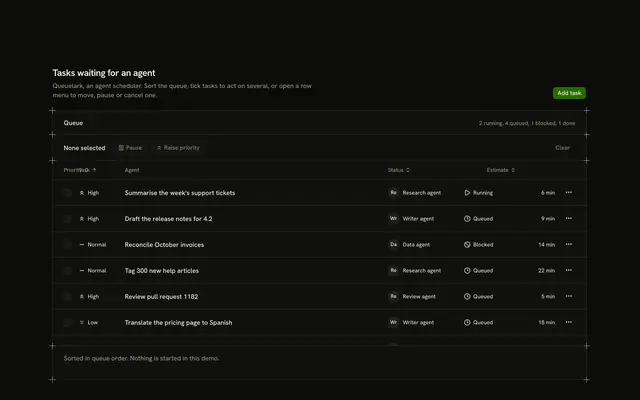 Agent Task Queue AIAgents and toolsEight tasks waiting for an agent in a sortable table with priority, agent, status and estimate, a row menu to move, pause or cancel, ticked rows acted on together, and an Add task popover.
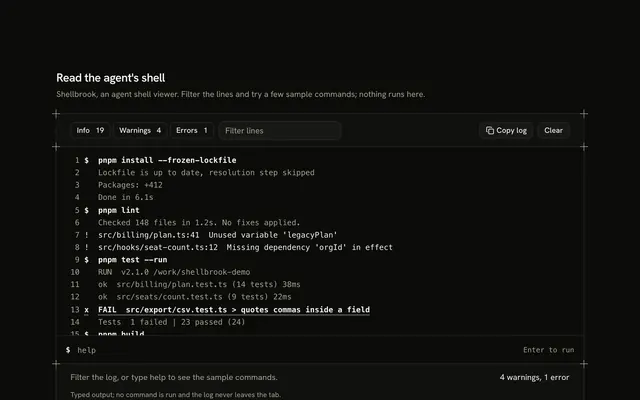 Agent Terminal Output AICodeA dark terminal band of 24 typed lines with commands, output, warnings and errors, filtered by level with counted toggles and a text field, plus a command line that answers help, clear, tests and build.
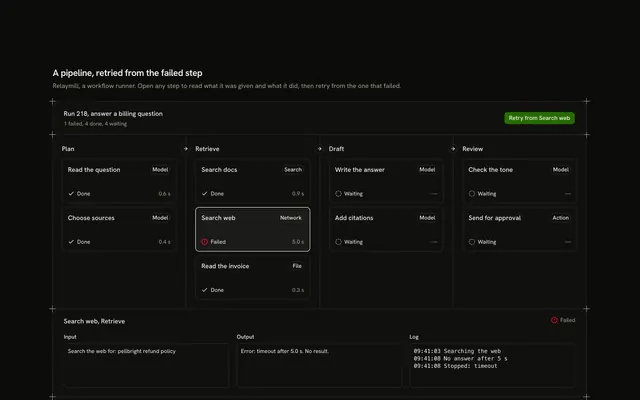 Agent Workflow AIAgents and toolsA four-stage pipeline of nine step cards with one failed step: open any card for its input, output and log, then retry from the failure and watch the steps after it run one by one.
 API Call Inspector AIAgents and toolsThe HTTP call an assistant made, with a method badge, a copyable URL, status and time, tabs for the request, the response as a JSON tree and the headers, a timing bar split into five phases, and a Replay select for 200, 404 and 500.
 API Playground AIAgents and toolsBuild a completion request with a model select, temperature, max tokens and top-p sliders, a system prompt and a message, read the request JSON and cURL command made live from the controls, and send it for a typed response with a usage list.
 Canvas Chat AIChatsEdit a draft with the assistant in the margin: select a paragraph, make it shorter, friendlier or add an example, and step through the versions with a strip, Undo and a live word count.
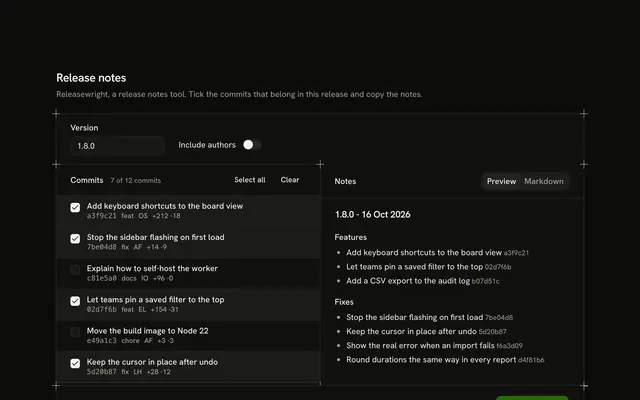 Changelog Generator AICodeTick commits from a list of twelve typed ones and get release notes grouped into features, fixes and other changes, as a preview or as Markdown, with a version field, an authors switch and Copy Markdown.
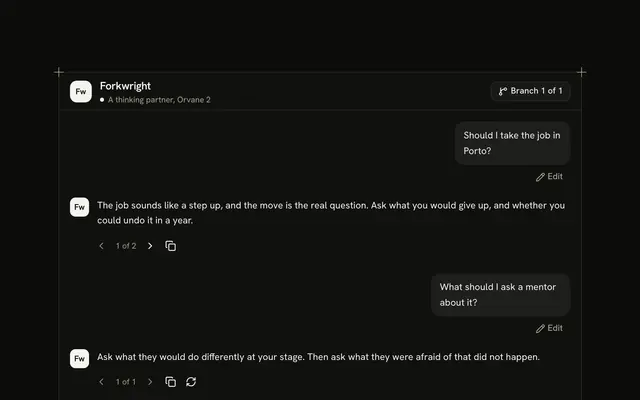 Chat Branching AIChatsA chat that keeps every version of an answer: a pager over the versions, Regenerate adding up to three, editing your message to fork the thread, and a Branch button that switches between branches.
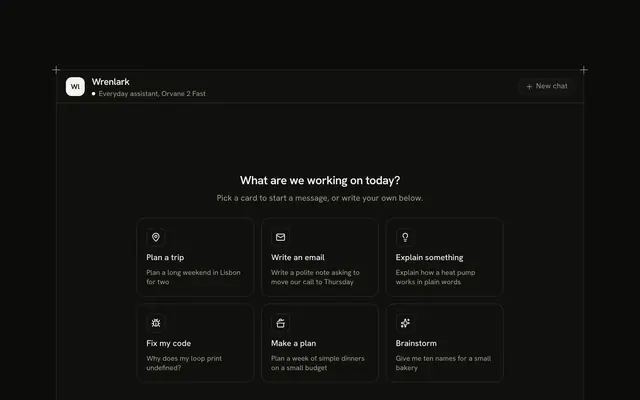 Chat Empty State AIChatsThe first screen of an assistant: an empty log with a greeting and six starter cards that fill the composer without sending, then a thread with a typed reply, and a New chat button that brings the cards back.
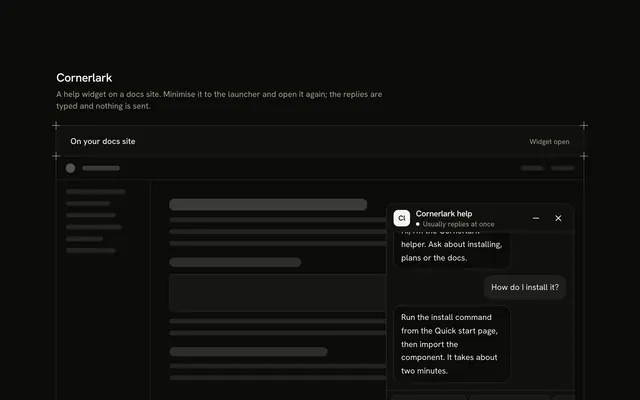 Chat Floating Widget AIChatsA help widget open in the corner of a drawn docs page, with a typed thread and chips, that minimises to a round launcher with a count of new replies and opens again, with Escape to minimise and Close to clear.
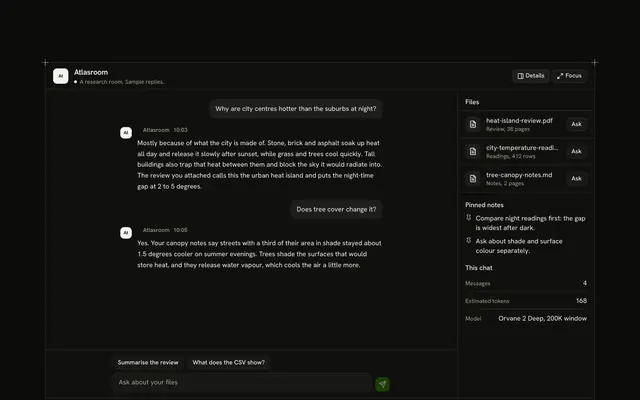 Chat Fullscreen AIChatsA wide research window with a reading-width conversation and a pane of the chat's three files, two pinned notes and live counts, plus a Focus mode that hides the pane and Escape leaves it.
Or describe it. With Pro, your AI agent picks the block you describe and installs it on your stack.
Get ProPricing
Every ai block, one prompt away, with Pro
Your AI agent installs any of the 100 ai blocks, and every component, example and icon, with every Pro plan.
4.9/5 out of 5 · 150+ reviewsfrom 150+ founders and developers.
- Secure checkout via Stripe
- Code lives in your repo
- Keep what you've shipped if you cancel
- License terms
FAQ
Frequently asked questions
Answers on the 100 ai blocks: what they are, how to customize and install them, the license and your AI agent.
100 sections for the screens around a language model: prompt composers, replies with reasoning, sources and artifacts, whole chat layouts, agents and tool calls, code review, usage and cost, and document tools. The gallery sorts them into 11 groups: Prompt composers, Shaping the prompt, Answers, Grounded answers, Chats, Specialist assistants, Agents and tools, Code, Usage and evaluation, Writing and generating, Documents and checkers.
Only the interface. No block calls a model: replies come from a typed script, the request preview shows what a model would receive, and each block says so under its composer. You bring the model call, whether that is the Vercel AI SDK, a provider SDK or your own endpoint.
For a chat window start with Minimal Chat AI, or Chat Branching AI if users edit and regenerate. For the input alone use Prompt Input AI or Files Prompt AI. For answers with sources use Message With Citations AI, for tool calls Chat With Tools AI, and for a queue of agent work Agent Task Queue AI.
The AI blocks are about the model: model pickers, context windows, token estimates, citations, tool calls and cost. The chat blocks are messenger screens between people, with presence, delivery status and channels. Use the AI blocks for an assistant and the chat blocks for a conversation between users.
The AI chat blocks carry a comment where the send handler goes, such as "Send the request to your model here; this demo answers from a script." Call your model there, read the response stream and append each piece to the turn's text as it arrives. Keep the Send button that turns into Stop and cancel the request with an AbortController when Stop is pressed, so the text that came stays.
Chat With Tools AI draws each call as a card with a state (running, done, stopped), a sentence, the tool's name, its duration and the input and output as JSON. Replace the typed calls with the tool events from your model's stream, update each card as its state changes, and keep the fold that opens the JSON.
Files Prompt AI reads each dropped file's name and size only, never its contents, and estimates tokens at about 4 bytes each. Upload or read the file in your own handler, count tokens with your model's tokenizer, and feed the real figures to the context meter and the ingestion state. The 32K and 128K windows it offers are samples, so use your model's limits.
Message With Citations AI types four sources and the sentences that cite them, then counts how often each source is cited from that data. Fill the sources from your retrieval step and mark the sentences with their source numbers. The chips, cards and counts follow from the data.
Cost Tracker AI types each feature's spend and budget, and works the month-end projection as spend so far divided by the days gone and multiplied by the days in the month. Pass in your own usage totals, and send the edited budgets to your server from Save budgets.
This page lists 100 of the category's 100 ai blocks for React on Base UI. The category comes in React (Base UI, React Aria, Ark UI and Radix UI), Vue, Svelte and Solid; the framework and UI library pickers at the top of any block's page switch between them.
The ai blocks here are written on Base UI primitives; the layout, the copy and the theme tokens are the same on every base, and the install path follows it (/r/ai-accessibility-checker.json). The other bases are one picker away from /ai-block.
Each block is TypeScript and Tailwind CSS v4, styled with your theme's tokens, and imports our components (installed with it) on Base UI. Icons come from lucide-react.
Open a block, copy its command and run it: `npx shadcn@latest add` with the block's registry URL, such as /r/ai-accessibility-checker.json for Accessibility Checker AI. The code is copied into your project and it's yours to edit.
The block's file and the components it imports: Accessibility Checker AI brings Badge, Button, Copy Button, Empty, Field, Guides, Textarea and Toggle Group, installed before it. Nothing else changes in your project.
Use the filters above the grid: 11 kinds of ai block, led by chats (13), agents and tools (12), writing and generating (11) and code (10), and sort by popular or name. A good first look: Accessibility Checker AI, Multi-Step Agent AI and Plan Builder AI. Each card opens the block's live page.
Every block draws the same page column and side rails with a top rule only (the Guides component), so a ai block lines up with the one above and below it. Stack one per section and the rails read as a single drawing; pick across the prompts, answers and conversations kinds.
Open its page and use the full-screen viewer (/view/ai/accessibility-checker) or the device-width previews. Every preview is free for everyone; only the code needs Pro.
Each ai block uses semantic HTML: one heading level, real lists and labelled controls. Interactive parts sit on Base UI, a headless library that follows the WAI-ARIA patterns, and the layouts use logical properties so they hold in right-to-left languages.
Yes. They use semantic tokens only (bg-card, text-muted-foreground), never palette colors, so they follow your preset, radius and dark mode. The primary color marks one action per block and is never a background.
No animation library: the ai blocks' motion is CSS (transitions, entrance animations and SVG), and it stands still under prefers-reduced-motion.
The previews are free for everyone. The code of all 100 ai blocks is Pro, as is every block: Pro unlocks the code, the install command and the MCP.
Only with a Team or Organization license: client work, SaaS products and anything your users pay for. The Individual license is for personal, non-commercial projects. See the license page for the full terms.
You keep using what you installed in your existing projects, but get no new downloads or updates, and the MCP stops answering. A Lifetime license includes all future updates.
No. You can use them in your own End Products, but not redistribute the code or designs on their own, or in a UI library, kit, template or website builder.
With Pro, yes: the MCP server (22 tools, one personal URL from /dashboard/mcp) lets your agent search_blocks for a ai block, read it with get_block and install it on your React on Base UI stack.
Pass `category: "ai"` to search_blocks to search only the 100 ai blocks, or to list_blocks for the 11 groups with their blocks. get_block then returns one with its install command.
plan_page plans a page as a stack of blocks for a brief. Pass `sections` with category ids, such as ["hero", "ai", "footer"], to force the order; each section gets a pick and two alternatives, and get_block installs the stack.
4.9 out of 5 from 150+ developers


Every ai block. One prompt away.
100 ai blocks with Pro, the previews free to try. With Pro, your AI agent installs them from a prompt.
Get Pro