Team blocks for every framework.
126 team sections for React, Vue, Svelte and Solid, ready to paste into a page. Team sections that introduce the people: directories, leadership, org charts, departments, availability, locations and open roles. Try each one right here.
Every team block
126 blocks.
 Accordion Job Board TeamHiring and onboardingA job board for a smart-meter platform: a department select with a live count over seven open roles in an accordion; a role opens to what you'll do, three requirements, the pay range and an Apply link.
 Accordion Mentorship TeamLearning and mentoringSix mentoring pairs of a coding bootcamp as hairline accordion rows, each joining two avatars with an arrow beside the pair's names; opening a row shows the goal, the roles, the sessions held on a bar and when they meet.
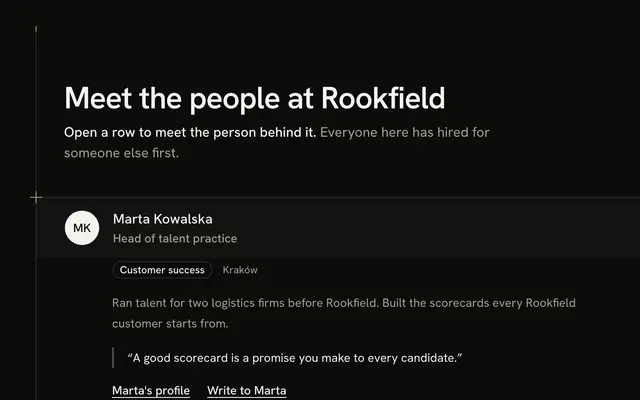 Accordion Profiles TeamTabs and accordionsTen people of a recruiting-tool company as hairline accordion rows that run from rail to rail; opening a row shows the department, a two-line bio, a personal quote and two text links, one row at a time.
 Accordion Projects TeamProjects and workloadFour projects of a build-planning tool as a single-open accordion beside four counted figures: each row shows a name, a stack of initials, the people, the full-time equivalents and a deadline as a week, and opens to a table of roles and time.
 Advisory Board Table TeamLeaders and org chartsSeven advisors of a climate-risk model company in a captioned table from rail to rail: an initials avatar and a name, their role and firm, their specialty and the year they began advising.
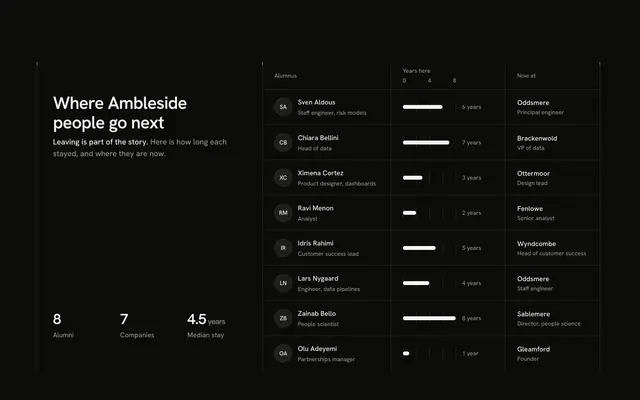 Alumni Tenure Table TeamLists and directoriesA table of alumni with the role they had, a tenure bar on a 0 to 8 year axis and the company they are at now, beside three figures counted from the list: alumni, companies and median stay.
 Animated Accordion TeamTabs and accordionsTwelve people of a clinic-booking company in four department rows of a multi-open accordion, each with a stack of initials and a headcount, and an Expand all button that opens every department at once.
 Animated Comparison TeamNumbers and historyA Then / Now toggle on a framed figure: Then fills four places with the founders, Now fills eleven and a +13, with a line of words and three figures that change with it.
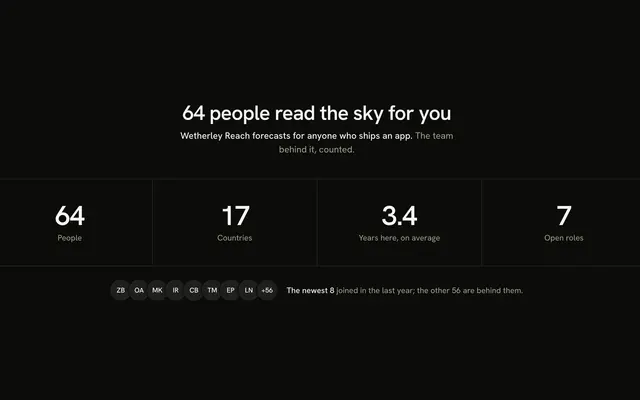 Animated Counter TeamNumbers and historyA short strip of four centred people figures that roll up once as they scroll into view, over a closing row with the newest eight people as initials.
 Animated Mosaic TeamGrids and wallsEight people of a tide-table app as a three-by-three mosaic of large initials cells that share their hairlines, with the invitation in the middle cell: how many seats are open and the Shine Button, See open roles.
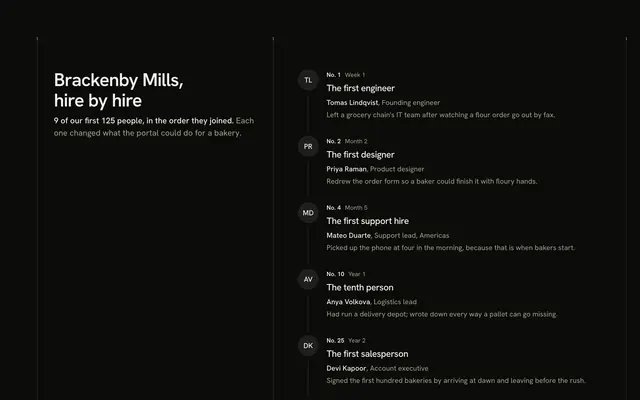 Animated Timeline TeamNumbers and historyThe order nine people joined a bakery-supply portal, as a vertical rail with each hire's initials as its node, drawn once from the top, beside a header that stays in view.
 Anniversaries TeamNumbers and historyA tenure ladder: bands for 10, 5, 3 and 1 years, each with its count and the people in it, under a retention figure computed from the cohort it counts.
Or describe it. With Pro, your AI agent picks the block you describe and installs it on your stack.
Get ProPricing
Every team block, one prompt away, with Pro
Your AI agent installs any of the 126 team blocks, and every component, example and icon, with every Pro plan.
4.9/5 out of 5 · 150+ reviewsfrom 150+ founders and developers.
- Secure checkout via Stripe
- Code lives in your repo
- Keep what you've shipped if you cancel
- License terms
FAQ
Frequently asked questions
Answers on the 126 team blocks: what they are, how to customize and install them, the license and your AI agent.
They are 126 React team and about-us sections, in 14 groups: grids and walls, lists and directories, carousels and reels, tabs and accordions, leaders and org charts, skills and expertise, hours and places, numbers and history, projects and workload, hiring and onboarding, learning and mentoring, culture and values, recognition, interests and clubs. They show the people behind a product, from a simple member grid to an org chart, a time zone map or a hiring call to action.
Contact Grid Team is a grid of cells with a presence dot and a Copy email button, Searchable Directory Team is a table with a search field and filters for a large company, and Peek Carousel Team shows a few people at a time. Department Tabs Team groups people under tabs with a lead on top, and Bento Grid Team lays them out as a bento.
Tree View Org Chart Team is an outline of twenty-two people that opens and closes, Time Zone Axis Team lays people along an axis of UTC offsets, and Hiring Split Team pairs a pitch with open roles as links. Maintainers Table Team is for open-source projects.
The people, roles and companies are invented and typed as data at the top of each file, and the avatars are initials rather than photos. Counts such as headcounts and reports are worked out from that list.
The blocks render the catalog Avatar with an initials fallback. Add the catalog `AvatarImage` with the person's photo URL inside each Avatar and keep the initials as the fallback while it loads, so a missing photo still shows a name.
Replace the typed list with your people, from a CMS or your HR system, keeping the same fields: a name, a role, a department and so on. Searchable Directory Team filters in the browser with a search field and two selects; for a very large company run the search on your server and pass the matches.
Tree View Org Chart Team draws a nested `Person` record, each with an id, a name, a role and optional `reports`. Add people by nesting them under their manager, and the direct-report counts and the outline follow. Arrow keys walk the tree and the side arrows open and close a branch.
Time Zone Axis Team uses fixed UTC offsets with no daylight saving, and reads the clock in the browser after the page loads to shade the 09:00 to 17:00 band. For real offices, give each person an IANA time zone and derive the local time from it, so daylight saving is handled.
Each role in Hiring Split Team is one link with a title, a department chip, a location and an arrow that mirrors in a right-to-left layout. Point the links at your job pages or applicant tracker, and let the figures for people and open roles come from your list.
This page lists 126 of the category's 126 team blocks for React on Base UI. The category comes in React (Base UI, React Aria, Ark UI and Radix UI), Vue, Svelte and Solid; the framework and UI library pickers at the top of any block's page switch between them.
The team blocks here are written on Base UI primitives; the layout, the copy and the theme tokens are the same on every base, and the install path follows it (/r/team-accordion-profiles.json). The other bases are one picker away from /team-block.
Each block is TypeScript and Tailwind CSS v4, styled with your theme's tokens, and imports our components (installed with it) on Base UI. Icons come from lucide-react.
Open a block, copy its command and run it: `npx shadcn@latest add` with the block's registry URL, such as /r/team-accordion-profiles.json for Accordion Profiles Team. The code is copied into your project and it's yours to edit.
The block's file and the components it imports: Accordion Profiles Team brings Accordion, Avatar, Badge, Button and Guides, installed before it. Nothing else changes in your project.
Use the filters above the grid: 14 kinds of team block, led by hours and places (13), culture and values (13), lists and directories (12) and interests and clubs (11), and sort by popular or name. A good first look: Accordion Profiles Team, Advisory Board Table Team and Alumni Tenure Table Team. Each card opens the block's live page.
Every block draws the same page column and side rails with a top rule only (the Guides component), so a team block lines up with the one above and below it. Stack one per section and the rails read as a single drawing; pick across the layouts, the team and culture and growth kinds.
Open its page and use the full-screen viewer (/view/team/accordion-profiles) or the device-width previews. Every preview is free for everyone; only the code needs Pro.
Each team block uses semantic HTML: one heading level, real lists and labelled controls. Interactive parts sit on Base UI, a headless library that follows the WAI-ARIA patterns, and the layouts use logical properties so they hold in right-to-left languages.
Yes. They use semantic tokens only (bg-card, text-muted-foreground), never palette colors, so they follow your preset, radius and dark mode. The primary color marks one action per block and is never a background.
No animation library: the team blocks' motion is CSS (transitions, entrance animations and SVG), and it stands still under prefers-reduced-motion.
The previews are free for everyone. The code of all 126 team blocks is Pro, as is every block: Pro unlocks the code, the install command and the MCP.
Only with a Team or Organization license: client work, SaaS products and anything your users pay for. The Individual license is for personal, non-commercial projects. See the license page for the full terms.
You keep using what you installed in your existing projects, but get no new downloads or updates, and the MCP stops answering. A Lifetime license includes all future updates.
No. You can use them in your own End Products, but not redistribute the code or designs on their own, or in a UI library, kit, template or website builder.
With Pro, yes: the MCP server (22 tools, one personal URL from /dashboard/mcp) lets your agent search_blocks for a team block, read it with get_block and install it on your React on Base UI stack.
Pass `category: "team"` to search_blocks to search only the 126 team blocks, or to list_blocks for the 14 groups with their blocks. get_block then returns one with its install command.
plan_page plans a page as a stack of blocks for a brief. Pass `sections` with category ids, such as ["hero", "team", "footer"], to force the order; each section gets a pick and two alternatives, and get_block installs the stack.
4.9 out of 5 from 150+ developers


Every team block. One prompt away.
126 team blocks with Pro, the previews free to try. With Pro, your AI agent installs them from a prompt.
Get Pro