shadcn.io is an independent project built on shadcn/ui
Installation
Overview
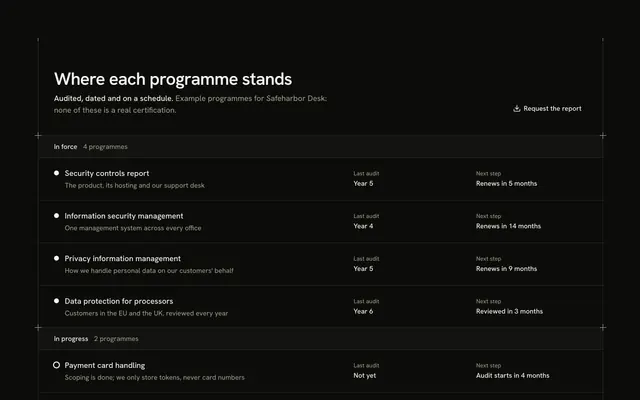
A recognition block for React with Base UI, written for Prizeworks, a fictional grant platform. A start-aligned header carries two tabs at its end, Awards and Certifications. Under it a shelf of six cells on shared hairlines, two across on a phone and three from lg. On the Awards tab each cell is a plaque: a laurel drawn in your theme's foreground tone around a glyph, the prize, who gave it and a badge such as "Won in Year 4". On the Certifications tab the frame becomes a stamped ring, and the badge says when the programme renews ("Renews in 8 months"). Every shelf is stacked unseen under the open one, so choosing a tab never moves the page. It's built from Tabs, Badge and Guides, with hand-drawn SVG for the laurel and the stamp and CSS transitions for the entrance. For an about page, a trust page or a press kit. Every prize, issuer and programme is made up for the example, and the drawings carry no real logo or seal; replace them with your own recognition and only claim what you hold.
FAQ
How do I change the awards and certifications?
AWARDS and CERTIFICATIONS list the six plaques and the six programmes: a name, a byline (who gave it, or what it covers), a glyph and a badge. SHELVES names the two tabs. The prizes, programmes and dates are example data.
Why does it say Year 4 and not a date?
The years are the company's own, fixed in the data ("Won in Year 4"), so a prize never ages into a wrong date. The renewal badges are written the same way, as "Renews in 8 months". Change them when you update the page.
Can I add real award logos?
You can, if the issuer's rules allow it, by replacing the drawn laurel with their file. The block ships a drawing and the prize's name in text so it never implies an award you have not won.
How do the tabs work?
They are real tabs: arrow keys move between them and each controls its own shelf. Base UI selects a tab when it gets focus. The shelves share one cell, so the tallest sets the height and nothing below moves.
How is it read by a screen reader?
Each shelf is a list named by its tab, each cell a heading with its byline and badge. The laurel, the stamp and the glyph are drawings hidden from assistive technology.