shadcn.io is an independent project built on shadcn/ui
Installation
Overview
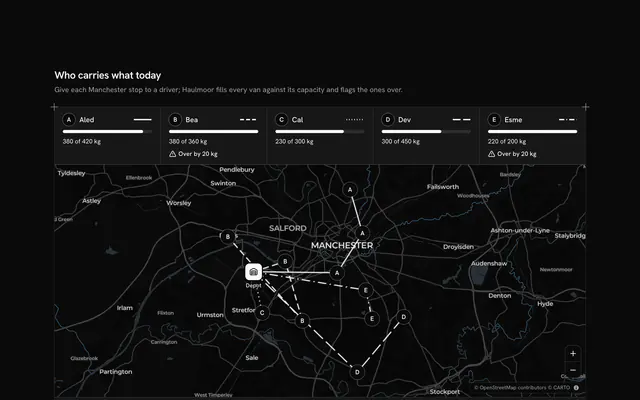
Give each job to the driver who gets there first, with this dispatch dashboard map for React with Base UI. Hastegate, a courier company, runs its afternoon in Chicago in an app window: a pane at the start holds the queue of six waiting jobs (code, neighbourhood, what and when it is due), and a live Map that follows your theme fills the rest, with five lettered drivers, each one's run through the jobs on board following the real streets, and the waiting jobs as hollow diamonds in their real neighbourhoods. Choosing a job, in the queue or on the map, flies the map to that job and the three drivers who can reach it soonest, ranked in the pane by minutes: 1.35 times the straight line from where the driver is, at 24 km/h, plus five minutes for every job already on board, so an empty van across town can beat a full one round the corner. A curve joins each of the three to the job, solid for the chosen driver and dashed for the others; the radios change the choice. The one primary, a Shine Button, assigns the job, leaves a thin curve from driver to job and brings up the next one; Undo in the top bar gives the last one back, and the status line says what changed. Built from Map, Shine Button, Badge, Button, Empty and Guides. For courier companies, field service and same-day delivery teams.
FAQ
How are the minutes worked out?
For each driver, kmBetween measures the straight line from where the driver is to the job; the drive is DETOUR (1.35) times that at SPEED (24 km/h), rounded up, and LOAD_MINUTES (5) are added for each job on board, counting the ones you assign here. The three lowest are listed, the nearer first on a tie. It is an estimate, not a road route: in your app ask a routing service for the drive and keep the ranking.
What do the lines and the camera show?
Each driver's run is a road route from OSRM, baked into DRIVER_LINES when the block was written, and never fetched while it runs. The curves are not roads: they link the job to its three drivers, and stay thin and solid once a job is given. The block keeps one aim, the chosen job and its three drivers, and MapCamera flies there on each new job; the frame button shows the whole city again.
What does Undo do?
It takes the most recent assignment back: the job returns to the queue, becomes the chosen job again, its curve goes and the driver's load drops by one, so the minutes for every later job change with it. You can undo every assignment in turn; with nothing to undo the status line says so.
Is anything sent, and what stays local?
Nothing is sent. The places are real neighbourhoods and the runs real streets, but Hastegate, the drivers, the jobs and the minutes are sample data typed in the file, and an assignment only changes state in the page. In your app call your dispatch service from assign and wait for the driver to accept before drawing the line.
Can I dispatch without a mouse?
Yes. Undo comes first, then the queue (each job a button, the chosen one marked as current), the map and its buttons, the three driver radios (the arrow keys move between them) and the Assign button. The diamonds on the map are a pointer shortcut to the queue, and every fact on the map is also in the pane. The map takes the arrow keys and plus and minus once focused.