shadcn.io is an independent project built on shadcn/ui
A photo with square corners has a destructive badge at the top corner. The badge shows 3. Hidden words in that badge say unread messages. The number is fixed in the demo.
Use it for pending items on a workspace or an app, not for a person's chat. Show the real count. A Badge beside the name is clearer when the corner already has a status. In React, Ark UI does not track the count.
Installation
Anatomy
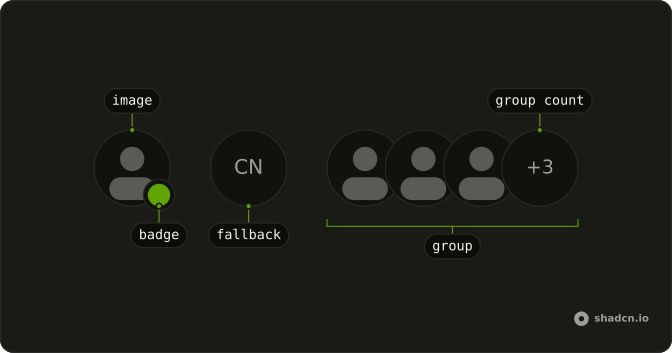
Usage
<div className="relative w-fit">
  <Avatar className="rounded-lg after:rounded-lg">
    <AvatarImage
      alt="@shadcn"
      className="rounded-lg"
      height={32}
      src="https://github.com/shadcn.png"
      width={32}
    />
    <AvatarFallback className="rounded-lg">CN</AvatarFallback>
  </Avatar>
  <span className="absolute -end-2.5 -top-2.5 rounded-full bg-background p-0.5">
    <Badge pill size="sm" variant="destructive">
      3<span className="sr-only"> unread messages</span>
    </Badge>
  </span>
</div>
FAQ
How do I keep the count on a square avatar?
rounded-lg goes on Avatar, AvatarImage, and AvatarFallback, and after:rounded-lg on Avatar so the border matches. The count sits on the wrapper, outside those classes.
How is the unread count built?
It is a Badge with pill, size="sm", and variant="destructive". The visible text is 3, plus visually hidden "unread messages".
How is the count positioned?
The wrapper is relative w-fit. The badge span is absolute -end-2.5 -top-2.5, with rounded-full bg-background p-0.5 for the gap around the pill. -end follows the writing direction.
How do I change the number?
Replace the text 3. There is no count prop. Change the hidden words when the number means something else.
API Reference
Avatar
Sets alt="@shadcn", height={32}, src="https://github.com/shadcn.png" and width={32}. The rest is on the Avatar page.
Badge
Sets pill, size="sm" and variant="destructive". The rest is on the Badge page.