shadcn.io is an independent project built on shadcn/ui
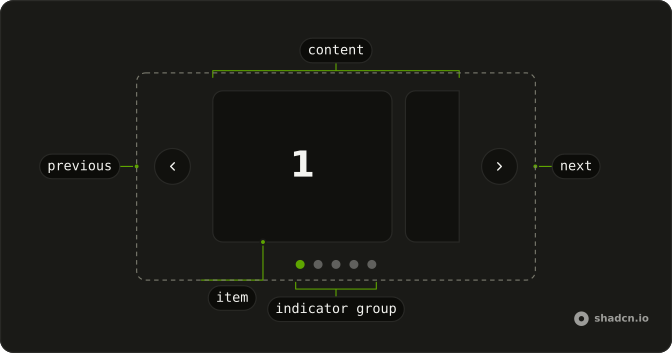
A wide frame shows one number, from 1 through 5. Under it, five buttons read 1 through 5. The button for the current slide is filled, and the others are outlines.
Use numbered buttons when people should jump to a slide. A Tabs row fits if each slide needs a name instead of a number. On React, Ark UI does not mark the current button.
Installation
Anatomy
Usage
<div className="mx-auto flex w-full max-w-md flex-col gap-4">
  <Carousel
    onPageChange={handlePageChange}
    page={page}
    slideCount={slides.length}
  >
    <CarouselContent>
      {slides.map((slide, index) => (
        <CarouselItem index={index} key={slide}>
          <div className="flex aspect-2/1 items-center justify-center rounded-md border bg-background">
            <span className="font-semibold text-4xl">{slide}</span>
          </div>
        </CarouselItem>
      ))}
    </CarouselContent>
  </Carousel>
  <div className="flex justify-center gap-2">
    {slides.map((slide, index) => (
      <Button
        aria-current={page === index ? "true" : undefined}
        aria-label={`Go to slide ${slide}`}
        data-index={index}
        key={slide}
        onClick={handleThumbnailClick}
        variant={page === index ? "default" : "outline"}
      >
        {slide}
      </Button>
    ))}
  </div>
</div>
FAQ
How do the buttons stay in sync with the slides?
The carousel is controlled: page is state, onPageChange stores the new page, and each button sets page to its index.
What does each slide show?
Five slides. Each is an aspect-2/1 box with rounded-md border bg-background and the slide number in font-semibold text-4xl. The carousel and the buttons stack in a max-w-md column with gap-4.
How are the buttons styled?
A flex justify-center gap-2 row of Buttons, one per slide. The current one is variant="default", the others variant="outline". Change those, or the size, to restyle them.
Can I show pictures instead of numbers?
Yes. Put a small img in each button, with a fixed size such as size-12 and object-cover, and keep the aria-label so each button still has a name.
API Reference
Carousel
Sets onPageChange={handlePageChange}, page={page}, slideCount={slides.length} and index={index}. The rest is on the Carousel page.
Button
Sets aria-current={page === index ? "true" : undefined}, aria-label, Go, to, slide and slide. The rest is on the Button page.