shadcn.io is an independent project built on shadcn/ui
A warning-tinted box with an alert icon, the title Warning, and a muted Click to view details line. The details open under a matching divider.
Use it before a risky setting people can choose to read. If they must see it, use an Alert and leave it open. In React, Ark UI starts this box closed.
Installation
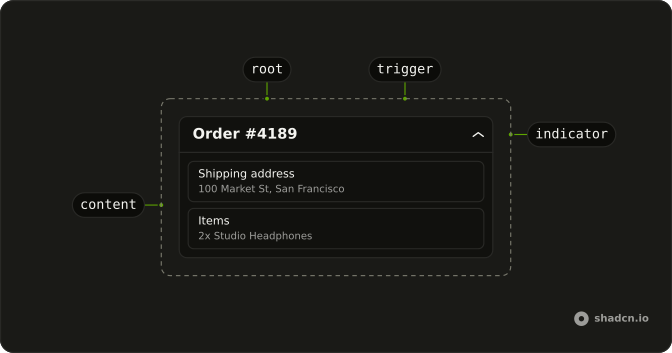
Anatomy
Usage
<Collapsible className="w-full max-w-lg rounded-lg border-2 border-warning/32 bg-warning/4">
  <CollapsibleTrigger className="flex w-full items-center gap-3 p-4">
    <TriangleAlertIcon
      aria-hidden="true"
      className="size-5 shrink-0 text-warning"
    />
    <span className="flex flex-1 flex-col text-start">
      <span className="font-medium">Warning</span>
      <span className="text-muted-foreground text-sm">
        Click to view details
      </span>
    </span>
  </CollapsibleTrigger>
  <CollapsibleContent className="border-warning/32 border-t-2 px-4 py-3 text-muted-foreground text-sm">
    This action may have unintended consequences. Please review the
    documentation before proceeding.
  </CollapsibleContent>
</Collapsible>
FAQ
Which classes paint the warning box?
Collapsible uses border-2 border-warning/32 bg-warning/4: a faint tint and a stronger border from the theme's --warning color, the same mix as a warning Alert. The icon is text-warning.
Where does Click to view details come from?
It's the second line of the trigger, text-muted-foreground text-sm under the Warning title, in a flex-1 column beside the icon.
Does the answer keep the warning border?
Yes. CollapsibleContent has border-t-2 border-warning/32, and the details are text-muted-foreground text-sm.
API Reference
Collapsible
No extra props in this demo. The rest is on the Collapsible page.