shadcn.io is an independent project built on shadcn/ui
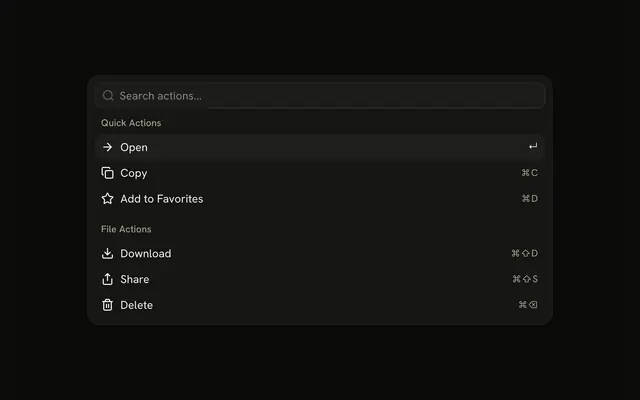
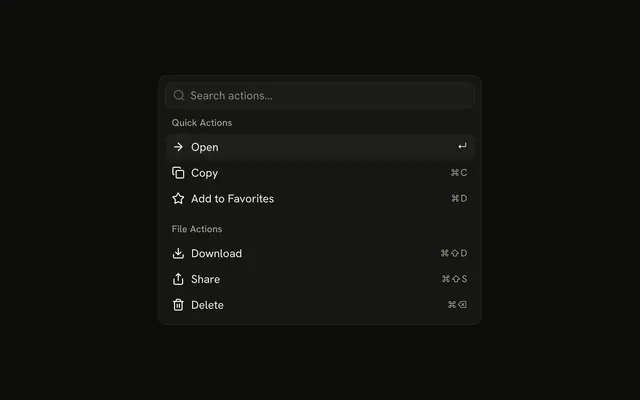
The menu is already open, with Search actions... at the top. Quick Actions lists Open, Copy, and Add to Favorites. File Actions lists Download, Share, and Delete. Every row has an icon and a shortcut.
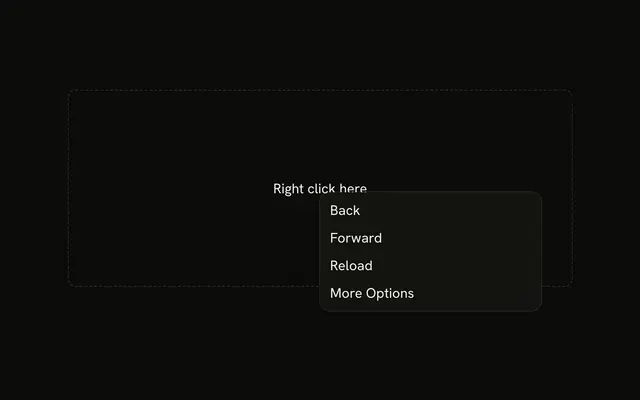
Use it when the same file actions come up often and people would rather type. A right-click list belongs in a Context Menu. In React, Ark UI does not run the item.
Installation
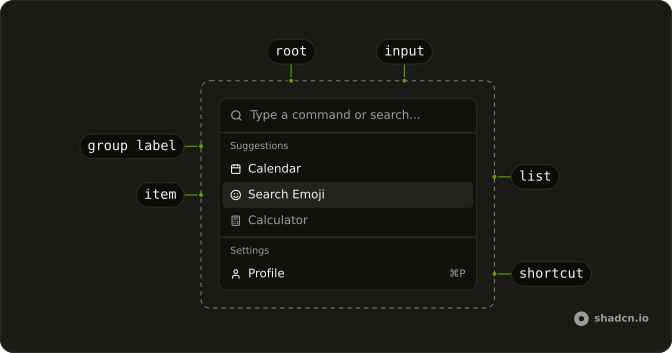
Anatomy
Usage
<CommandItem item={item} key={item.value}>
  <Icon aria-hidden="true" />
  <span>{item.label}</span>
  <CommandShortcut>{item.shortcut}</CommandShortcut>
</CommandItem>
FAQ
How is this menu placed on the page?
Command has h-auto w-full max-w-lg rounded-lg border shadow-md: it sits in the page flow, up to a max width, with a border and a shadow. The list is always open and there is no trigger.
How are the actions grouped?
Two CommandGroups: Quick Actions holds Open, Copy and Add to Favorites, and File Actions holds Download, Share and Delete. There is no separator, so the headings alone split them. Each row starts with a decorative icon: ArrowRight, Copy, Star, Download, Share or Trash.
Where do the key hints come from?
Each hint is a CommandShortcut: Open shows ↵, Copy ⌘C, Add to Favorites ⌘D, Download ⌘⇧D, Share ⌘⇧S and Delete ⌘⌫. It's a label at the end of the row and binds nothing: listen for those keys yourself if they should run the action.
What appears when nothing matches the search?
CommandEmpty in the list says "No actions found." It shows only when the search leaves nothing.
How do I run an item from this menu in React?
These items don't run anything yet.
Handle onValueChange on Command, which receives the chosen item's value, and keep value empty so every choice fires.
How do the keys work in this menu?
The arrow keys move through the items, Enter runs the highlighted one, and typing filters the list. CommandInput shows "Search actions..." until someone types.
The filtering is the demo's: it builds the items with useListCollection and a contains filter, and calls filter with the input's value as it changes.
API Reference
Command
Sets item={item}. The rest is on the Command page.