shadcn.io is an independent project built on shadcn/ui
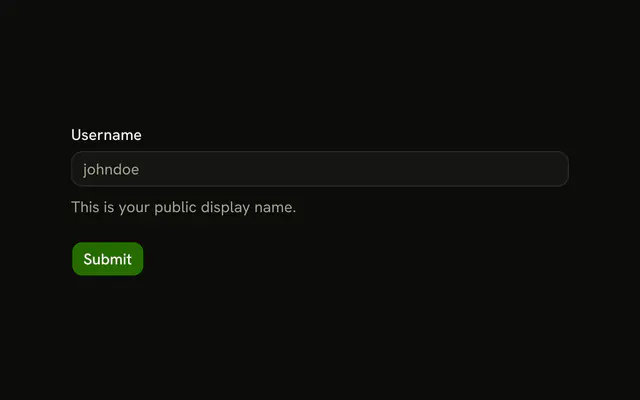
Username is filled with haydenbleasel. The border is in the success color, and under the field a check sits beside Username is available. The message does not change as you type.
Use it only after your own check passes, such as a name that is free. A failure belongs on the Field as an error. In React, Ark UI does not look the name up.
Installation
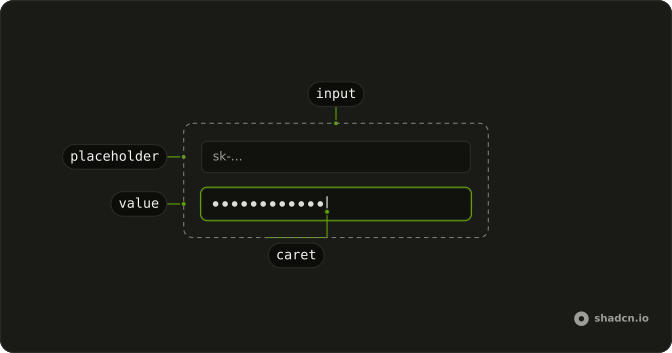
Anatomy
Usage
<Field className="w-full max-w-sm">
  <FieldLabel>Username</FieldLabel>
  <Input
    className="border-success bg-background focus-visible:border-success focus-visible:ring-success/50"
    defaultValue="haydenbleasel"
    placeholder="johndoe"
    type="text"
  />
  <FieldDescription className="flex items-center gap-2 text-success">
    <CircleCheckIcon aria-hidden="true" className="size-4 shrink-0" />
    Username is available
  </FieldDescription>
</Field>
FAQ
How does the field turn green?
Classes on the input: border-success, plus focus-visible:border-success and focus-visible:ring-success/50 so the border and the ring stay green while it's focused.
Where does the green come from?
The theme's success color, the same token the other success states use, so it adapts to light and dark mode and to your theme.
How is the confirmation shown?
A FieldDescription with text-success, a CircleCheckIcon with aria-hidden and the text Username is available.
Is this a live availability check?
No. The value haydenbleasel and the message are fixed. Apply the classes and show the message when your own check passes.
API Reference
Field
No extra props in this demo. The rest is on the Field page.
Input
Sets defaultValue="haydenbleasel", placeholder="johndoe" and type="text". The rest is on the Input page.