shadcn.io is an independent project built on shadcn/ui
A small button is disabled. A 12px spinner sits before the words Please Wait. The spinner is hidden from assistive tech. No request runs.
Use the small size in a table row or a toolbar. The wheel is 12px so it matches the shorter button. A full-width wait can use the default button, and a known fraction fits Progress. In React, Ark UI does not pick the small size.
Installation
Sign in to get your install command
Free with an account. It carries your token, so the CLI installs everything in one go.
Use email insteadNo credit card
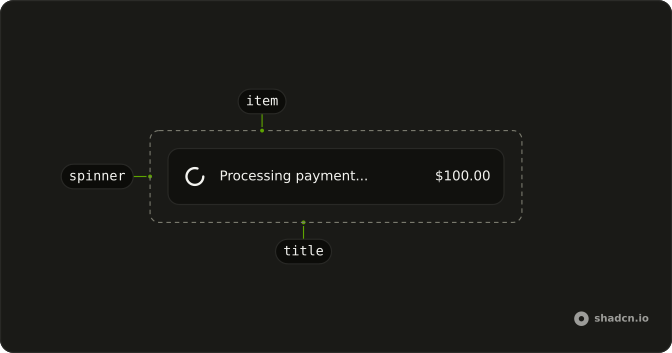
Anatomy
Usage
<Button disabled size="sm">
  <Spinner aria-hidden="true" className="size-3" data-icon="inline-start" />
  Please Wait
</Button>
FAQ
API Reference
Button
Sets disabled and size="sm". The rest is on the Button page.
Spinner
Sets aria-hidden and data-icon="inline-start". The rest is on the Spinner page.