shadcn.io is an independent project built on shadcn/ui
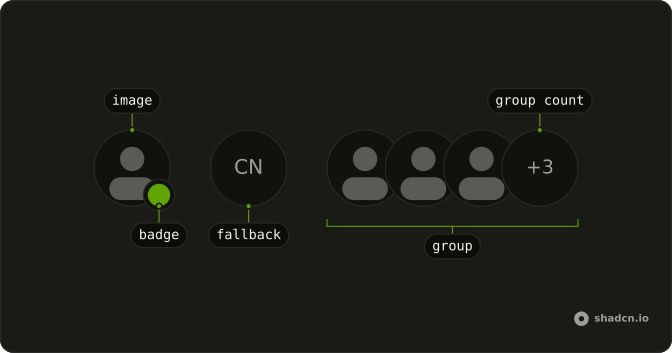
A photo with square corners is on screen. The initials CN are the fallback, shown only if that picture is missing or fails. The border follows the same corners.
Use it for logos, apps, and workspaces, where a circle would look like a person. A round Avatar still fits people in the same list. In React, Base UI does not decide this photo is a logo.
Installation
Anatomy
Usage
<Avatar className="rounded-lg after:rounded-lg">
  <AvatarImage
    alt="@shadcn"
    className="rounded-lg"
    height={32}
    src="https://github.com/shadcn.png"
    width={32}
  />
  <AvatarFallback className="rounded-lg">CN</AvatarFallback>
</Avatar>
FAQ
How is the square shape applied?
The avatar styles start as a circle, so this file overrides them in four places: rounded-lg on Avatar, AvatarImage, and AvatarFallback, and after:rounded-lg on Avatar so the hairline border follows the corners.
Can I use a tighter or looser corner?
Swap rounded-lg for another radius utility and change all four spots together. Leave one on rounded-full and that piece stays round.
What do the image props do?
AvatarImage sets alt, plus width and height of 32, matching the default avatar size. AvatarFallback shows CN when that image is missing or fails.
Does size still apply to a square avatar?
Yes. size on Avatar is sm, default, or lg, and the radius classes don't change it. This file uses the default.
API Reference
Avatar
Sets alt="@shadcn", height={32}, src="https://github.com/shadcn.png" and width={32}. The rest is on the Avatar page.


