shadcn.io is an independent project built on shadcn/ui
A single bar filled all the way, at 100 percent. The track has no empty stretch left, and there is no visible label.
Use a full bar when the task is finished and the track should stay on screen. A Status can replace it once you no longer need the meter. In React, Base UI shows only the value you pass.
Installation
Anatomy
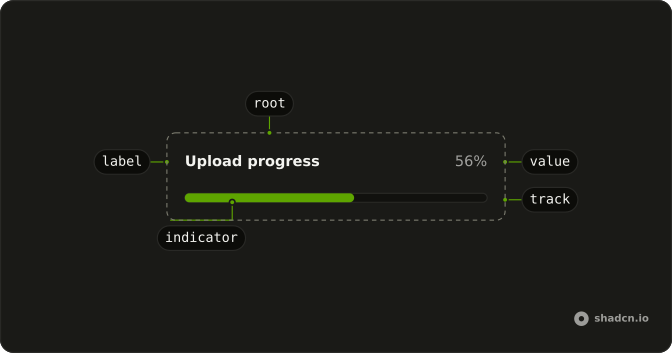
Usage
<Progress
  aria-label="Upload progress"
  className="w-full max-w-md"
  value={100}
/>
FAQ
What does the bar show?
value is 100 on the default range of 0 to 100, so the fill covers the whole track. w-full max-w-md sets its width.
Does the bar turn green at 100?
No. The fill stays bg-primary at every value. To show success, add a color class, as Success does, or replace the bar with a message.
What is the accessible name?
aria-label on Progress, Upload progress. The demo has no visible label, so without it a screen reader would announce a bar with no name.
API Reference
Progress
Sets aria-label="Upload progress" and value={100}. The rest is on the Progress page.