shadcn.io is an independent project built on shadcn/ui
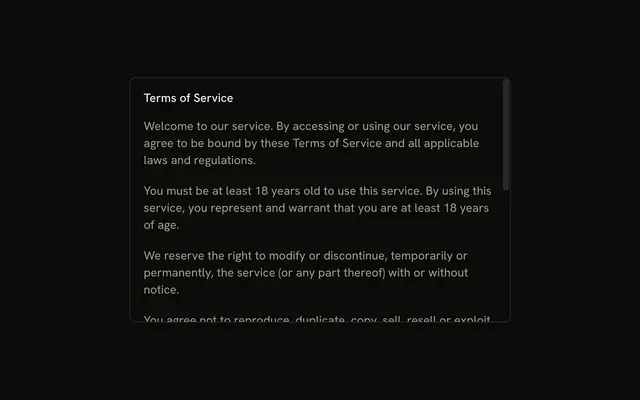
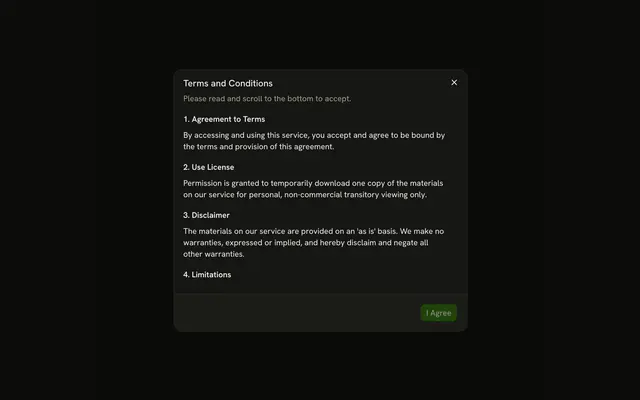
View Terms opens a bottom panel titled Terms and Conditions. Six paragraphs scroll in the body, and the title stays above that scroll.
Use it for a policy people need to read. If they must accept it before continuing, confirm in an Alert Dialog. In React, Base UI does not record that they read it.
Installation
Anatomy

Usage
<Drawer showSwipeHandle>
  <DrawerTrigger render={<Button variant="outline" />}>
    View Terms
  </DrawerTrigger>
  <DrawerContent>
    <DrawerHeader>
      <DrawerTitle>Terms and Conditions</DrawerTitle>
      <DrawerDescription>
        Please read our terms and conditions carefully.
      </DrawerDescription>
    </DrawerHeader>
    <div className="flex max-h-[60vh] flex-col gap-4 overflow-y-auto p-4 text-sm">
      {TERMS.map((paragraph) => (
        <p key={paragraph.id}>{paragraph.text}</p>
      ))}
    </div>
  </DrawerContent>
</Drawer>
FAQ
Which part scrolls?
The body under the header: max-h-[60vh] overflow-y-auto caps it at 60% of the screen's height and scrolls what's left.
Does scrolling the text drag the drawer?
A swipe on the text scrolls the body first. Drag the bar or the header to move the drawer itself.
Where do the paragraphs come from?
A static array of six placeholder paragraphs, each with an id for its key. Replace it with your terms.
How do I add an Accept button?
Add a DrawerFooter after the body with Accept and a DrawerClose for Decline. The footer stays below the scrolling text.
How does View Terms open the drawer?
An outline button opens the drawer. Its text, View Terms, is the accessible name.
The Button goes in the render prop of DrawerTrigger.
What does the drawer announce?
DrawerTitle names the dialog for assistive tech, so every drawer renders one; give it sr-only when the design has no visible heading. It reads Terms and Conditions, with Please read our terms and conditions carefully as the description. Swiping it back toward its edge, Escape and a click on the overlay all close it, and focus goes back to the trigger.
API Reference
Drawer
Sets showSwipeHandle. The rest is on the Drawer page.
Button
Sets variant="outline". The rest is on the Button page.