shadcn.io is an independent project built on shadcn/ui
A muted box shows 3:2 in the center. The frame keeps those proportions as the width changes, and the height follows.
Use 3:2 for camera photos so they are not cropped. An Image Zoom can open the same photo larger. Ark UI in Solid does not crop the image.
Installation
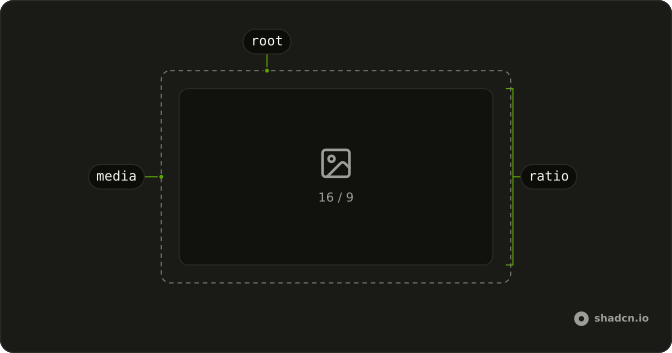
Anatomy
Usage
<div class="w-full max-w-md">
    <AspectRatio ratio={3 / 2}>
      <div class="flex size-full items-center justify-center rounded-md bg-muted">
        <span class="text-muted-foreground text-sm">3:2</span>
      </div>
    </AspectRatio>
  </div>
FAQ
How is 3:2 set on this frame?
ratio is 3 / 2 on AspectRatio, width divided by height. The frame is three wide for every two of height. The centered label reads "3:2".
Where does the frame's width come from?
The parent is w-full max-w-md. The height follows that width. Give the wrapper a width, because a ratio with no width can collapse. max-w-md caps the width, and the height follows 3 / 2.
How does the label fill the frame?
The child is a div with size-full, flex items-center justify-center, rounded-md, and bg-muted. The span is text-sm text-muted-foreground. Those classes are on the child, so the frame's shape stays on ratio.
How does ratio become a height?
The ratio is stored in the --ratio custom property, and the aspect-ratio utility reads that variable.
How do I put an image or a video in this frame?
Put one child in AspectRatio and make it fill the box. The Aspect Ratio usage places the image absolutely, inset on every side, at full size, with object-cover. This file's child is the muted "3:2" label.
API Reference
Aspect Ratio
Sets ratio={3 / 2}. The rest is on the Aspect Ratio page.