shadcn.io is an independent project built on shadcn/ui
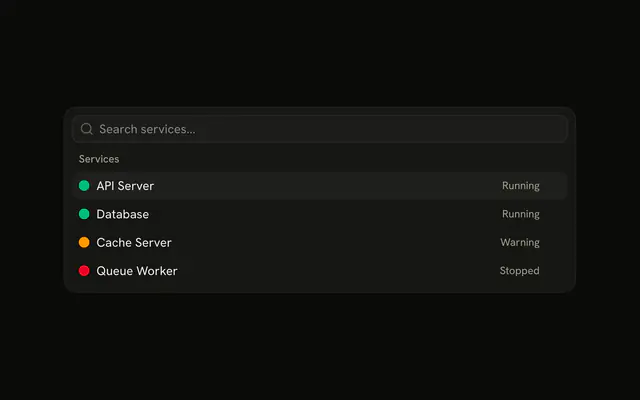
The menu is already open under Services. API Server and Database say Running, Cache Server says Warning, and Queue Worker says Stopped. Each row starts with a colored dot.
Show the word with the color so the state is not color alone. A Status is enough when the dot sits on the page, not in a menu. In Solid, Ark UI does not run the item.
Installation
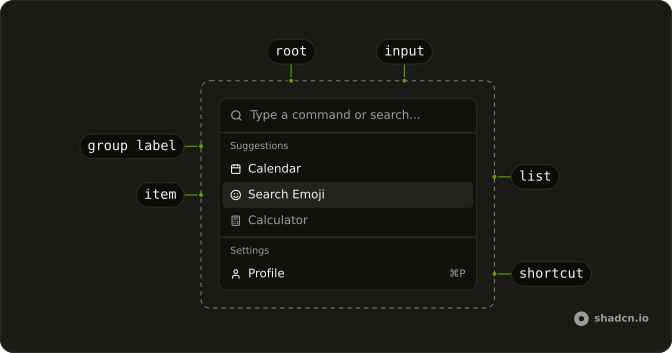
Anatomy
Usage
<Command class="h-auto w-full max-w-lg rounded-lg border shadow-md" collection={_listCollection.collection()} onInputValueChange={handleInputValueChange}>
      <CommandInput placeholder="Search services..." />
      <CommandContent>
        <CommandList>
          <CommandEmpty>No services found.</CommandEmpty>
          <CommandGroup heading="Services">
            {_listCollection.collection().items.map(item => <CommandItem item={item}>
                <span aria-hidden="true" class={cn("size-3 shrink-0 rounded-full", item.dot)} />
                <span class="flex-1">{item.label}</span>
                <span class="text-muted-foreground text-xs">
                  {item.status}
                </span>
              </CommandItem>)}
          </CommandGroup>
        </CommandList>
      </CommandContent>
    </Command>
FAQ
How is this menu placed on the page?
Command has h-auto w-full max-w-lg rounded-lg border shadow-md: it sits in the page flow, up to a max width, with a border and a shadow. The list is always open and there is no trigger.
How is the colored status dot built?
Each dot is a span with size-3 shrink-0 rounded-full and a theme color: bg-success for API Server and Database, bg-warning for Cache Server, and bg-destructive for Queue Worker. It's hidden from screen readers, because the state is written out beside it.
Where does Running or Stopped go?
The service name's span has flex-1, which pushes the state to the end of the row. The state is a span with text-muted-foreground text-xs that reads Running, Warning or Stopped.
What appears when nothing matches the search?
CommandEmpty in the list says "No services found." It shows only when the search leaves nothing.
How do I run an item from this menu in Solid?
These items don't run anything yet.
Handle onValueChange on Command, which receives the chosen item's value, and keep value empty so every choice fires.
How do the keys work in this menu?
The arrow keys move through the items, Enter runs the highlighted one, and typing filters the list. CommandInput shows "Search services..." until someone types.
The filtering is the demo's: it builds the items with useListCollection and a contains filter, and calls filter with the input's value as it changes.
API Reference
Command
Sets collection={_listCollection.collection()}, onInputValueChange={handleInputValueChange}, placeholder="Search services...", heading="Services" and item={item}. The rest is on the Command page.