shadcn.io is an independent project built on shadcn/ui
Subtotal sits above a dotted horizontal line, and Total due sits below it. The line is a dotted stroke on a transparent track.
Use dots for a light break inside a total, not for a new chapter. A Data List can carry the whole summary if the pairs need labels and values. In Solid, Ark UI leaves the gap to the parent.
Installation
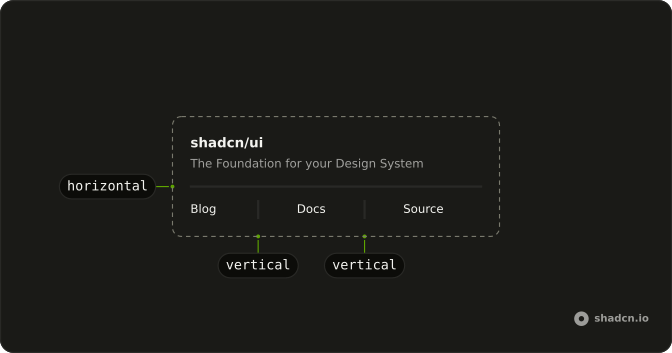
Anatomy
Usage
<div class="flex w-full max-w-sm flex-col gap-4">
    <p class="text-sm">Subtotal</p>
    <Separator class="border-t border-dotted bg-transparent data-horizontal:h-0" />
    <p class="text-sm">Total due</p>
  </div>
FAQ
When should I use a dotted separator?
When the break should almost disappear: between a subtotal and a total, as here, or in minor subsections. Use a solid line for anything structural.
What is the difference between dotted and dashed?
Dots are round and lighter; dashes are longer and a bit heavier. Both are drawn with a border, not a background.
Can I control dot size?
Not with border-dotted, since the browser draws the dots. Use an SVG or a repeating radial gradient for a custom size or spacing.
How do I change the dot color?
Use a border color utility such as border-primary or border-muted-foreground. The fill is transparent, so bg-* classes won't tint the dots.
API Reference
Separator
No extra props in this demo. The rest is on the Separator page.