shadcn.io is an independent project built on shadcn/ui
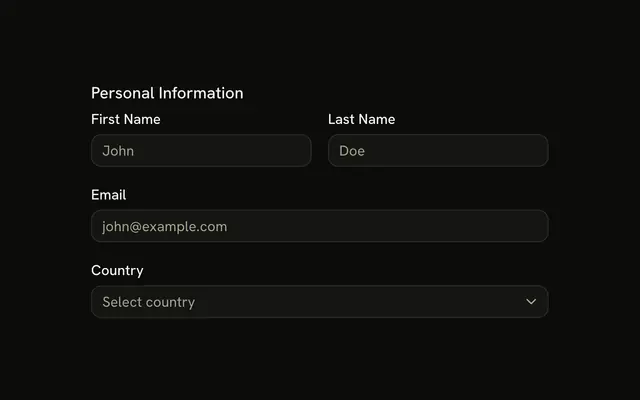
Three fields, no caption. First Name and Last Name are text, placeholders John and Doe. Email is an email field, placeholder john@example.com. Labels sit above the fields.
Use it when each label is enough and the fields just need even spacing. One email on its own is an Input. Solid with Ark UI does not submit the group.
Installation
Anatomy

Usage
<FieldGroup class="max-w-md">
    <Field>
      <FieldLabel>First Name</FieldLabel>
      <Input placeholder="John" type="text" />
    </Field>
    <Field>
      <FieldLabel>Last Name</FieldLabel>
      <Input placeholder="Doe" type="text" />
    </Field>
    <Field>
      <FieldLabel>Email</FieldLabel>
      <Input placeholder="john@example.com" type="email" />
    </Field>
  </FieldGroup>
FAQ
What stacks First Name, Last Name, and Email?
One FieldGroup stacks three Fields. Each field is a FieldLabel and an Input, and the group is capped with max-w-md.
What input types does this group use?
First Name and Last Name use type text, with placeholders John and Doe. Email uses type email, with placeholder john@example.com.
How does each label connect to its input?
FieldLabel names the input. Field connects the two for you, with no ids to write. The three labels are First Name, Last Name, and Email.
Why are the labels above the inputs?
None of the fields set orientation, so each one stays vertical. The label stacks over its input.
API Reference
Field
No extra props in this demo. The rest is on the Field page.
Input
Sets placeholder="John", type="text", placeholder="Doe", placeholder="john@example.com" and type="email". The rest is on the Input page.