shadcn.io is an independent project built on shadcn/ui
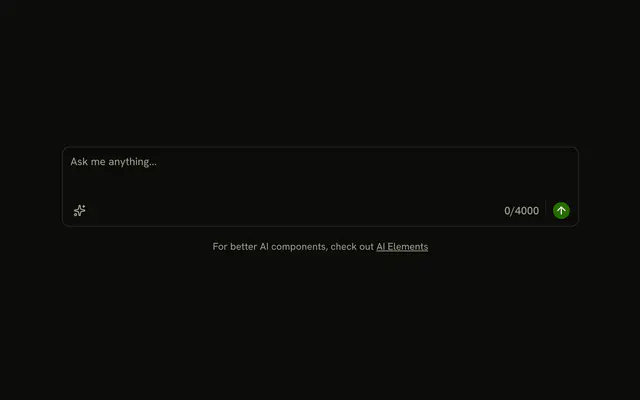
A prompt with a row under it. The row has an add button, an Auto menu with Agent and Manual, the text 52% used, and a round send button that stays disabled. Picking a mode does not change the Auto label.
Use it for a chat composer when the mode and the quota sit with the prompt. A plain multiline field is a Textarea. In Solid, Ark UI does not enable send when the box has text.
Installation
Anatomy

Usage
<div class="flex w-full max-w-2xl flex-col gap-4">
    <InputGroup class="bg-background">
      <InputGroupTextarea aria-label="Prompt" placeholder="Ask, Search or Chat..." />
      <InputGroupAddon align="block-end">
        <InputGroupButton aria-label="Add context" pill size="icon-xs" variant="outline">
          <PlusIcon aria-hidden="true" />
        </InputGroupButton>
        <DropdownMenu positioning={{
        placement: "top-start"
      }}>
          <DropdownMenuTrigger asChild={props => <InputGroupButton {...props()} variant="ghost">Auto</InputGroupButton>} />
          <DropdownMenuContent class="[--radius:0.95rem]">
            <DropdownMenuGroup>
              <DropdownMenuItem value="auto">Auto</DropdownMenuItem>
              <DropdownMenuItem value="agent">Agent</DropdownMenuItem>
              <DropdownMenuItem value="manual">Manual</DropdownMenuItem>
            </DropdownMenuGroup>
          </DropdownMenuContent>
        </DropdownMenu>
        <InputGroupText class="ms-auto">52% used</InputGroupText>
        <Separator class="h-4!" orientation="vertical" />
        <InputGroupButton aria-label="Send" disabled pill size="icon-xs" variant="default">
          <ArrowUpIcon aria-hidden="true" />
        </InputGroupButton>
      </InputGroupAddon>
    </InputGroup>
    <small class="text-center text-muted-foreground">
      For better AI components, check out{" "}
      <a class="underline" href="https://ai-sdk.dev/elements/overview">
        AI Elements
      </a>
{/* The rest of the file is under Installation. */}
FAQ
How do I put the mode menu and send button under the prompt?
Put them in one InputGroupAddon with align="block-end", written after InputGroupTextarea. Block end places the addon under the textarea as a full-width row. ms-auto on the usage text pushes it, the separator and the send button to the end of the row.
How is the Auto, Agent and Manual menu built?
It's a Dropdown Menu with an InputGroupButton labeled Auto as its trigger. DropdownMenuTrigger takes asChild as a function that renders the InputGroupButton. It opens above the toolbar. positioning on DropdownMenu sets placement to top-start. Picking Agent or Manual doesn't change the label: keep the mode in state and render it in the trigger.
Why is the send button round and disabled?
pill makes the icon-xs button round, and variant="default" fills it. It sets disabled. Enable it once the prompt has text. Its name is aria-label="Send", since it shows only the arrow.
What is the plus button on the left of the toolbar?
An outline, round InputGroupButton named Add context, for attaching files or other context. It has no action here: wire it to your own picker.
What does the 52% used label do?
It's an InputGroupText with fixed text. Render your real quota there. The vertical Separator next to it gets h-4! so it's a short divider rather than the row's full height.
API Reference
Input Group
Sets aria-label="Prompt", placeholder="Ask, Search or Chat...", align="block-end", aria-label="Add context", pill and size="icon-xs". The rest is on the Input Group page.
Dropdown Menu
Sets positioning, placement, top-start, asChild, props and value="auto". The rest is on the Dropdown Menu page.
Separator
Sets orientation="vertical". The rest is on the Separator page.