shadcn.io is an independent project built on shadcn/ui
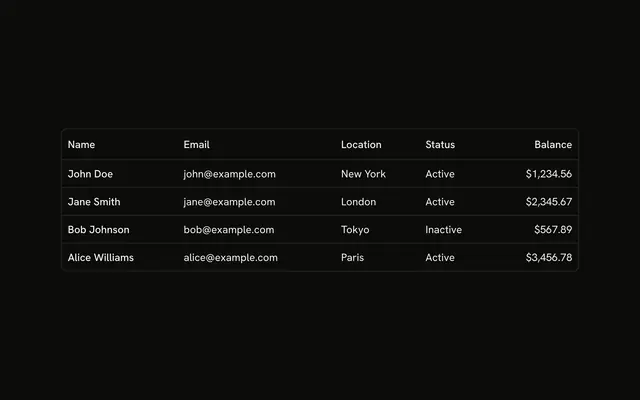
A panel holds a table of 20 people. The columns are Name, Email, Role, Department, Location and Status. The panel scrolls vertically and horizontally.
Scroll both ways when a table has more columns and rows than the panel. A Table that drops columns is easier if a sideways scroll is awkward. Ark UI in Solid does not build the rows.
Installation
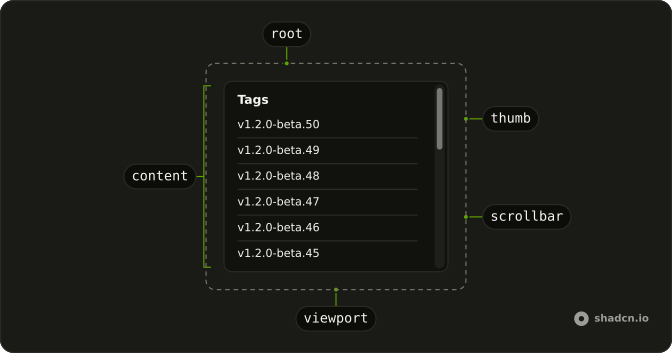
Anatomy
Usage
<ScrollArea class="h-[400px] w-full max-w-md rounded-md border bg-background">
    <div class="w-max p-4">
      <table class="w-full">
        <thead>
          <tr class="border-b">
            <th class="px-4 py-2 text-start font-medium">Name</th>
            <th class="px-4 py-2 text-start font-medium">Email</th>
            <th class="px-4 py-2 text-start font-medium">Role</th>
            <th class="px-4 py-2 text-start font-medium">Department</th>
            <th class="px-4 py-2 text-start font-medium">Location</th>
            <th class="px-4 py-2 text-start font-medium">Status</th>
          </tr>
        </thead>
        <tbody>
          {members.map(member => <tr class="border-b">
              <td class="px-4 py-2 text-sm">{member.name}</td>
              <td class="px-4 py-2 text-muted-foreground text-sm">
                {member.email}
              </td>
              <td class="px-4 py-2 text-sm">{member.role}</td>
              <td class="px-4 py-2 text-sm">{member.department}</td>
              <td class="px-4 py-2 text-sm">{member.location}</td>
              <td class="px-4 py-2 text-sm">{member.status}</td>
            </tr>)}
        </tbody>
      </table>
    </div>
  </ScrollArea>
FAQ
Why does this table scroll both ways?
ScrollArea is h-[400px] and max-w-md, and the table sits in a div with w-max. The fixed height scrolls the twenty rows. w-max lets the six columns run wider than the frame.
Which bar does this file add?
Both bars are already rendered. The height and the w-max wrapper are what create the two scroll ranges.
What are the columns?
Name, Email, Role, Department, Location, and Status. Each th and the cells use px-4 py-2 and text-start. Body cells that are secondary, such as the email, add text-sm text-muted-foreground.
How many people are in the table?
Twenty, from Array.from. Role cycles Admin, Editor, and Viewer. Department cycles Engineering, Design, Marketing, and Sales. Location is San Francisco or New York. Status is Active or Inactive.
API Reference
Scroll Area
No extra props in this demo. The rest is on the Scroll Area page.