shadcn.io is an independent project built on shadcn/ui
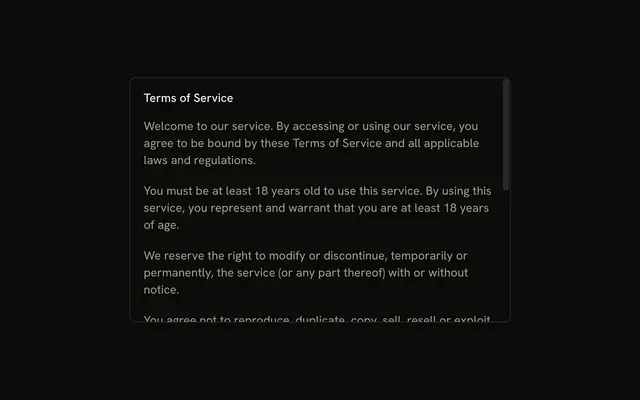
The title is Privacy Policy Update. Five changes sit in a scrolling region with a max height, so I Understand stays in view. That button does not record consent.
Scroll inside the dialog when the choice must stay on screen. A full policy is better linked from a Dialog. In Svelte, Ark UI does not store an acceptance.
Installation
Anatomy

Usage
<AlertDialog><AlertDialogTrigger>{#snippet asChild(props)}<Button {...props()} variant="outline">Show Info</Button>{/snippet}</AlertDialogTrigger><AlertDialogContent><AlertDialogHeader><AlertDialogTitle>Privacy Policy Update</AlertDialogTitle><AlertDialogDescription>We have updated our privacy policy to provide you with greater transparency about how we collect, use, and protect your data.</AlertDialogDescription></AlertDialogHeader><div class="flex max-h-60 flex-col gap-4 overflow-y-auto text-muted-foreground text-sm"><div class="flex flex-col gap-2"><p>Key changes include:</p><ul class="ms-4 flex list-disc flex-col gap-1">{#each changes as change (change)}<li>{change}</li>{/each}</ul></div><p>Please review the full policy in your account settings. By continuing to use our service, you agree to these updated terms.</p></div><AlertDialogFooter><AlertDialogClose>{#snippet asChild(props)}<AlertDialogAction {...props()}>I Understand</AlertDialogAction>{/snippet}</AlertDialogClose></AlertDialogFooter></AlertDialogContent></AlertDialog>FAQ
How tall should the scrolling area be?
max-h-60 shows several lines before scrolling while leaving room for the title and button on small screens.
How is the scrolling built?
The content sits in a div with max-h-60 overflow-y-auto, between the header and the footer, so only it scrolls.
List or paragraphs?
Both: a short lead-in, a list for the key points, a closing paragraph. Use real ul and li elements.
Should the button wait until people scroll to the end?
Rarely; for information, no. For terms people must accept, see the Terms and Conditions dialog example.
API Reference
Alert Dialog
Sets props. The rest is on the Alert Dialog page.
Button
Sets props and variant="outline". The rest is on the Button page.