shadcn.io is an independent project built on shadcn/ui
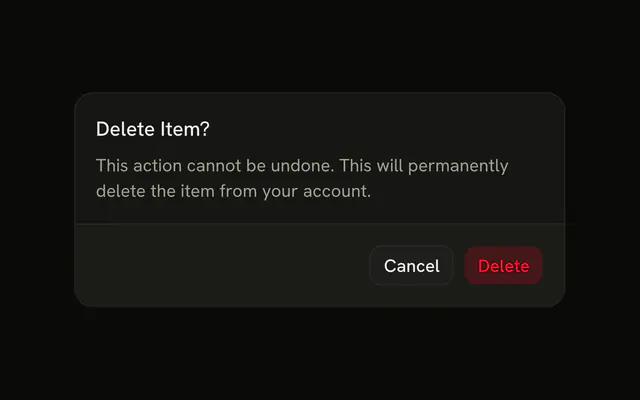
The title is Are you sure. The text says the account and its data would be permanently deleted. The buttons are Cancel and Continue. Continue does not delete the account.
Use this before a step that cannot be undone, and name what is lost. Make the first control a destructive Button too. In Svelte, Ark UI does not delete the account.
Installation
Anatomy

Usage
<AlertDialog><AlertDialogTrigger>{#snippet asChild(props)}<Button {...props()} variant="outline">Open Dialog</Button>{/snippet}</AlertDialogTrigger><AlertDialogContent><AlertDialogHeader><AlertDialogTitle>Are you sure?</AlertDialogTitle><AlertDialogDescription>This action cannot be undone. This will permanently delete your account and remove your data from our servers.</AlertDialogDescription></AlertDialogHeader><AlertDialogFooter><AlertDialogCancel>Cancel</AlertDialogCancel><AlertDialogClose>{#snippet asChild(props)}<AlertDialogAction {...props()}>Continue</AlertDialogAction>{/snippet}</AlertDialogClose></AlertDialogFooter></AlertDialogContent></AlertDialog>FAQ
When should I use an Alert Dialog instead of a Dialog?
Use an Alert Dialog for a decision the reader must make, like confirming a deletion. Use a Dialog for forms and content people may close at any time.
Can people dismiss it with Escape or a click outside?
Escape closes it. A click outside doesn't, so the reader has to pick Cancel or Continue. Set closeOnInteractOutside to true if a click outside should close it.
What's the difference between the two buttons?
AlertDialogCancel is the safe choice, styled as an outline button, and always closes the dialog. AlertDialogAction is the primary button that runs the operation. Keep Cancel first and the action last.
How do I run an async operation on Continue?
Control the dialog's open state, give the action an isLoading state while the request runs, and close the dialog when it settles. Actions with Loading State shows the pattern.
API Reference
Alert Dialog
Sets props. The rest is on the Alert Dialog page.
Button
Sets props and variant="outline". The rest is on the Button page.