shadcn.io is an independent project built on shadcn/ui
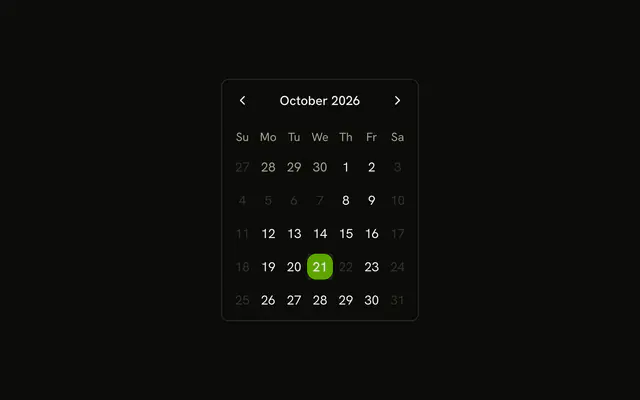
Select Date opens a dialog with that title. Weekends, the 3rd through the 7th, and the 22nd of this month cannot be picked.
Use it when closed days should be chosen inside a step. Keep the grid on the page if those days are the point of the screen. A Date Picker is the same choice as a field. In Svelte, Ark UI does not decide which days are closed.
Installation
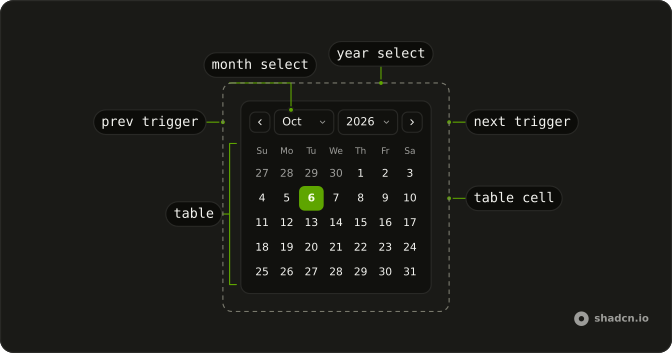
Anatomy
Usage
<Dialog><DialogTrigger>{#snippet asChild(props)}<Button {...props()} variant="outline">Select Date</Button>{/snippet}</DialogTrigger><DialogContent class="sm:max-w-fit"><DialogHeader><DialogTitle>Select Date</DialogTitle></DialogHeader><Calendar class="rounded-md border" isDateUnavailable={isDateUnavailable} onValueChange={handleValueChange} value={value}><CalendarViewControl><CalendarPrevTrigger /><CalendarViewDate /><CalendarNextTrigger /></CalendarViewControl><CalendarTable><CalendarWeekDays /><CalendarTableDays /></CalendarTable></Calendar></DialogContent></Dialog>FAQ
Which days can't be picked?
isDateUnavailable returns true for Saturday and Sunday, for the 3rd through the 7th, and for the 22nd of the current month.
Why are those dates built from year, month and day?
The unavailable dates are built with parseDate from a local year, month and day, so they carry no time and do not shift with the time zone.
How do I read the selected date?
value is a list holding the selected date, and onValueChange receives { value }. This demo starts the list from parseDate(new Date()).
What happens if someone clicks a disabled day?
That day can't be picked, so the selected date stays on the day already chosen. The rules cover weekends, the 3rd through the 7th, and the 22nd.
API Reference
Dialog
No extra props in this demo. The rest is on the Dialog page.
Button
Sets props and variant="outline". The rest is on the Button page.
Calendar
Sets isDateUnavailable={isDateUnavailable}, onValueChange={handleValueChange} and value={value}. The rest is on the Calendar page.