shadcn.io is an independent project built on shadcn/ui
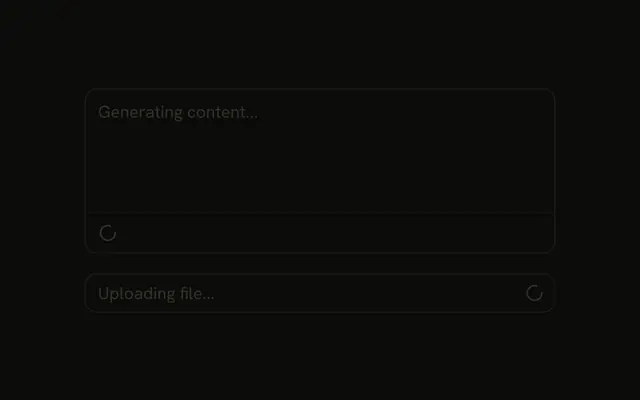
Both inputs are disabled. The search field says Searching... and shows a spinner at the end. The request field says Processing... and shows a spinner at the start. Neither spinner leaves on its own.
Show the spinner inside the field that is busy. If the whole page is waiting, use a Spinner beside the content. In Svelte, Ark UI does not know when the request has finished.
Installation
Anatomy

Usage
<div class="flex w-full max-w-sm flex-col gap-4"><InputGroup class="bg-background" data-disabled="true"><InputGroupInput aria-label="Search" disabled placeholder="Searching..." type="search" /><InputGroupAddon align="inline-end"><Spinner /></InputGroupAddon></InputGroup><InputGroup class="bg-background" data-disabled="true"><InputGroupInput aria-label="Request" disabled placeholder="Processing..." type="text" /><InputGroupAddon><Spinner /></InputGroupAddon></InputGroup></div>FAQ
How do I put the spinner at the start or the end?
With align on its InputGroupAddon: inline-end for the first field, the default inline-start for the second. Both addons come after the input.
How are the fields disabled?
disabled on each InputGroupInput. data-disabled="true" on InputGroup dims the addons.
How do I show the spinner only while loading?
Render the addon only while your request is pending, and drop disabled when it settles.
API Reference
Input Group
Sets data-disabled, aria-label="Search", disabled, placeholder="Searching...", type="search" and align="inline-end". The rest is on the Input Group page.
Spinner
No extra props in this demo. The rest is on the Spinner page.