shadcn.io is an independent project built on shadcn/ui
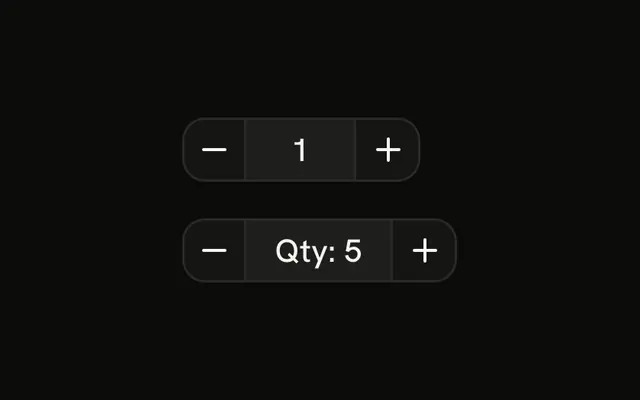
A field with down and up on either side. Quantity starts at 1 and steps by 1. Price starts at 100 and steps by 10. The buttons stop at 0. A typed negative number is stored as typed. Clearing the field stores 0.
Use this when the field and the buttons should share one border. Limits, steps, and keyboard increments together are Number Input. In Svelte, Ark UI does not clamp a number someone types.
Installation
Anatomy

Usage
<div class="flex flex-col gap-4"><ButtonGroup aria-label="Quantity"><Button aria-label="Decrease quantity" onclick={decreaseQuantity} size="icon-md" variant="outline"><ChevronDownIcon aria-hidden="true" /></Button><Input aria-label="Quantity" class="w-20 bg-background text-center" oninput={handleQuantityChange} type="number" value={quantity} /><Button aria-label="Increase quantity" onclick={increaseQuantity} size="icon-md" variant="outline"><ChevronUpIcon aria-hidden="true" /></Button></ButtonGroup><ButtonGroup aria-label="Price"><Button aria-label="Decrease price" onclick={decreasePrice} size="icon-md" variant="outline"><ChevronDownIcon aria-hidden="true" /></Button><Input aria-label="Price" class="w-24 bg-background text-center" oninput={handlePriceChange} type="number" value={price} /><Button aria-label="Increase price" onclick={increasePrice} size="icon-md" variant="outline"><ChevronUpIcon aria-hidden="true" /></Button></ButtonGroup></div>FAQ
How are the values tracked?
Each stepper keeps a number, 1 and 100. Down subtracts the step and stops at 0, up adds it, and typing in the field stores the typed number.
How are the chevron buttons named?
Each has an aria-label, such as Decrease quantity or Increase price, and size="icon-md". The fields have aria-labels too, Quantity and Price.
What happens if someone types a negative number?
It's stored as typed; only the buttons stop at 0. Add min to the input and clamp the typed value if negatives aren't allowed.
What happens when the field is cleared?
An empty field is stored as 0, since the demo converts the text to a number. Keep the raw text if you need to tell empty from 0.
Is there a component for this?
Yes. Number Input handles typing, limits, steps and keyboard increments in one component.
API Reference
Button Group
Sets aria-label="Quantity" and aria-label="Price". The rest is on the Button Group page.
Button
Sets aria-label="Decrease quantity", onclick={decreaseQuantity}, size="icon-md", variant="outline", aria-label="Increase quantity" and onclick={increaseQuantity}. The rest is on the Button page.
Input
Sets aria-label="Quantity", oninput={handleQuantityChange}, type="number", value={quantity}, aria-label="Price" and oninput={handlePriceChange}. The rest is on the Input page.