shadcn.io is an independent project built on shadcn/ui
The label is Tweet. The placeholder is What's happening? Under the field, the count starts at 0/200 and updates as you type. The field stops accepting text at 200 characters.
Use it when a limit should be visible before someone hits it. Show characters left instead if that is the number people watch. A one-line limit fits an Input. In Svelte, Ark UI does not write the count.
Installation
Anatomy
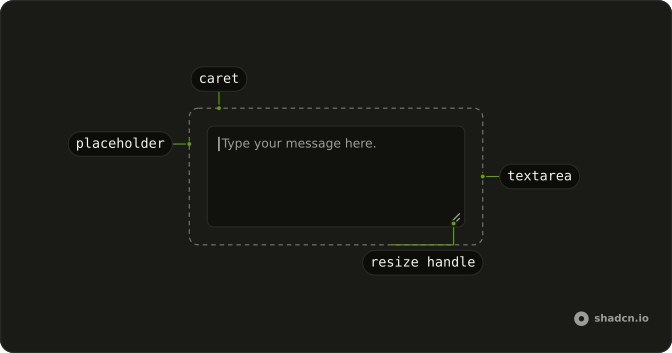
Usage
<Field class="max-w-md"><FieldLabel>Tweet</FieldLabel><Textarea class="bg-background" maxlength={MAX_LENGTH} oninput={handleChange} placeholder="What's happening?" value={value} /><FieldDescription class="text-end">{value.length}/{MAX_LENGTH}</FieldDescription></Field>FAQ
When should I add character counting to textareas?
When the field has a limit people need to write within: a post, a bio, an SMS, a meta description. Skip it for feedback or long-form fields with no practical limit, where a counter only adds noise.
Should maxLength prevent typing or just warn users?
maxLength is a hard stop: the browser won't take another character, and pasted text is cut at the limit. For a soft limit, leave maxLength off, let people type past it, and mark the field invalid with a FieldError until they edit it down. Use the hard stop when the limit is technical, such as a database column.
Should the character count change color as it approaches the limit?
It helps. The demo keeps the count muted; add a condition on the length, for example text-destructive once it reaches 90 percent of the limit, so people see the end coming. Keep the number itself, since color alone doesn't reach everyone.
Why place the character count on the right side?
The FieldDescription takes text-end, so the count sits at the end edge under the field, out of the reading path but easy to glance at, as on most social posting forms. text-end is logical, so it moves to the left in a right-to-left layout.
API Reference
Field
No extra props in this demo. The rest is on the Field page.
Textarea
Sets maxlength={MAX_LENGTH}, oninput={handleChange}, placeholder="What's happening?" and value={value}. The rest is on the Textarea page.