shadcn.io is an independent project built on shadcn/ui
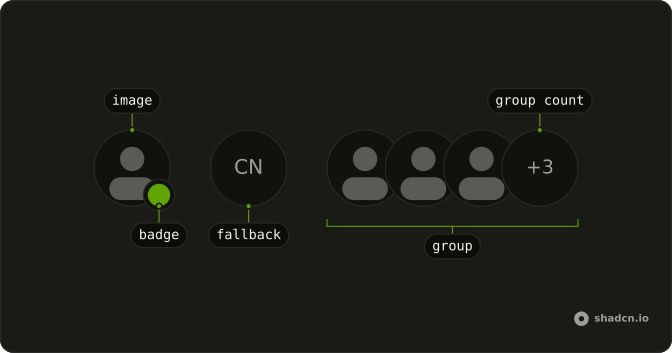
A photo with square corners has a check badge at the bottom corner, in the info color. A hidden label says Verified. The initials CN show only if the picture fails.
Use it for an official organization, a first-party app, or a vetted partner. The check is not a review. Spell the status out in a Badge when the icon is not enough. In Vue, Ark UI does not vet the account.
Installation
Anatomy
Usage
<div class="relative w-fit">
  <Avatar class="rounded-lg after:rounded-lg">
    <AvatarImage
      alt="@shadcn"
      class="rounded-lg"
      :height="32"
      src="https://github.com/shadcn.png"
      :width="32"
    />
    <AvatarFallback class="rounded-lg">CN</AvatarFallback>
  </Avatar>
  <span class="absolute -end-1 -bottom-1 flex size-4 items-center justify-center rounded-full bg-background">
    <BadgeCheckIcon aria-hidden="true" class="size-full fill-info text-background" />
    <span class="sr-only">Verified</span>
  </span>
</div>
FAQ
How is the avatar squared off around the check?
rounded-lg is on Avatar, AvatarImage, and AvatarFallback, and after:rounded-lg is on Avatar. The check is a separate circle on the wrapper, so it doesn't take those classes.
How is the checkmark built?
A span at -end-1 -bottom-1 is size-4, rounded-full, and bg-background. BadgeCheckIcon uses fill-info and text-background, at size-full.
How is the check announced?
The icon is aria-hidden. Visually hidden "Verified" in the span is the name.
Which corner does the check use?
The bottom end, via -end-1 -bottom-1 on a relative w-fit wrapper. The end edge flips in a right-to-left page.
API Reference
Avatar
Sets alt="@shadcn", height="32", src="https://github.com/shadcn.png" and width="32". The rest is on the Avatar page.


