shadcn.io is an independent project built on shadcn/ui
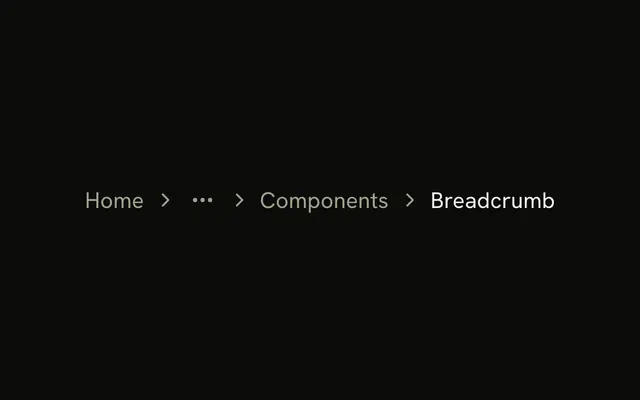
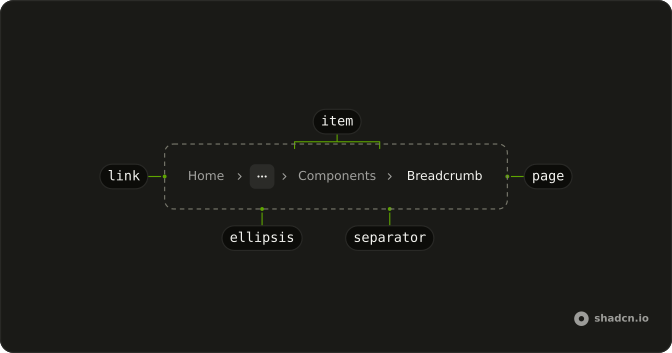
The root is a home icon, named Home for screen readers. An ellipsis follows it, then Components, then Breadcrumb as the current page. The ellipsis does not open.
Use it when a deep path starts with a home icon and the middle will not fit. If those hidden levels must stay reachable, list them in a Dropdown Menu. In Vue, Ark UI does not collapse the route for you.
Installation
Anatomy
Usage
<Breadcrumb>
  <BreadcrumbList>
    <BreadcrumbItem>
      <BreadcrumbLink :asChild="true">
        <a aria-label="Home" href="/">
          <HomeIcon aria-hidden="true" class="size-4" />
        </a>
      </BreadcrumbLink>
    </BreadcrumbItem>
    <BreadcrumbSeparator />
    <BreadcrumbItem><BreadcrumbEllipsis /></BreadcrumbItem>
    <BreadcrumbSeparator />
    <BreadcrumbItem>
      <BreadcrumbLink :asChild="true">
        <a href="/components">Components</a>
      </BreadcrumbLink>
    </BreadcrumbItem>
    <BreadcrumbSeparator />
    <BreadcrumbItem><BreadcrumbPage>Breadcrumb</BreadcrumbPage></BreadcrumbItem>
  </BreadcrumbList>
</Breadcrumb>
FAQ
Does the ellipsis open anything?
No. BreadcrumbEllipsis is only the mark: a more icon, hidden from assistive tech, with visually hidden More text. It isn't a button.
How do I let people reach the hidden levels?
Put a Dropdown Menu in that BreadcrumbItem, with the ellipsis or an icon as its trigger and the hidden levels as items. The dropdown version does that with a folder icon.
How is the home icon named?
The link to / holds only a HomeIcon at size-4, hidden from assistive tech, so the link carries aria-label="Home". Screen readers announce it as the Home link.
Which separator sits between the crumbs?
An empty BreadcrumbSeparator renders a chevron, hidden from assistive tech.
API Reference
Breadcrumb
Sets asChild. The rest is on the Breadcrumb page.