shadcn.io is an independent project built on shadcn/ui
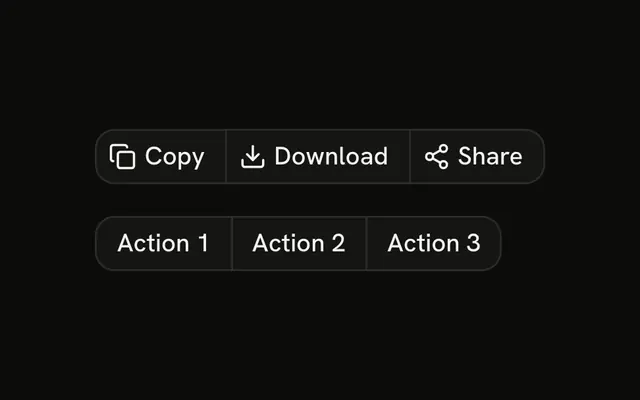
Select part of the sentence and an icon-only Bold, Italic, and Underline group appears under the box. Clear the selection and it goes away. A labeled Bold, Italic, and Underline group stays visible the whole time. The buttons do not format the text.
Use the appearing group for formatting that only makes sense with a selection. Floating that bar over the text is a Popover you position yourself. In Vue, Ark UI does not format the selected text.
Installation
Anatomy

Usage
<div class="flex flex-col gap-4">
  <p class="rounded-md border bg-background p-4" ref="textRef">
    Select this text to see the formatting toolbar appear.
  </p>
  <ButtonGroup v-if="showToolbar" aria-label="Format selection">
    <Button aria-label="Bold" size="icon-sm" variant="outline">
      <BoldIcon aria-hidden="true" />
    </Button>
    <Button aria-label="Italic" size="icon-sm" variant="outline">
      <ItalicIcon aria-hidden="true" />
    </Button>
    <Button aria-label="Underline" size="icon-sm" variant="outline">
      <UnderlineIcon aria-hidden="true" />
    </Button>
  </ButtonGroup>
  <ButtonGroup aria-label="Formatting">
    <Button size="sm" variant="outline">
      <BoldIcon aria-hidden="true" data-icon="inline-start" />Bold
    </Button>
    <Button size="sm" variant="outline">
      <ItalicIcon aria-hidden="true" data-icon="inline-start" />Italic
    </Button>
    <Button size="sm" variant="outline">
      <UnderlineIcon aria-hidden="true" data-icon="inline-start" />Underline
    </Button>
  </ButtonGroup>
</div>
FAQ
How does the toolbar know text is selected?
The demo listens for the document's selectionchange event. When the selection starts inside the paragraph and isn't empty, the toolbar shows; otherwise it hides.
Does it work with keyboard selection?
Yes. selectionchange fires for mouse, touch and keyboard selections alike, wherever text can be selected.
How are the icon buttons named?
Each has an aria-label, Bold, Italic or Underline, and size="icon-sm". The group is labeled Format selection.
Do the buttons format the selection?
No. They have no handler. Call your editor's formatting command for the current selection.
How do I float the toolbar over the selection?
Read the selection's bounding rectangle and position the group there, or anchor a Popover to it. The demo places it under the paragraph.
API Reference
Button Group
Sets v-if="showToolbar", aria-label="Format selection" and aria-label="Formatting". The rest is on the Button Group page.
Button
Sets aria-label="Bold", size="icon-sm", variant="outline", aria-label="Italic", aria-label="Underline" and size="sm". The rest is on the Button page.