shadcn.io is an independent project built on shadcn/ui
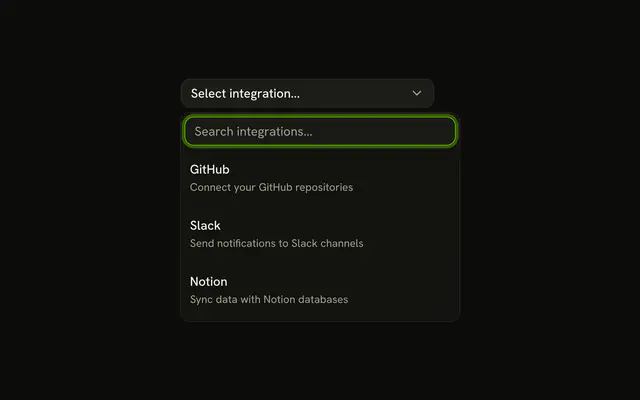
Each row has an icon, the plan name, and a short description. Basic Plan uses a package, Pro Plan a lightning bolt, and Enterprise Plan a shield. The button shows the picked name.
Use it for plans, templates, or modes people read before they pick. A name alone fits a Select. In Vue, Ark UI does not lay out the icon and the two lines.
Installation
Anatomy

Usage
<Combobox
  :collection="collection"
  @input-value-change="handleInputValueChange"
  @value-change="handleValueChange"
  :positioning="{ getAnchorElement: () => triggerRef }"
  selectionBehavior="clear"
  :value="value"
>
  <ComboboxTrigger
    :class='cn(
      buttonVariants({ variant: "outline" }),
      "w-[300px] justify-between"
    )'
    ref="triggerRef"
  >
    {{ selected ? selected.label : "Select plan..." }}
  </ComboboxTrigger>
  <ComboboxContent>
    <ComboboxInput class="w-full" placeholder="Search plans..." :showTrigger="false" />
    <ComboboxEmpty>No plan found.</ComboboxEmpty>
    <ComboboxList>
      <ComboboxItem
        v-for="plan in collection.items"
        class="items-start gap-3 py-3"
        :item="plan"
        :key="plan.value"
      >
        <component
          :is="plan.icon"
          aria-hidden="true"
          class="mt-0.5 size-5 text-muted-foreground"
<!-- The rest of the file is under Installation. -->
FAQ
How is each row laid out?
ComboboxItem gets items-start gap-3 py-3. The icon is mt-0.5 size-5 text-muted-foreground, followed by a column with the name in font-medium and the description in muted text-xs.
Where do the icons come from?
Each plan keeps its icon component in the data: PackageIcon, ZapIcon and ShieldIcon. The row renders it with aria-hidden.
Which plans are listed?
Basic Plan (Essential features for small teams), Pro Plan (Advanced features and analytics) and Enterprise Plan (Custom solutions with priority support).
API Reference
Combobox
Sets collection="collection", input-value-change="handleInputValueChange", value-change="handleValueChange", positioning, getAnchorElement and class. The rest is on the Combobox page.