shadcn.io is an independent project built on shadcn/ui
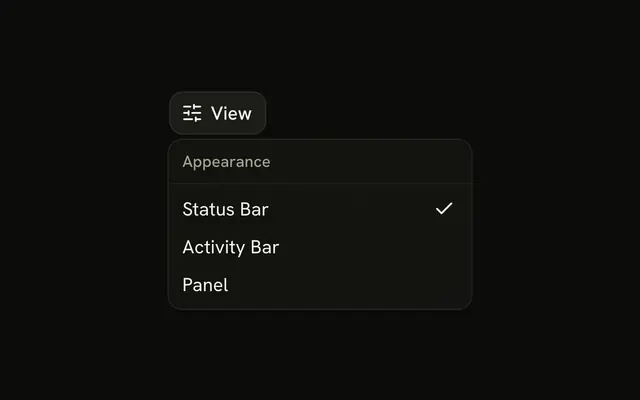
Preferences opens five checkbox rows under Editor Preferences: Auto-save, Spell Check, Line Numbers, Word Wrap, and Minimap.
Use it when editor toggles should be one click from the toolbar. The same choices beside the document can be a Switch. In Vue, Ark UI does not keep the ticks across a reload.
Installation
Anatomy

Usage
<DropdownMenu>
  <DropdownMenuTrigger :asChild="true">
    <Button variant="outline">
      <SettingsIcon aria-hidden="true" data-icon="inline-start" />Preferences
    </Button>
  </DropdownMenuTrigger>
  <DropdownMenuContent class="w-56">
    <DropdownMenuGroup>
      <DropdownMenuLabel>Editor Preferences</DropdownMenuLabel>
      <DropdownMenuSeparator />
      <DropdownMenuCheckboxItem
        :checked="autoSave"
        @checked-change="setAutoSave"
        value="auto-save"
      >
        Auto-save
      </DropdownMenuCheckboxItem>
      <DropdownMenuCheckboxItem
        :checked="spellCheck"
        @checked-change="setSpellCheck"
        value="spell-check"
      >
        Spell Check
      </DropdownMenuCheckboxItem>
      <DropdownMenuCheckboxItem
        :checked="lineNumbers"
        @checked-change="setLineNumbers"
        value="line-numbers"
      >
        Line Numbers
      </DropdownMenuCheckboxItem>
<!-- The rest of the file is under Installation. -->
FAQ
Which preferences start on?
Auto-save, Spell Check and Word Wrap start checked; Line Numbers and Minimap start off.
Each DropdownMenuCheckboxItem takes :checked, a value, and @checked-change, which receives a boolean.
What is Editor Preferences?
The DropdownMenuLabel that names the group, followed by a separator. It isn't a row you can pick.
What does the trigger look like?
An outline Button with a gear icon before the word Preferences. The menu is w-56.
Do these ticks survive closing the menu?
Yes. The checked state lives in the component, not in the menu, so it's the same when the menu reopens. Save it to the user's settings to keep it across reloads.
API Reference
Dropdown Menu
Sets asChild, checked="autoSave", checked-change="setAutoSave", value="auto-save", checked="spellCheck" and checked-change="setSpellCheck". The rest is on the Dropdown Menu page.
Button
Sets variant="outline". The rest is on the Button page.