shadcn.io is an independent project built on shadcn/ui
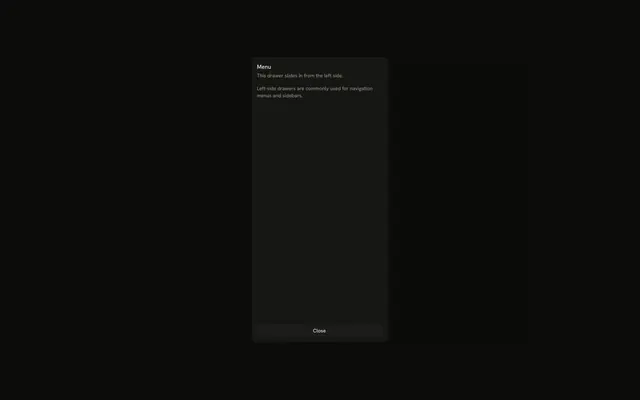
A left panel titled Menu. Dashboard and Analytics are single rows. Products opens to All Products, Categories, and Inventory, and Orders opens to its own items.
Use it for a short two-level menu on a phone. On a desktop, keep that menu in a Sidebar. In Vue, Ark UI opens each section on its own.
Installation
Anatomy

Usage
<Drawer swipeDirection="left">
  <DrawerTrigger :asChild="true">
    <Button aria-label="Open menu" size="icon-md" variant="outline">
      <MenuIcon aria-hidden="true" />
    </Button>
  </DrawerTrigger>
  <DrawerContent :showBar="false">
    <div class="flex flex-col gap-4 p-4">
      <DrawerTitle class="font-semibold text-lg">Menu</DrawerTitle>
      <nav aria-label="Main" class="flex flex-col gap-1">
        <Button class="justify-start" variant="ghost">Dashboard</Button>
        <Collapsible v-for="section in SECTIONS" :key="section.label">
          <CollapsibleTrigger :asChild="true">
            <Button class="group w-full justify-between" variant="ghost">
              {{ section.label }}<ChevronRightIcon aria-hidden="true" class="transition-transform group-aria-expanded:rotate-90" data-icon="inline-end" />
            </Button>
          </CollapsibleTrigger>
          <CollapsibleContent class="ms-4">
            <div class="mt-1 flex flex-col gap-1">
              <Button
                v-for="item in section.items"
                class="w-full justify-start"
                :key="item"
                size="sm"
                variant="ghost"
              >
                {{ item }}
              </Button>
            </div>
          </CollapsibleContent>
        </Collapsible>
<!-- The rest of the file is under Installation. -->
FAQ
How do Products and Orders expand?
Each is a Collapsible. Its CollapsibleTrigger is a ghost button with the label and a chevron, and its CollapsibleContent holds the sub-items, indented with ms-4.
How does the chevron turn?
The trigger has aria-expanded while its section is open, and the chevron's group-aria-expanded:rotate-90 turns it to point down.
Which items are inside?
Products holds All Products, Categories and Inventory; Orders holds All Orders, Pending and Completed. Both start closed.
Can only one section be open at a time?
Not with separate Collapsibles. Use an Accordion instead if opening one section should close the other.
API Reference
Drawer
Sets swipeDirection="left" and asChild. The rest is on the Drawer page.
Button
Sets aria-label="Open menu", size="icon-md", variant="outline", variant="ghost", v-for="item in section.items" and key="item". The rest is on the Button page.
Collapsible
Sets v-for="section in SECTIONS", key="section.label" and asChild. The rest is on the Collapsible page.