Data Table Examples
8 interactive tables on TanStack Table: selection, sorting, filters, column visibility, pagination, row actions, expandable rows and resizable columns. Each on React, with Base UI, React Aria, Ark UI or Radix UI.
Every data table example
8 examples.
- Basic Data Table with CheckboxesStandardA product table with a checkbox on each row, a select-all checkbox and a Name header that sorts. Laptop is the first product.

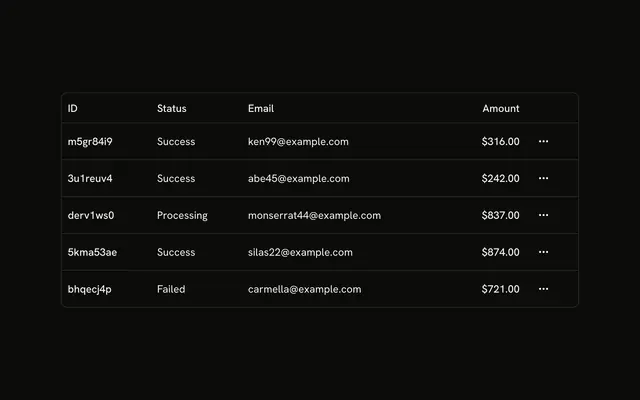
- Data Table with ActionsAdvancedA payments table with ID, Status, Email and Amount. Each row ends in a menu: Copy payment ID, View customer and View payment details.
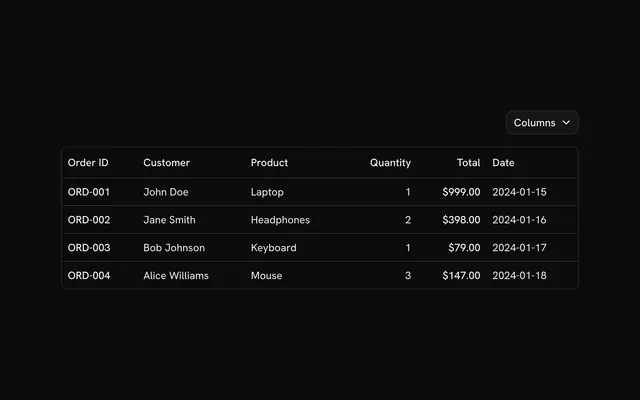
- Data Table with Column VisibilityStandardAn orders table with a Columns button. The menu checks each hideable column, over heads such as Customer, Product, Quantity and Total.
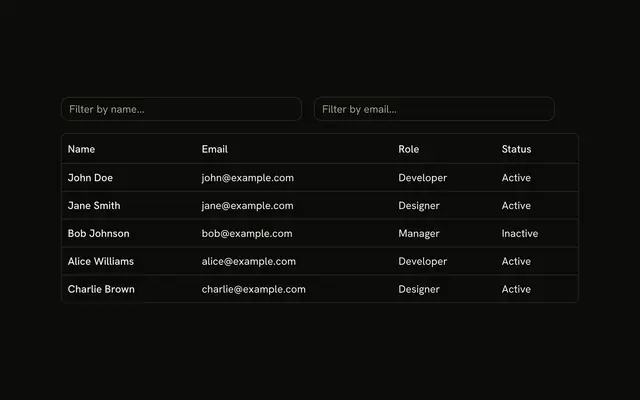
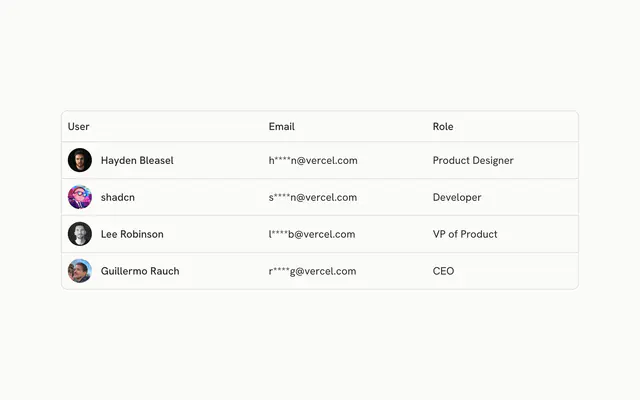
- Data Table with FiltersStandardA users table with two search fields, Filter by name and Filter by email, over columns Name, Email, Role and Status.
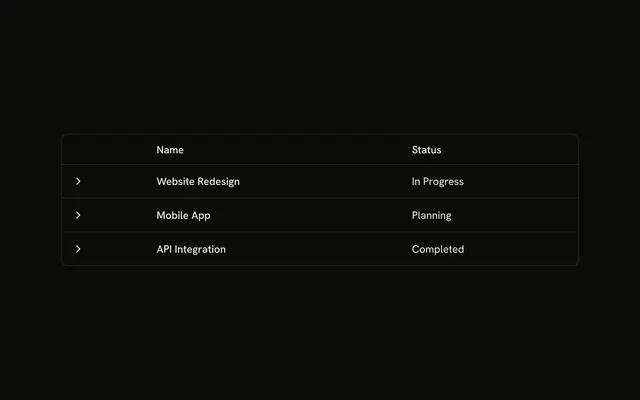
- Expandable Sub-RowsAdvancedProjects Website Redesign, Mobile App and API Integration. Each has a chevron that opens that project's tasks, plus Name and Status.
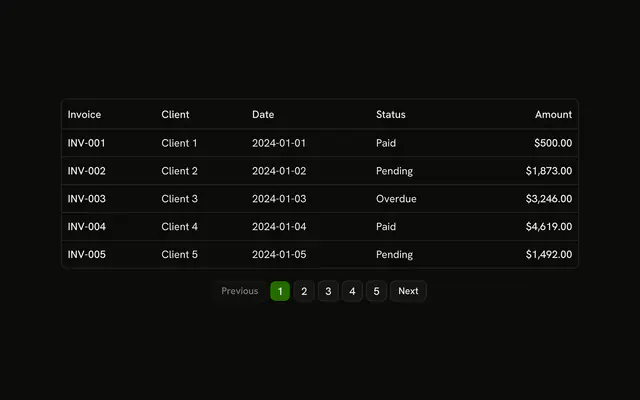
- Numeric PaginationAdvancedA table of 25 invoices, five per page, with Previous, numbered page buttons and Next under Invoice, Client, Date, Status and Amount.
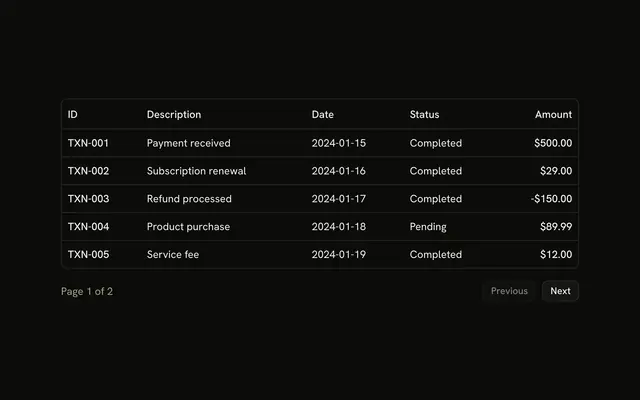
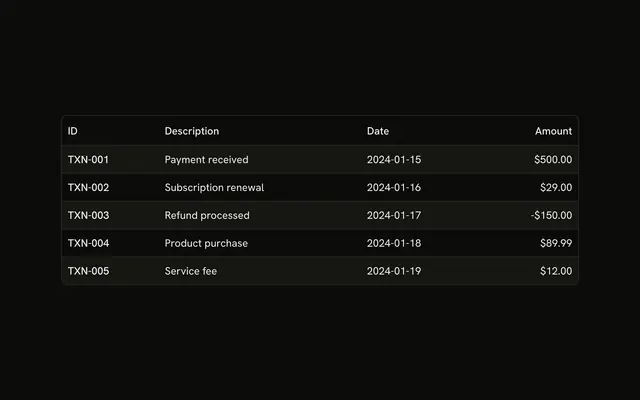
- Paginated Data TableStandardA transactions table, five rows per page, with Previous, Next and a Page label. Columns include ID, Description, Date, Status and Amount.
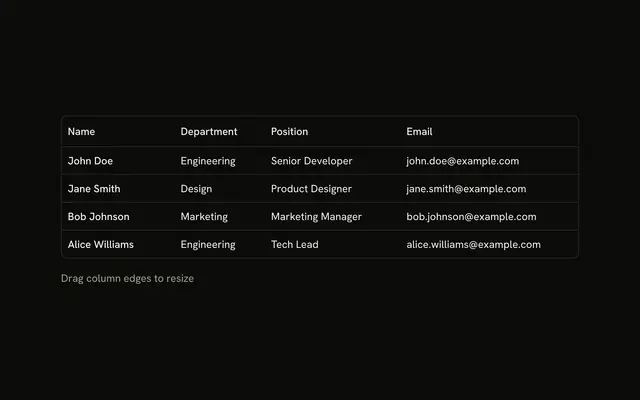
- Resizable ColumnsAdvancedAn employee table whose columns resize from their edges. Heads are Name, Department, Position, Email and Salary. John Doe is first.
Or describe it. With Pro, your AI agent installs the data table example you describe, on your framework and UI library.
Get ProGalleries
More component examples
8 related galleries, free: open one for its live examples and their code.











Pricing
Data Table examples MCP, with Pro
Your AI agent installs any of the 1364 examples, and every component, block and icon, with every Pro plan.
4.9/5 out of 5 · 150+ reviewsfrom 150+ founders and developers.
- Secure checkout via Stripe
- Code lives in your repo
- Keep what you've shipped if you cancel
- License terms
FAQ
Frequently asked questions
A table people work with, not only read: they select rows, sort, filter, hide columns and page through. These examples pair TanStack Table, which keeps that state and computes the visible rows, with shadcn.io's Table and form components, which draw it. Each example adds one feature so you can copy just the part you need.
Yes. Every example is free to use in personal and commercial projects, with no attribution. Seeing the code and installing it takes a free shadcn.io account. TanStack Table is MIT-licensed.
Table is the styled markup: you map your rows into it and it shows them. A data table adds column definitions and TanStack Table's features, so sorting, filtering, selection, visibility and pagination come from the table instead of your own loops. Use Table when the rows are only read.
Your pick of four: Base UI, React Aria, Ark UI or Radix UI. TanStack Table is the same on each; the checkboxes, menus and buttons follow the library's own API. On React Aria the table is React Aria's own, so selection, sorting and keyboard navigation between cells come from it.
Add `columnFilteringFeature` and `createFilteredRowModel()` to the table, give the column a `filterFn`, and connect an Input to `column.setFilterValue` and `column.getFilterValue()`. The Data Table with Filters example filters names and emails this way.
Add `rowSelectionFeature` and a first column of checkboxes: one per row from `row.getIsSelected()`, and one in the header that selects the whole page. `table.getSelectedRowModel().rows` is what a bulk action works on. On React Aria, the table's own selection checkboxes do this.
Client-side while all the rows fit in memory, a few thousand at most: add `rowPaginationFeature` and `createPaginatedRowModel()` as these examples do. For more, fetch one page at a time, set `manualPagination` and `rowCount`, and fetch again when `onPaginationChange` reports a new page.
Sign in with a free account and run the install command on the example's page. It adds the example's file, the components it uses, such as Table, Checkbox, Dropdown Menu and Button, and `@tanstack/react-table`.
Add `columnVisibilityFeature`, then list `table.getAllColumns()` filtered by `getCanHide()` in a Dropdown Menu, with each item checked from `column.getIsVisible()` and calling `column.toggleVisibility()`. Save the visibility state if it should survive a reload.
Walk `table.getRowModel().rows` for the current page, or the filtered and sorted rows for all pages, write each row's values as a CSV line and download it from a Blob. With server-side pagination, export from the server, which has every row.
TanStack Table v9 (`@tanstack/react-table`), shadcn.io's Table, Checkbox, Dropdown Menu, Input and Button on Base UI, React Aria, Ark UI or Radix UI, Tailwind CSS and Lucide icons. The data table examples are React only.
They render real table markup, so screen readers announce rows, columns and headers. Every checkbox, menu button and filter input has a label, icon-only buttons have names, and the expander says whether it's open. On React Aria, the arrow keys move between cells and Space selects a row.
The table is a client component: TanStack Table keeps its state in the browser. Fetch the rows in a Server Component and pass them to it as props, or fetch each page on the client when the pagination is server-side.
4.9 out of 5 from 150+ developers


Every data table example. One prompt away.
Every data table example is free with an account. With Pro, your AI agent installs them from a prompt.
Get Pro