shadcn.io is an independent project built on shadcn/ui
Ocean Background for Vue
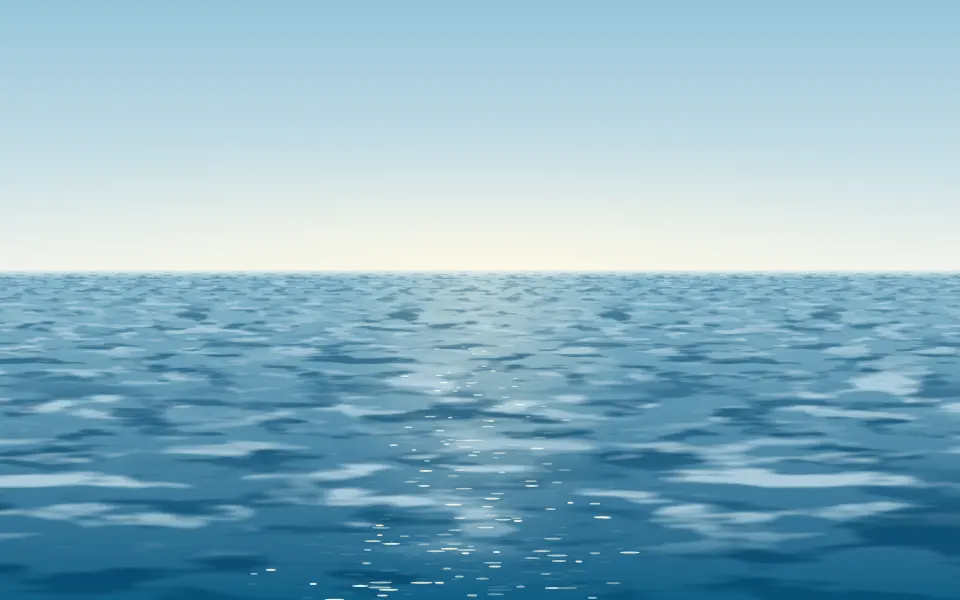
Open water rolls to the horizon under a low sun or moon and its path of glints. For Vue with Ark UI, when a travel hero needs a calm sea.
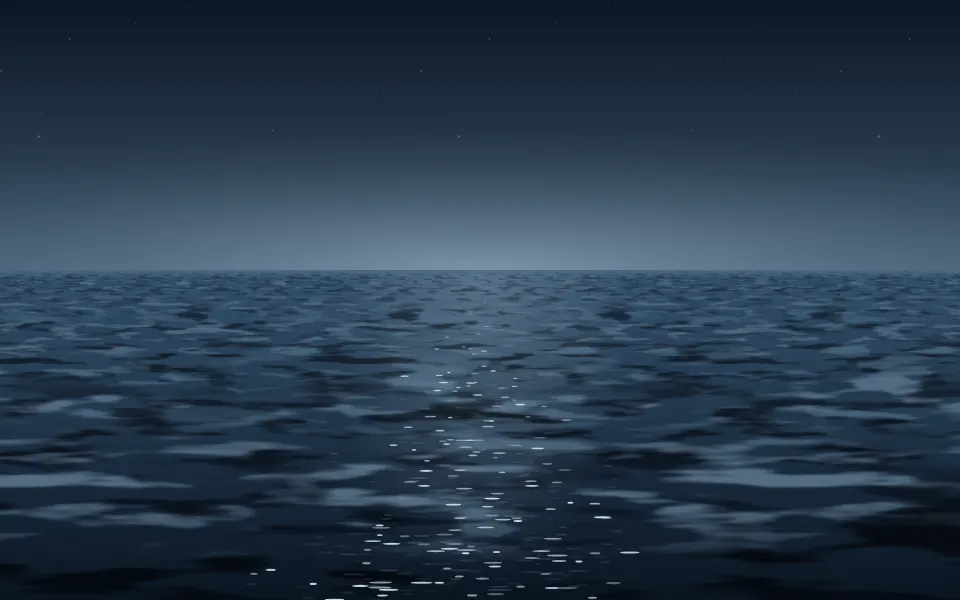
Open water runs to the horizon under a low sun or moon. It's a GLSL scene on WebGL2 with no dependency: a height field of six wave trains with noise ripples on them, seen in perspective and shaded from its normal, so the water reflects more sky toward the horizon, shows its own color near you and glitters where a facet throws the light at the eye. On a light surface it's a day sea under a pale sky, on a dark one a moonlit sea with a few stars. The pointer rests on the water in a ring of ripples.
Use it behind a travel or wellness hero, a sign-in page or a pricing card, with the copy in the sky. For the same water seen from below the surface, use Underwater; for the net of light on a pool floor, Caustics; for a surface of waves drawn as lines or dots, Wave Grid. With reduced motion it holds one still frame.
Installation
Usage
<script setup lang="ts">
import { Ocean } from "@/components/ui/ocean";
</script>
<template>
  <Ocean class="flex min-h-[36rem] flex-col items-center gap-4 pt-14">
    <h1 class="text-5xl font-semibold">Cross the bay without the crowds</h1>
    <p class="text-foreground/80">Small ferries, leaving every hour.</p>
  </Ocean>
</template>
Ocean is a container: whatever you put inside sits on top of the scene, in normal flow. It fills its own box, so give it a height or content. For a backdrop behind the whole page, render it empty with className="fixed inset-0 -z-10".
Presets
<Ocean /><Ocean
:colors="['#5a4a8a', '#e7a9c4']"
:elevation="0.08"
:haze="0.9"
:sky="1"
skyColor="#f3c6d3"
sunColor="#fff0d8"
:sunSize="1.3"
/><Ocean :amplitude="0.3" :choppiness="0" :elevation="0.1" :haze="0.7" /><Ocean
:amplitude="0.6"
:choppiness="0.8"
:colors="['#0f8fa3', '#7fe3d6']"
:elevation="0.9"
:glints="1.5"
:haze="0.3"
:horizon="0.72"
:scale="1.5"
:sky="1"
skyColor="#bfeaf5"
/><Ocean
:colors="['#040a1a', '#17335f']"
:elevation="0.34"
:position="0.3"
:sky="1"
skyColor="#15214a"
sunColor="#dfe8ff"
/><Ocean
:amplitude="1.7"
:choppiness="2"
:colors="['#16242b', '#5f7f86']"
:glints="0"
:haze="0.7"
:horizon="0.55"
:sky="1"
skyColor="#8e9aa3"
sunColor="#c3ccd2"
:sunSize="0"
/><Ocean
:colors="['#3b1d3a', '#c7566a']"
:elevation="0.05"
:glints="1.4"
:haze="0.8"
:sky="1"
skyColor="#f08a5d"
sunColor="#ffd27a"
:sunSize="1.5"
/>Each preset is a set of props, so copy one and keep tuning. Open is the default and follows the surface: a day sea on a light page, a night sea on a dark one. Moonlit, Sunset and Dawn carry their own sky and fill it to the top (sky={1}), so they look the same on any page. Storm drops the sun and raises a rough grey sea, and Glass flattens the water into a mirror.
Examples
Hero
The sky is the calm part, so the copy sits there, at the top of the box, and the sun stands to the right of it with its path of glints below. The headline and the line under it use the foreground color; the chip and the second button have a translucent ground of their own.
Moonlit
The Moonlit preset: colors, skyColor and sunColor set a night sea whatever the page's theme, sky={1} carries the sky's color to the top of the box, and elevation={0.34} lifts the moon, which shortens and widens its path on the water.
In a card
horizon={0.5} splits a card evenly between sky and water, which leaves room for two lines of copy in the sky.
Customization
Every color is a CSS color, so a theme variable works and follows a theme switch. colors runs from the deep troughs to the lit crests, skyColor is the sky and what the water reflects, and sunColor is the sun or moon, its halo and the glints. Leave all three out and the scene picks a day palette on a light surface and a night palette on a dark one.
The sky fades into the root's own background, bg-background by default, and sky sets how far up its color reaches: 0.5 leaves the top of the box as plain surface for copy, 1 fills the box. The water is opaque. fade="bottom" dissolves the near water into the surface, grain adds film grain and opacity turns the whole scene down.
<Ocean
  className="min-h-[32rem]"
  colors={["var(--chart-3)", "var(--chart-2)"]}
  fade="bottom"
  grain={0.15}
  horizon={0.45}
  skyColor="var(--chart-1)"
/>
Performance
It's one WebGL2 canvas and one fragment shader. A pixel of sky costs a gradient and one hash for the stars. A pixel of water costs six sine waves and eight samples of simplex noise for the surface, then the shading; there is no ray march and no loop longer than six steps. Waves finer than a pixel are dropped and counted as roughness, so the far water costs the same and doesn't shimmer. It draws only while it's on screen and the tab is visible, shares one frame loop with every other background on the page, and lowers its own resolution if frames run long. quality sets the render scale yourself, and paused holds the frame.
Accessibility
The scene is decoration: it's hidden from assistive tech and lets every click through to your content. With reduced motion it draws one still frame and ignores the pointer. Nothing flashes: the glints are a few pixels each and fade in and out as the swell turns.
Put copy in the sky and use the foreground color (text-foreground). Measured on the default look, the sky keeps at least 12.4:1 against it on a light page and 5.0:1 on a dark one, away from the sun or moon. The disc itself, its halo and the path of glints are as bright as light text, and the near water on a light page is too deep for dark text (3.0:1 at worst), so keep copy off them or give it its own ground.
FAQ
How do I change the colors?
Three props. colors takes two to eight CSS colors for the water, from the deep troughs to the lit crests. skyColor is the sky, which the water also reflects, and sunColor is the sun or moon, its halo and the glints. Hex, oklch() and theme variables all work. Set all three for a look that stays the same on any page, as the Sunset and Moonlit presets do.
What does it look like in dark mode?
With no colors passed, the scene reads the surface behind it. On a light page it's a day sea: blue water, a pale sky and a warm white sun. On a dark page it's a night sea: near-black water, an indigo sky, a silver moon and a few stars. Pass your own colors and they're used on both.
How do I make room for a headline?
The sky is the calm part. horizon sets how much of the box it takes: 0.38 by default, so the upper 62% is sky, and lower values give more. position moves the sun or moon across the box, 0.76 by default, so centered copy doesn't sit on it, and sky sets how far up the sky's color reaches before the plain surface takes over.
Can I show a night sea on a light page?
Yes. Pass a dark skyColor and the scene treats it as night: less mist on the horizon and a few stars. The Moonlit preset is colors={["#040a1a", "#17335f"]}, skyColor="#15214a", sunColor="#dfe8ff" and sky={1}, which fills the sky to the top of the box so no light surface shows above it.
How do I put it behind the whole page?
Render it empty with className="fixed inset-0 -z-10". It still answers the pointer there, since it listens on the window. The horizon is a share of the box, so on a tall phone screen the sea gets taller with it; lower horizon if the water takes too much of the page.
Will it slow my page down?
It's a mid-weight shader: six sine waves and eight noise samples for a pixel of water, and almost nothing for a pixel of sky. It does no work while it's off screen or the tab is hidden, and it renders fewer pixels by itself if a device can't keep up. For a phone-first page, quality={0.75} draws a little over half the pixels and is hard to tell apart.
Does it work with Next.js and server components?
Yes. Import it into a server component and it renders its box and your content on the server; the canvas starts in the browser and fades in over the surface. It needs WebGL2, which every current browser has. Without it the box keeps its background, or the fallback you pass, such as a two-stop gradient from sky to sea.
What does the pointer do?
Where the pointer rests on the water, a small ring of ripples spreads around it, and a press sends one larger ring out that fades in about three seconds. Both are drawn in the same perspective as the sea. Above the horizon the pointer does nothing. Touch never moves it, and interactive={false} turns both off.
API Reference
Ocean
data-slot="ocean"
amplitude?number
How high the swells stand, from 0 (flat water) to 2.
- Default
1
angle?number
The direction the swells travel, in degrees from -180 to 180: 0 rolls them straight toward you, 90 across the box to the right.
- Default
24
choppiness?number
How rough the surface is, from 0 (long glassy swells) to 2 (short, sharp chop). Rougher water spreads the light into a wider path.
- Default
1
colors?string[]
Two to eight CSS colors for the water, from the deep troughs to the lit crests. Without it the scene picks its own: a blue day sea on a light surface (the default below) and a night sea on a dark one.
- Default
["#12598c", "#4fb4d4"]
elevation?number
How high the sun or moon stands above the horizon, from 0 (on it) to 1 (the top of the box). A low one throws a long narrow path of light.
- Default
0.14
fade?"none" | "radial" | "top" | "bottom" | "left" | "right"
Which edges fade out to the surface: radial keeps the middle, the
others name the side that fades.
- Type
"none" | "radial" | "top" | "bottom" | "left" | "right"- Default
"none"
fallback?string
What shows until the first frame and in browsers without WebGL2: a CSS
background value that looks like the scene.
glints?number
How strongly the water glitters under the sun or moon, from 0 to 2.
- Default
1
grain?number
Film grain over the scene, from 0 to 1.
- Default
0
haze?number
How much mist lies on the horizon, from 0 (a clean line) to 1 (the far water melts into the sky).
- Default
0.5
horizon?number
Where the horizon sits, from 0.15 (low, mostly sky) to 0.85 (high, mostly water).
- Default
0.38
interactive?boolean
Whether the scene follows the pointer and answers a press. Touch never moves it, so scrolling a page on a phone isn't disturbed.
- Default
true
opacity?number
How strongly the scene shows over the surface, from 0 to 1.
- Default
1
paused?boolean
Holds the current frame.
- Default
false
position?number
Where the sun or moon stands across the box, from 0 (left) to 1 (right).
- Default
0.76
quality?number
Render scale, from 0.25 to 1, of the screen's pixels (capped at 2×). Lower is cheaper and softer.
- Default
1
scale?number
The size of the swells: higher packs more, shorter waves into the view.
- Default
1
sky?number
How much of the sky takes the sky color, from 0 (the surface shows above the horizon) to 1 (color to the top of the box).
- Default
0.5
skyColor?string
The color of the sky. Without it the scene uses a pale blue on a light surface (the default below) and a deep indigo on a dark one.
- Default
"#a9d3f0"
speed?number
Animation speed: 1 is normal, 0 holds the frame.
- Default
1
sunColor?string
The color of the sun or moon, its halo and the glints on the water. Without it the scene uses a warm white sun on a light surface (the default below) and a pale silver moon on a dark one.
- Default
"#fff3d9"
sunSize?number
The size of the sun or moon, from 0 (none: an overcast sky) to 2.
- Default
1
time?number
A fixed moment, in seconds: draws it and doesn't animate.