shadcn.io is an independent project built on shadcn/ui
Installation
Overview
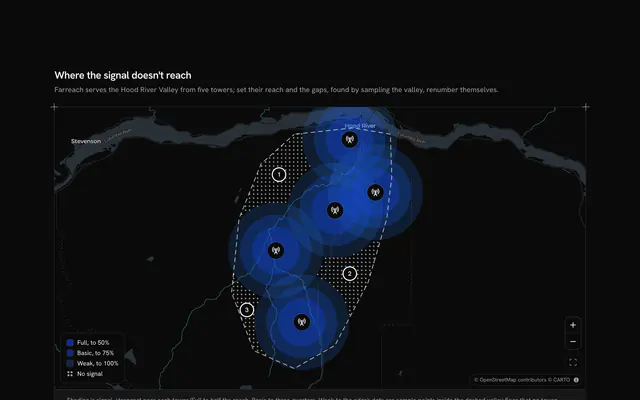
Let people check their signal before they sign, with this cell towers map for React with Base UI. Signalbrook, a signal checker, sets three carriers' towers in the villages of the Hope Valley in the Peak District on a live Map that follows your theme, four towers each, every one with rings at 1.5, 3 and 4.5 km (solid, dashed, dotted). The Edale valley behind the Mam Tor ridge is shaded: there, only a tower in the valley itself reaches. A phone is the one movable marker: drag it, or focus it and use the arrow keys, and Escape or the Put the phone back button returns it. A Toggle Group under the map picks the carrier whose towers and rings are drawn, and each item shows that carrier's bars at the phone, so the best carrier is plain before you switch. The readout gives the bars out of four, the technology, the serving tower and its distance ("3 of 4 bars, 4G, tower K1 at 1.6 km"), or No service, and a dashed line joins the phone to the tower it uses. Built from Map, Toggle Group, Button and Guides. For carriers, signal checkers and travel apps.
FAQ
How are the bars worked out?
signalAt measures the great-circle distance from the phone to each of the carrier's towers and takes the nearest one it can reach. Within 1.5 km is 4 bars on 5G, within 3 km is 3 bars on 4G, within 4.5 km is 2 bars on 3G, and past that there is no service. It is a sketch for the demo, not a radio propagation model; in your app read measured coverage for the spot.
What does the ridge shadow do?
The shaded polygon is the Edale valley, north of the Mam Tor ridge. When the phone is inside it, only towers that stand inside it too can serve it, so Kestrel and Plover drop to No service there while Brindle Net's tower at Edale still gives full bars. Outside the valley every tower counts.
How do I move the phone without a mouse?
Tab to the phone: it is announced as a draggable marker named by its readout. The arrow keys move it 10 pixels a press and 40 with Shift, and Escape puts it back where it started, as the button under the map does. The carrier toggle takes the arrow keys too, and a polite message says the result once the phone rests.
Where does the data come from, and what stays local?
The villages and the valley are real places at their real coordinates. Signalbrook, the carriers, the towers, the ring distances and the shadow rule are invented, typed in TOWER_LINES, BANDS and SHADOW_RING. Nothing asks the browser for the device's location and nothing is sent: the readout is worked out in the page. The map tiles come from CARTO's basemaps over OpenStreetMap data.