shadcn.io is an independent project built on shadcn/ui
Installation
Overview
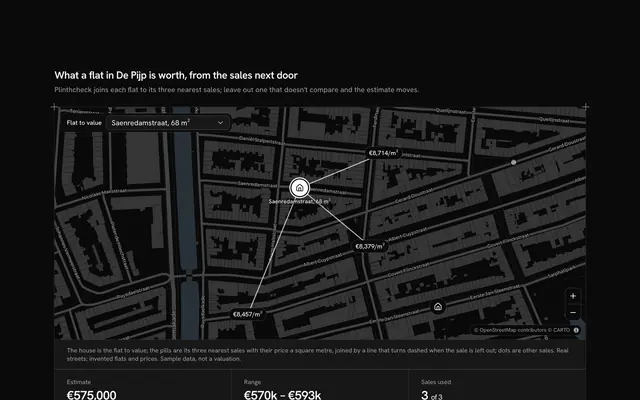
Show homeowners what a roof could earn, with this solar panel potential map for React with Base UI. Roofwatt, a solar installer, has surveyed eight roofs in Vauban, Freiburg's solar quarter, outlined from OpenStreetMap's buildings on a live Map that follows your theme and filled in three steps of the chart colours by how much sun each gets: full sun, part shade or heavy shade. A card floating over the map picks a roof with a Toggle Group of letters (or its badge or outline on the map), the number of panels with a Slider from 4 to 30 and the way the roof faces with a Native Select. It reads the year back in four figures: the panels counted, the energy in kilowatt hours, the saving at a typed tariff and the payback in years; a roof that holds fewer panels than asked counts only those that fit and says so. Choosing a roof flies the map to it and outlines it; the map button frames all eight again. Built from Map, Toggle Group, Slider, Native Select, Button and Guides. For solar installers, energy suppliers and home-improvement apps.
FAQ
How are the figures worked out?
Energy is the panels that fit, times 0.43 kW, times the roof's sun figure (what one kW makes there in a year facing south), times the share for the way it faces: 100 percent south, 86 east and west, 58 north. The saving is that energy times a typed tariff of 30 euro cents a kWh, and the payback is the cost, a fixed €2,500 plus €650 a panel, over the yearly saving. It is a simplified estimate, not a quote: a real one also needs the pitch, the inverter and the local feed-in rules.
What happens when I ask for more panels than the roof holds?
The roof's own limit wins. The figures count only the panels that fit, the first figure says so ("18 of 24"), and the line under the figures names the roof's room. The slider keeps its range so you can compare roofs at the same setting.
Where do the roofs come from, and what stays local?
The outlines are real buildings from OpenStreetMap, read once from the basemap's tiles and typed into LINES with five decimals; no address is named. The sun figures, the room on each roof, the tariff and the costs are invented, only CARTO's map tiles are loaded (their credit kept), and nothing is requested or sent.
How do I read the shading without colour?
Each roof's sun class is also in words: in the card for the chosen roof, in the tooltip of every badge on the map and in each letter's accessible name. The legend under the map names the three steps, and the chosen roof is the one outlined in the primary colour.
Can I use it without a mouse?
Yes. The roof letters are a toggle group that takes the arrow keys, the slider takes the arrow keys and announces the panels, and the facing is a native select. The badges and outlines on the map are a pointer shortcut to the same choice, the zoom buttons and the map take the keyboard, and a polite message reads the result once the controls settle.