shadcn.io is an independent project built on shadcn/ui
Installation
Overview
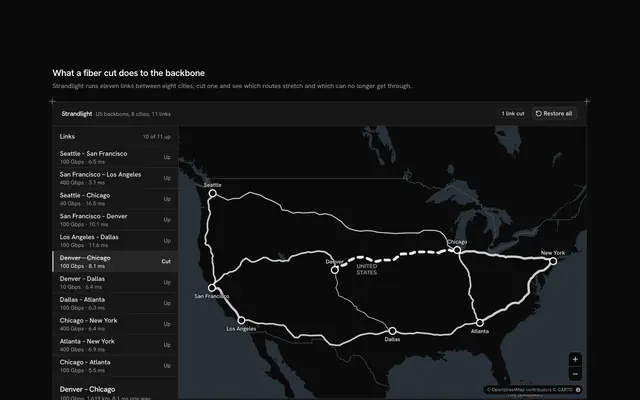
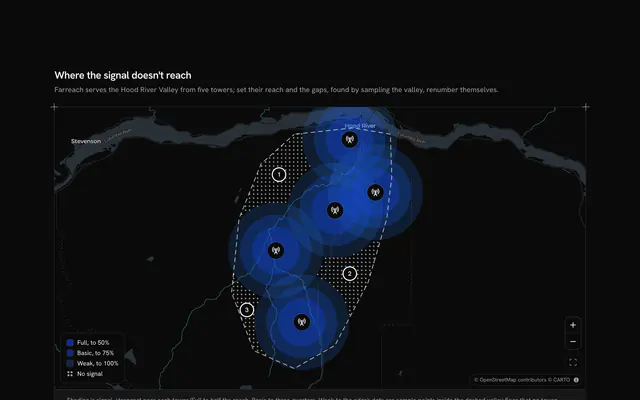
See which line gives out first, with this power grid map for React with Base UI. Voltmarsh, a grid operator, runs seven lines across Victoria from a power station in the Latrobe Valley, through two terminal stations on Melbourne's edge, to four regional substations, each at its real town on a live Map that follows your theme. Every line is drawn as wide as its capacity in megawatts. A Slider at the top of the rail raises demand from 0 to 30 percent above today: each line's flow grows by that share, and a line over its capacity turns dashed on the map and says "Overloaded" there and in its row. The rail lists the lines in the order they give out, each with a meter of flow against capacity and the rise at which it goes over, and names the first to go. Choosing a line, in the rail or on the map, colours it and flies the camera to it; the grid button frames them all again. Built from Map, Slider, Button and Guides. For grid operators, planning tools and utility dashboards.
FAQ
How is an overload decided?
Each line has a typed flow at today's demand and a capacity, both in megawatts. At a rise the flow is today's times one plus the share, rounded, and the line is overloaded when that passes its capacity. breakOf finds the first whole percent at which that happens, which sets the order of the rail and the sentence that names the first to give out.
Is this a power-flow model?
No. Every flow grows by the same share and nothing is re-routed when a line is overloaded, so it shows headroom, not what a real grid does after a trip. For planning use a load-flow study and keep this block as the display; the caption says so.
Where does the data come from, and what stays local?
SUBSTATION_LINES places seven real towns and LINE_LINES joins them with a capacity and a flow; Voltmarsh and every figure are invented. Only the map tiles are loaded, CARTO's free basemaps over OpenStreetMap data with their credit kept, nothing is switched or sent, and the lines are drawn straight between their ends.
How does the map fly to a line?
The block keeps one aim: the whole grid or the chosen line. MapCamera frames it at the start and flies to each new one, at once under reduced motion, without coming closer than zoom 8. Pan and zoom freely in between; the grid button aims at every line again.
Can I use it without a mouse?
Yes. The slider takes the arrow keys and says its value as a percentage above today, and every line in the rail is a button with a pressed state that gives its flow, capacity and the rise at which it goes over in words. Clicking a line on the map is a pointer shortcut to the same choice, and a polite message says how many lines are overloaded once the slider settles.