shadcn.io is an independent project built on shadcn/ui
Installation
Overview
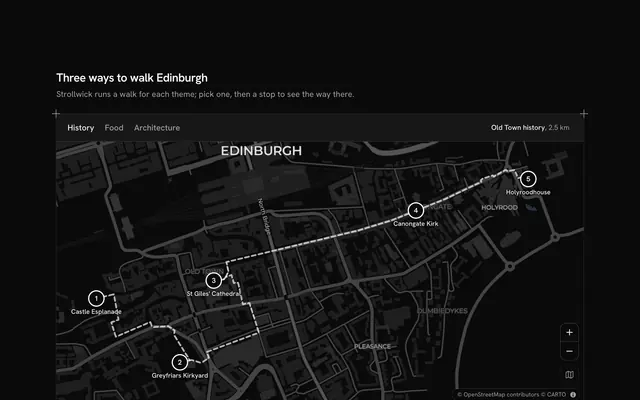
Show people where to find you, with this office locations map for Svelte with Ark UI. Brightkeel, a software company, works from five studios, in Lisbon's Príncipe Real, Berlin's Kreuzberg, Toronto's Entertainment District, Singapore's Tanjong Pagar and Melbourne's Collingwood. Tabs above a live Map that follows your theme, light or dark, pick the city: the map flies there and frames the studio's door with the walk from its nearest station, a dashed line along OpenStreetMap's footways baked into the file. The tab's panel is the studio's card, floating at the map's start: the floor and neighbourhood (never a street address), the walk in minutes, the opening hours, the team's size and what it works on, and a Shine Button link to plan a visit, the section's one call to action. On a phone the card docks under the map. Built from Map, Tabs, Shine Button and Guides. For about and contact pages, careers sites, agencies and any company with more than one door.
FAQ
Where do the walks come from?
Each walk was asked once, while the block was written, from the OSRM foot profile over OpenStreetMap, from the station to the studio's door, then thinned and typed into LINES. Nothing is routed while the page runs. The minutes are the walk's length, leg by leg, at an easy 80 m a minute.
How does the map fly between cities?
The block keeps one aim, the chosen studio's walk, and hands its corners to MapCamera, which frames it, flying from one city to the next, or jumping at once when reduced motion is on. From tablet width the camera keeps the walk clear of the card floating at the map's start.
What is real, and what stays local?
The neighbourhoods, stations and footways are real. Brightkeel, its studios, floors, teams and hours are invented, and the cards name a neighbourhood instead of a street address. Nothing is fetched except the map's tiles, and Plan a visit is a plain link to #visit: point it at your contact form or booking page.
Can I use it without a mouse?
Yes. The cities are tabs: the arrow keys move between them and each one's card follows, with its link next in the tab order. The zoom buttons work from the keyboard, and the map takes the arrow keys and plus and minus once focused. A polite message says which studio the map shows once the tab settles.