shadcn.io is an independent project built on shadcn/ui
About
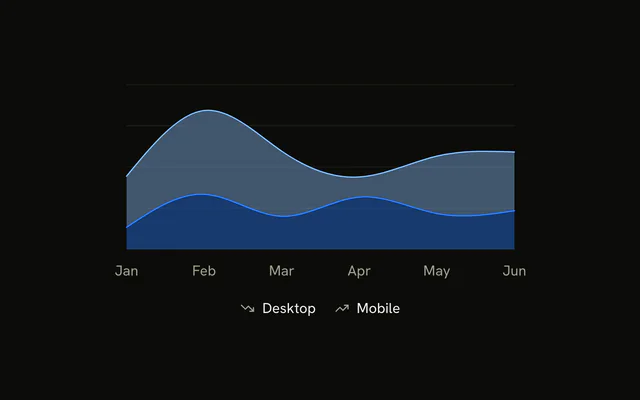
Add a legend once the colors alone don't say which series is which: two series a reader meets for the first time, or three and more. With a single series, the card title does that job. If the series should be recognized at a glance, the Area Chart with Icons puts an icon in each entry.
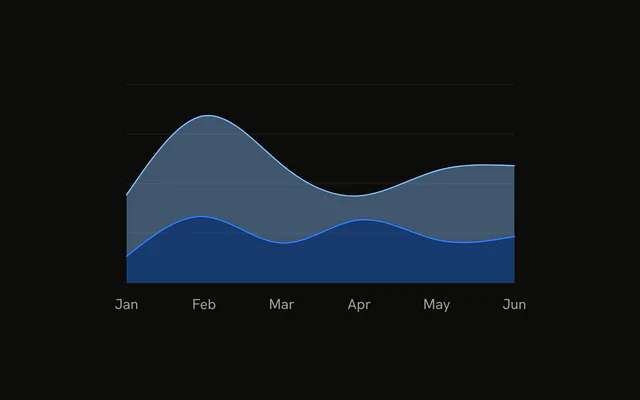
The two series stack, mobile under desktop, as smooth curves. Under the plot, a centered row shows a small square in each series' color and its label, and the tooltip marks each row with a line.
Installation
Usage
import { ChartAreaLegend } from "@/components/charts/chart-area-legend";<ChartAreaLegend />Customize
<ChartLegend content={<ChartLegendContent />} />inside<AreaChart>reads labels and colors fromchartConfig.verticalAlign="top"onChartLegendmoves the row above the plot.- The items follow the
<Area>order: mobile, then desktop. - Both
<Area>s sharestackId="a", with<ChartTooltipContent indicator="line" />for the tooltip.
FAQ
How do I put the legend above the chart?
Pass verticalAlign="top" to ChartLegend. Recharts moves the legend above the plot and ChartLegendContent puts its padding below the row.
Where do the legend's labels come from?
From label in each chartConfig entry, with var(--color-<key>) for the swatch. Rename Desktop there and the legend and the tooltip both change.
How do I change which series the legend lists?
The legend follows the <Area> elements, so its order is their order. To leave one out, set legendType="none" on that <Area>.
Can I click a legend item to hide its series?
Not with ChartLegendContent as it is. Keep the hidden keys in state, set hide on those <Area>s, and pass ChartLegend an onClick that toggles the clicked dataKey.
API Reference
ChartContainer
configChartConfig
Each series by its data key: its label, an icon, and a color (or a * theme color per light and dark), read by the tooltip and legend and set * as --color-<key>.
initialDimension?{ height: number; width: number; }
The size it renders at before it's measured, so the first paint isn't * empty.
- Type
{ height: number; width: number; }- Default
INITIAL_DIMENSION
className?string
Merged with the part's classes.
ChartLegend
ChartLegendContent
<div>
hideIcon?boolean
Hides each series' icon (from config), leaving its color swatch.
- Default
false
nameKey?string
The key in each legend item's data to look its label up by in config. * Defaults to the item's dataKey.
className?string
Merged with the part's classes.
ChartStyle
<style>
configChartConfig
The chart config whose colors it writes as --color-<key> variables.
idstring
The element's id.
ChartTooltip
ChartTooltipContent
<div>
hideIndicator?boolean
Hides each item's color indicator.
- Default
false
hideLabel?boolean
Hides the tooltip's label, the hovered point's.
- Default
false
indicator?"dashed" | "dot" | "line"
The color indicator's shape: a dot, a line or dashed.
- Type
"dashed" | "dot" | "line"- Default
"dot"
labelFormatter?(label: any, payload: TooltipPayload) → React.ReactNode
Formats the tooltip's label; its value is untyped, as in recharts 3.8.
- Type
(label: any, payload: TooltipPayload) → React.ReactNode- Parameters
label– anypayload– TooltipPayload- Returns
React.ReactNode
labelKey?string
The key in the data to read the label from, looked up in config.
nameKey?string
The key in each item's data to look its name up by in config.
className?string
Merged with the part's classes.