shadcn.io is an independent project built on shadcn/ui
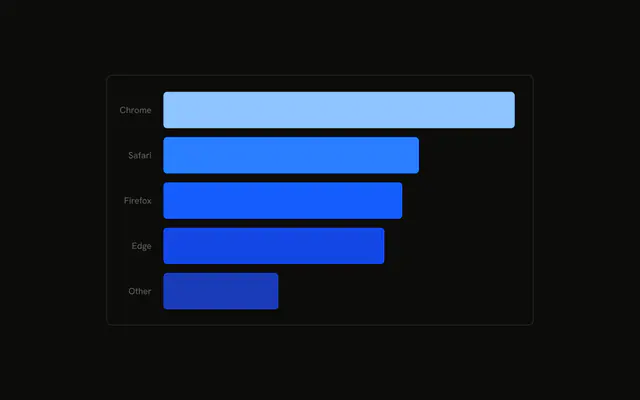
Five browser bars, each in its own color. Firefox is lighter, with a dashed outline in that same color. The highlight is a fixed index, not a hover.
Use it to point at one category while the rest stay visible. If the choice should follow a click, drive it from Tabs instead of a constant. In React, Ark UI does not choose Firefox.
Installation
Anatomy

Usage
<div className="w-full max-w-xl rounded-md border bg-background p-4">
  <ChartContainer config={chartConfig}>
    <BarChart accessibilityLayer data={chartData}>
      <CartesianGrid vertical={false} />
      <XAxis
        axisLine={false}
        dataKey="browser"
        tickFormatter={formatBrowser}
        tickLine={false}
        tickMargin={10}
      />
      <ChartTooltip content={renderTooltipContent} cursor={false} />
      <Bar dataKey="visitors" radius={8} shape={renderBar} strokeWidth={2} />
    </BarChart>
  </ChartContainer>
</div>
FAQ
How is the Firefox bar highlighted?
Bar sets shape to renderBar. That function compares props.index with ACTIVE_INDEX, which is 2, the Firefox row. A match renders Rectangle with fillOpacity 0.8, stroke from props.payload.fill, strokeDasharray 4, and strokeDashoffset 4.
How do I highlight a different bar?
Change ACTIVE_INDEX. The rows run Chrome, Safari, Firefox, Edge, Other, so 0 is Chrome. Any other index returns Rectangle with the bar props unchanged. Bar also sets radius to 8 and strokeWidth to 2, which is the outline width on the dashed bar.
Why is each bar a different color?
Each row sets fill to a variable such as var(--color-chrome). config maps chrome through other to --chart-1 through --chart-5 and to labels like Chrome. Bar has dataKey visitors and leaves fill to the row.
How do the ticks get names like Chrome?
XAxis uses dataKey browser and tickFormatter set to formatBrowser, which returns chartConfig[value].label. axisLine and tickLine are false, and tickMargin is 10.
API Reference
Chart
Sets config={chartConfig}, content={renderTooltipContent} and cursor={false}. The rest is on the Chart page.