shadcn.io is an independent project built on shadcn/ui
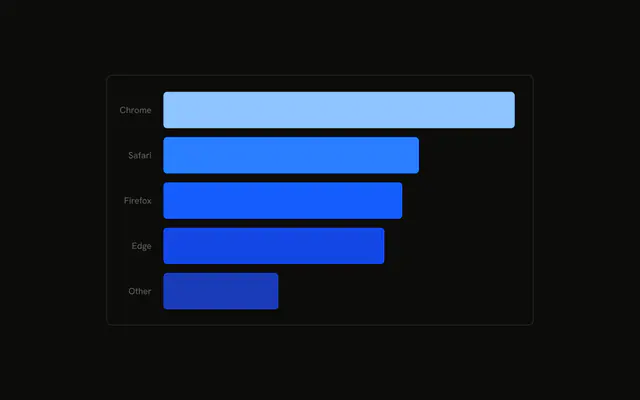
The same six desktop months, turned sideways. Short month names run down the side. The axis that would show the values is hidden.
Use horizontal bars for a ranking, or when the category names are long. If you need the counts in reading order, use a Table. In React, Ark UI does not turn the bars sideways. You set the layout, and you pass the rows.
Installation
Anatomy

Usage
<div className="w-full max-w-xl rounded-md border bg-background p-4">
  <ChartContainer config={chartConfig}>
    <BarChart
      accessibilityLayer
      data={chartData}
      layout="vertical"
      margin={{
        left: -20,
      }}
    >
      <XAxis dataKey="desktop" hide type="number" />
      <YAxis
        axisLine={false}
        dataKey="month"
        tickFormatter={formatMonth}
        tickLine={false}
        tickMargin={10}
        type="category"
      />
      <ChartTooltip content={renderTooltipContent} cursor={false} />
      <Bar dataKey="desktop" fill="var(--color-desktop)" radius={5} />
    </BarChart>
  </ChartContainer>
</div>
FAQ
What turns the bars sideways?
BarChart sets layout to vertical. YAxis is type category with dataKey month, and XAxis is type number with dataKey desktop. XAxis also sets hide, so the number scale stays off the chart.
How are the month labels shortened?
YAxis sets tickFormatter to formatMonth, which returns value.slice(0, 3), so January renders as Jan. axisLine and tickLine are false, and tickMargin is 10.
Why is the left margin negative?
BarChart sets margin to { left: -20 }, which pulls the category ticks toward the plot. Bar uses dataKey desktop, fill var(--color-desktop), and radius 5.
Where does the bar color come from?
config sets desktop to the label Desktop and color var(--chart-1). ChartContainer writes --color-desktop, and Bar fills with that variable.
API Reference
Chart
Sets config={chartConfig}, content={renderTooltipContent} and cursor={false}. The rest is on the Chart page.