shadcn.io is an independent project built on shadcn/ui
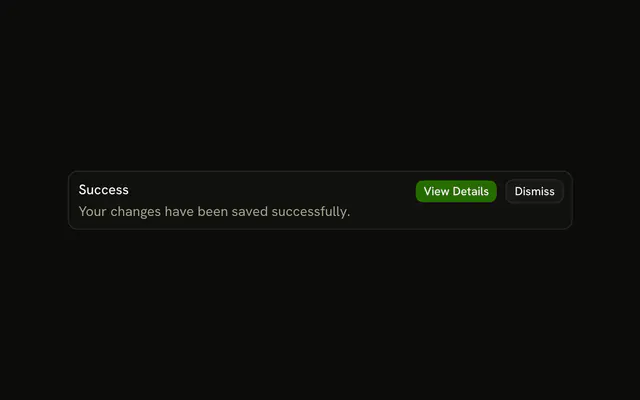
A check icon in the normal text color, the title Success, and a line that the changes are saved and live. View Details is filled. Dismiss is outlined. There is no success tint.
Use it for a general notice that should not look like a success, a warning, or an error. A note that can fade is a Sonner toast. In React, Ark UI does not tint this alert.
Installation
Anatomy

Usage
<Alert className="max-w-lg">
  <CircleCheckIcon aria-hidden="true" />
  <AlertTitle>Success</AlertTitle>
  <AlertDescription>
    Your changes have been saved successfully and are now live.
  </AlertDescription>
  <AlertAction className="flex gap-2">
    <Button size="xs">View Details</Button>
    <Button size="xs" variant="outline">
      Dismiss
    </Button>
  </AlertAction>
</Alert>
FAQ
Which icon does this alert use, and why isn't it green?
CircleCheckIcon, with aria-hidden="true", next to a title that says Success. There is no variant, so the icon takes the alert's text color. variant="success" is what tints the border and paints the icon with --success.
Should standard alert icons use color or stay neutral?
Neutral fits the default variant: the icon takes the alert's text color, so nothing suggests an error or a success. If the icon needs a color, switch to the variant that matches it instead of coloring the icon alone.
How does the icon line up with the title?
Put it first, before AlertTitle: the alert places a direct svg child in its own column, spanning the title and description, aligns it with the title's first line, and sizes it unless you pass a size class.
API Reference
Alert
No extra props in this demo. The rest is on the Alert page.
Button
Sets size="xs" and variant="outline". The rest is on the Button page.