shadcn.io is an independent project built on shadcn/ui
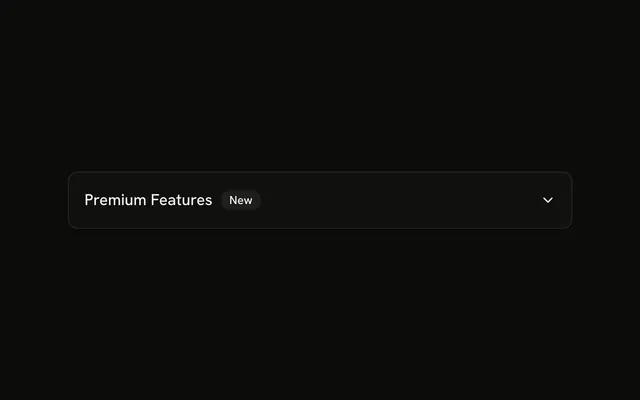
A chevron leads Do you offer enterprise plans?, then an outline Popular badge. The chevron points down while the answer is open, and the answer lines up under the question.
Use it to mark the question people ask most. If the badge is the whole point, a Badge next to a heading is enough. In React, Ark UI does not decide which question is popular.
Installation
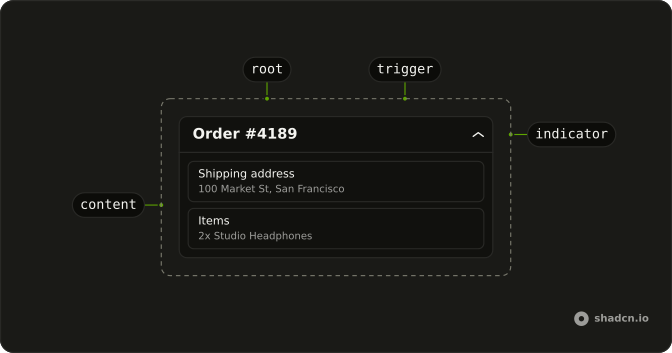
Anatomy
Usage
<Collapsible className="flex w-full max-w-lg flex-col gap-2">
  <h3>
    <CollapsibleTrigger className="group flex w-full items-start gap-3 text-start">
      <ChevronRightIcon
        aria-hidden="true"
        className="mt-1 size-4 shrink-0 transition-transform duration-200 group-aria-expanded:rotate-90"
      />
      <span className="flex flex-1 flex-wrap items-center gap-2">
        <span className="font-medium">Do you offer enterprise plans?</span>
        <Badge variant="outline">Popular</Badge>
      </span>
    </CollapsibleTrigger>
  </h3>
  <CollapsibleContent className="ms-7 text-muted-foreground text-sm">
    Yes, we offer custom enterprise plans with dedicated support, SLA
    guarantees, and volume discounts. Contact our sales team for more
    information.
  </CollapsibleContent>
</Collapsible>
FAQ
Where do the chevron, the question, and Popular sit?
All in the trigger, a flex items-start gap-3 row: the chevron first, then a wrapping group with the question and the badge. The h3 around the trigger makes the question a heading.
Why does the answer use ms-7?
It's the chevron's size-4 plus the gap-3 after it, so the answer starts under the question instead of under the chevron. ms is a logical margin, so it follows right-to-left pages.
Does ChevronRight turn when the answer opens?
Yes, a quarter turn to point down. The trigger has the group class and sets aria-expanded while open, so group-aria-expanded:rotate-90 on ChevronRightIcon turns it, eased by transition-transform duration-200.
Is Popular part of the button name?
Yes. The badge is inside the trigger, so the name is the question followed by Popular. The chevron is aria-hidden.
API Reference
Collapsible
No extra props in this demo. The rest is on the Collapsible page.
Badge
Sets variant="outline". The rest is on the Badge page.