shadcn.io is an independent project built on shadcn/ui
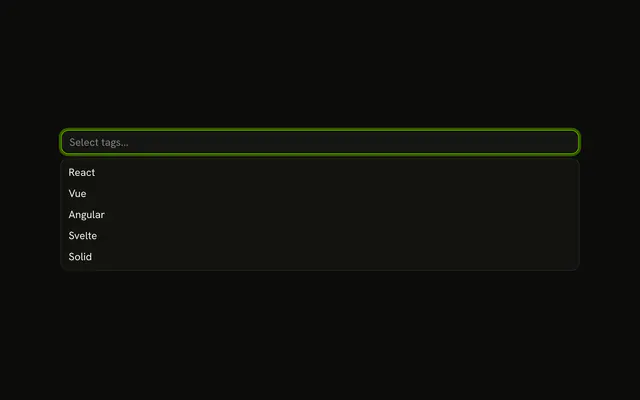
The button takes the full width of its container. The list opens at that width, so the field lines up with other inputs in a column.
Use it in a form, a side panel, or a narrow screen where a fixed width looks stranded. A toolbar can keep a short Select. In React, Ark UI anchors the list to the button.
Installation
Anatomy

Usage
<div className="w-full">
  <Combobox
    collection={collection}
    onInputValueChange={handleInputValueChange}
    onValueChange={handleValueChange}
    positioning={{ getAnchorElement: () => triggerRef.current }}
    selectionBehavior="clear"
    value={value}
  >
    <ComboboxTrigger
      className={cn(
        buttonVariants({ variant: "outline" }),
        "w-full justify-between"
      )}
      ref={triggerRef}
    >
      {selected ? selected.label : "Select country..."}
    </ComboboxTrigger>
    <ComboboxContent>
      <ComboboxInput
        className="w-full"
        placeholder="Search country..."
        showTrigger={false}
      />
      <ComboboxEmpty>No country found.</ComboboxEmpty>
      <ComboboxList>
        {collection.items.map((item) => (
          <ComboboxItem item={item} key={item.value}>
            {item.label}
          </ComboboxItem>
        ))}
{/* The rest of the file is under Installation. */}
FAQ
Which classes make it full width?
A wrapper div with w-full, and w-full justify-between on the trigger so the label sits at the start and the chevron at the end.
How does the list match the button's width?
ComboboxContent reads the width of the element it's anchored to, so a wider button gives a wider list without a width class on the popup.
It's anchored to the trigger through positioning.getAnchorElement.
What can I select?
United States, United Kingdom, Canada, Australia and Germany. The search box says Search country..., and No country found. shows when nothing matches.
API Reference
Combobox
Sets collection={collection}, onInputValueChange={handleInputValueChange}, onValueChange={handleValueChange}, positioning, getAnchorElement and cn. The rest is on the Combobox page.