shadcn.io is an independent project built on shadcn/ui
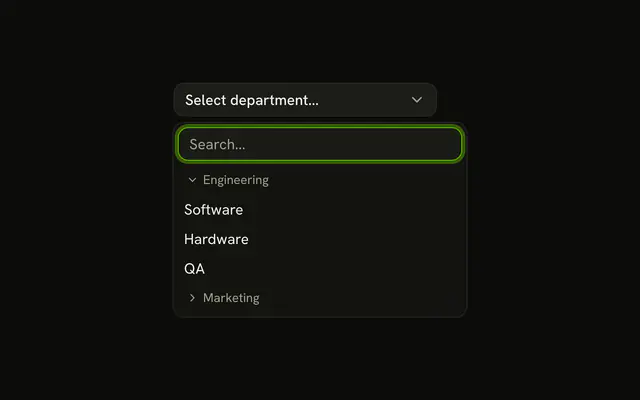
North America, Europe, and Asia each list three countries. Every country row starts with a small chevron, so it reads as a child of the region above it.
Use it for two-level data, such as regions and countries or teams and members. A deep tree, with expand and collapse, is a Tree View. In React, Ark UI does not indent the children. The chevron does.
Installation
Anatomy

Usage
<Combobox
  collection={collection}
  onInputValueChange={handleInputValueChange}
  onValueChange={handleValueChange}
  positioning={{ getAnchorElement: () => triggerRef.current }}
  selectionBehavior="clear"
  value={value}
>
  <ComboboxTrigger
    className={cn(
      buttonVariants({ variant: "outline" }),
      "w-[250px] justify-between"
    )}
    ref={triggerRef}
  >
    {selected ? selected.label : "Select country..."}
  </ComboboxTrigger>
  <ComboboxContent>
    <ComboboxInput
      className="w-full"
      placeholder="Search country..."
      showTrigger={false}
    />
    <ComboboxEmpty>No country found.</ComboboxEmpty>
    <ComboboxList>
      {groups.map(([group, items]) => (
        <ComboboxGroup heading={group} key={group}>
          {items.map((item) => (
            <ComboboxItem className="gap-2" item={item} key={item.value}>
              <ChevronRightIcon
                aria-hidden="true"
{/* The rest of the file is under Installation. */}
FAQ
Is this a real tree?
No. It's one level of groups, each region a ComboboxGroup with its name as the heading. The chevron is what suggests the nesting.
How is the chevron drawn?
A ChevronRightIcon at size-3 opacity-50 before each country name, hidden from screen readers. The rows add gap-2 for the space.
Which countries are listed?
United States, Canada and Mexico under North America. United Kingdom, Germany and France under Europe. Japan, China and India under Asia.
Can I search by region?
No, the search matches country names only. Typing Europe finds nothing, and No country found. shows. Add the region to each country's text if people search that way.
How would I show a third level?
A combobox list has one level of groups. For deeper trees, put the path in the label, such as Europe / Germany / Berlin, or use a Tree View.
API Reference
Combobox
Sets collection={collection}, onInputValueChange={handleInputValueChange}, onValueChange={handleValueChange}, positioning, getAnchorElement and cn. The rest is on the Combobox page.