shadcn.io is an independent project built on shadcn/ui
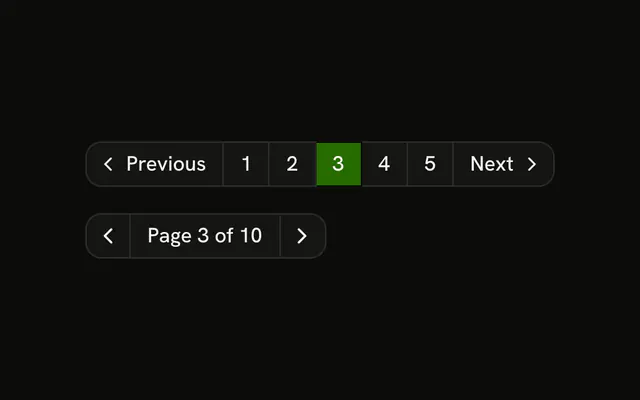
An invoice table shows five rows at a time, out of 25. Columns include Invoice, Client, Date, Status and Amount. Under it: Previous, numbered page buttons and Next.
Number the pages when people jump around a long list. Previous and Next alone fit a short Table they only step through. Ark UI in React does not slice the rows.
Installation
Usage
<div className="w-full max-w-4xl">
  <div className="rounded-md border bg-background">
    <Table>
      <TableHeader>
        {table.getHeaderGroups().map((headerGroup) => (
          <TableRow key={headerGroup.id}>
            {headerGroup.headers.map((header) => (
              <TableHead key={header.id}>
                {header.isPlaceholder ? null : (
                  <table.FlexRender header={header} />
                )}
              </TableHead>
            ))}
          </TableRow>
        ))}
      </TableHeader>
      <TableBody>
        {rows.length > 0 ? (
          rows.map((row) => (
            <TableRow key={row.id}>
              {row.getAllCells().map((cell) => (
                <TableCell key={cell.id}>
                  <table.FlexRender cell={cell} />
                </TableCell>
              ))}
            </TableRow>
          ))
        ) : (
          <TableRow>
            <TableCell
              className="h-24 text-center"
{/* The rest of the file is under Installation. */}
FAQ
When does the ellipsis show?
getPageItems returns every page when there are seven or fewer, so these five pages all show. With more, it keeps the first and last pages and the ones around the current page, and puts an ellipsis where pages are skipped.
What happens when I click a page number?
The button calls table.setPageIndex(page). The current page uses variant="default" and aria-current="page"; the others use variant="outline". The ellipsis is text hidden from screen readers, not a button.
How many rows are on a page?
Five: initialState.pagination sets pageSize to 5, with rowPaginationFeature and createPaginatedRowModel(). Call table.setPageSize to change it; this demo has no page-size control.
Are Previous and Next still there?
Yes. They call table.previousPage() and table.nextPage() and are disabled at either end from getCanPreviousPage() and getCanNextPage().
API Reference
Table
Sets colSpan={columns.length}. The rest is on the Table page.
Button
Sets disabled={!table.getCanPreviousPage()}, onClick={handlePrevious}, size="sm", variant="outline", disabled={!table.getCanNextPage()} and onClick={handleNext}. The rest is on the Button page.