shadcn.io is an independent project built on shadcn/ui
Choose Plan opens three cards: Hobby at $0, Pro at $29, and Enterprise at $99. Pro starts selected. The same six features sit under every card. The button reads Continue with Pro, and Cancel is beside it.
Use it for a quick plan switch. If the lists differ, swap them with the selection. A change that cannot be undone belongs in an Alert Dialog. In React, Ark UI does not change the plan.
Installation
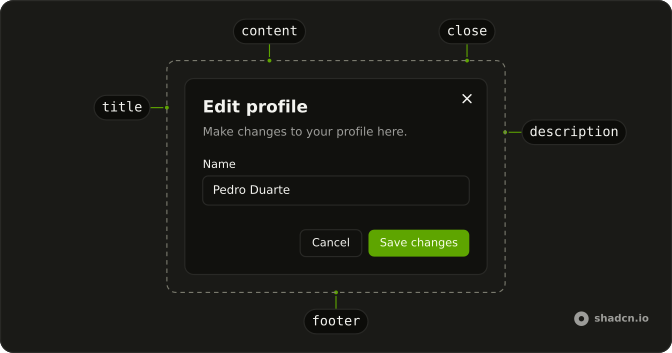
Anatomy
Usage
<Dialog>
  <DialogTrigger asChild>
    <Button variant="outline">Choose Plan</Button>
  </DialogTrigger>
  <DialogContent className="sm:max-w-lg">
    <DialogHeader>
      <DialogTitle>Choose your plan</DialogTitle>
      <DialogDescription>
        Select the plan that best fits your needs.
      </DialogDescription>
    </DialogHeader>
    <RadioGroup
      aria-label="Plan"
      className="sm:grid-cols-3"
      onValueChange={handleValueChange}
      value={selectedPlan}
    >
      {plans.map((plan) => (
        <FieldLabel key={plan.value}>
          <Field orientation="horizontal">
            <FieldContent>
              <FieldTitle>{plan.name}</FieldTitle>
              <span className="font-bold text-lg">{plan.price}</span>
              <FieldDescription className="text-xs">
                {plan.description}
              </FieldDescription>
            </FieldContent>
            <RadioGroupItem value={plan.value} />
          </Field>
        </FieldLabel>
      ))}
{/* The rest of the file is under Installation. */}
FAQ
How are the plan cards built?
Each is a FieldLabel around a horizontal Field with the name, price, description and a RadioGroupItem. The radio group is controlled, starts on Pro, and lays the cards out with sm:grid-cols-3.
Should the features change with the plan?
If plans differ, yes: keep a feature list per plan and show the selected one's, or mark features missing from it.
Should I highlight a recommended plan?
Add a Badge such as Popular to that card. Preselecting it, as the demo does with Pro, also nudges people.
Can I add a monthly or yearly toggle?
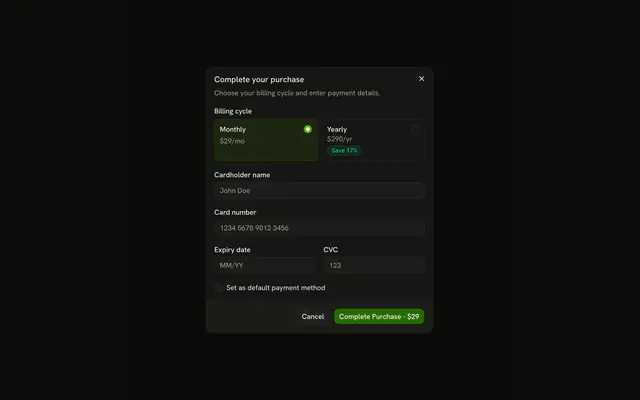
Yes, with a Switch or a second radio group above the cards that changes the prices, as the Checkout dialog example does.
API Reference
Dialog
Sets asChild. The rest is on the Dialog page.
Button
Sets variant="outline". The rest is on the Button page.
Radio Group
Sets aria-label="Plan", onValueChange={handleValueChange}, value={selectedPlan} and value={plan.value}. The rest is on the Radio Group page.
Field
Sets orientation="horizontal". The rest is on the Field page.