shadcn.io is an independent project built on shadcn/ui
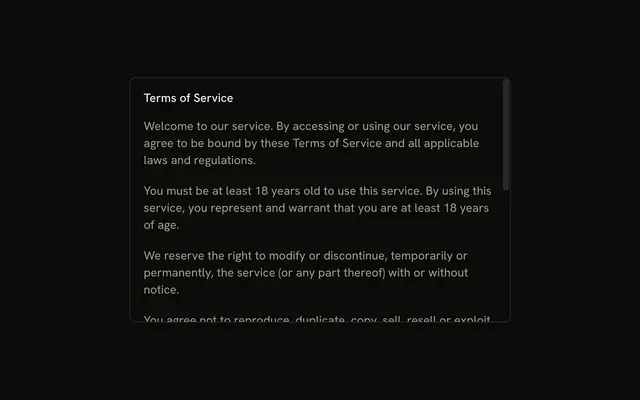
Accept Terms opens Terms and Conditions. Six numbered sections scroll in a fixed-height box. The description says to scroll to the bottom. I Agree stays off until the scroll reaches the end.
Use it when people should see the end of the terms before they accept. If a scroll check is too harsh, let them agree in an Alert Dialog. In React, Ark UI does not watch the scroll.
Installation
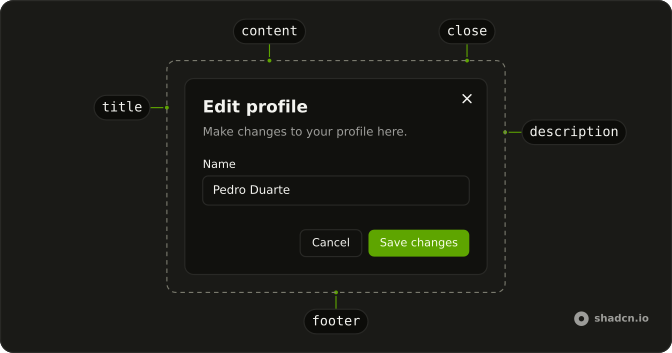
Anatomy
Usage
<Dialog>
  <DialogTrigger asChild>
    <Button variant="outline">Accept Terms</Button>
  </DialogTrigger>
  <DialogContent className="sm:max-w-lg">
    <DialogHeader>
      <DialogTitle>Terms and Conditions</DialogTitle>
      <DialogDescription>
        Please read and scroll to the bottom to accept.
      </DialogDescription>
    </DialogHeader>
    <div
      className="flex h-75 flex-col gap-4 overflow-y-auto pe-4 text-sm"
      onScroll={handleScroll}
    >
      {terms.map((term) => (
        <div className="flex flex-col gap-2" key={term.title}>
          <h3 className="font-semibold">{term.title}</h3>
          <p>{term.text}</p>
        </div>
      ))}
    </div>
    <DialogFooter>
      <DialogClose asChild>
        <Button disabled={!hasScrolledToBottom}>I Agree</Button>
      </DialogClose>
    </DialogFooter>
  </DialogContent>
</Dialog>
FAQ
How is the end of the text detected?
The terms sit in a div with h-75 overflow-y-auto, and its scroll handler checks whether scrollHeight - scrollTop - clientHeight is under 10 pixels. Once it is, I Agree is enabled for good.
Is forcing a scroll good UX?
For legal agreements you must prove were shown, it's defensible. For everything else, a checkbox confirmation is friendlier.
Should the button say why it's disabled?
Yes: add a short line under the terms such as Scroll to the end to accept, and remove it once the button is enabled.
How is I Agree disabled?
The button takes disabled until the reader reaches the end. It's a DialogClose, so it closes the dialog once pressed.
API Reference
Dialog
Sets asChild. The rest is on the Dialog page.
Button
Sets variant="outline" and disabled={!hasScrolledToBottom}. The rest is on the Button page.